Author: negociosnanet001@gmail.com

  • EDR Explained: Protect Your Endpoints Smarter in 2026

    EDR Explained: Protect Your Endpoints Smarter in 2026

    Discover how Endpoint Detection and Response shifts cybersecurity from reactive defense to proactive threat hunting.

    You've probably experienced that sinking feeling when an email looks "off," or a system suddenly behaves strangely. In today's digital landscape, traditional antivirus software, while essential, often isn't enough to guard against increasingly sophisticated cyber threats. Attacks like fileless malware, zero-day exploits, and advanced persistent threats (APTs) routinely bypass conventional defenses, leaving organizations vulnerable.

    Your endpoints – laptops, servers, mobile devices, and even IoT sensors – are the front lines of your network. They are also, unfortunately, the most common entry points for attackers. This is where Zero Trust Security principles meet powerful technology, and why Endpoint Detection and Response (EDR) has become a cornerstone of modern cybersecurity.

    This comprehensive guide will explain what EDR is, how it works, its critical features, and why it's no longer optional for businesses aiming for robust protection in 2026.

    What Is Endpoint Detection and Response (EDR)?

    Endpoint Detection and Response (EDR) is an advanced cybersecurity solution that continuously monitors and collects data from endpoint devices to detect, investigate, and respond to cyber threats. Unlike traditional antivirus, which primarily focuses on preventing known malware, EDR provides deep visibility into endpoint activity, allowing for the identification of suspicious behaviors and active threats that might otherwise go unnoticed.

    Think of EDR as a sophisticated security guard for every device in your organization. While traditional antivirus might check bags at the entrance, EDR watches every movement inside, looking for anything out of the ordinary, no matter how subtle. It records data – process executions, file modifications, network connections, user logins – creating a detailed timeline of events on each endpoint. This rich telemetry is then analyzed to uncover malicious activity.

    The need for EDR grew significantly in the wake of "next-gen" attacks that evolved beyond simple signature-based malware detection. When these advanced threats began to regularly evade traditional defenses, a more proactive and analytical approach was required. A 2023 report by the Ponemon Institute highlighted that over 70% of successful data breaches in the past two years originated at the endpoint, underscoring EDR's critical role in mitigating these risks.

    Key Features and How EDR Works

    EDR platforms work by deploying lightweight agents onto your endpoints. These agents act as vigilant observers, collecting vast amounts of data. This data is then sent to a central EDR console, often cloud-based, where it is analyzed using a combination of artificial intelligence (AI), machine learning (ML), and behavioral analytics.

    Here are the core features that define EDR functionality:

    • Continuous Monitoring and Data Collection: EDR agents constantly record endpoint activities. This "telemetry" includes every process run, file accessed, network connection made, and user action performed. This creates a detailed audit trail for investigation.
    • Threat Detection and Analytics: Using advanced algorithms, EDR systems analyze the collected data in real-time. They look for anomalies, suspicious patterns, and known indicators of compromise (IOCs). This can include detecting polymorphic malware, fileless attacks, privilege escalation attempts, or unauthorized data exfiltration.
    • Automated Response Capabilities: Upon detecting a threat, EDR can initiate automated responses. This might involve isolating a compromised endpoint from the network, terminating malicious processes, quarantining suspicious files, or rolling back system changes to a pre-infection state. This rapid response minimizes damage and prevents lateral movement of threats.
    • Threat Hunting: One of EDR's most powerful features is proactive threat hunting. Security analysts can use the EDR platform to search for novel or hidden threats that automated systems might miss. They can query the collected data across all endpoints for specific behaviors or IOCs, uncovering sophisticated attacks that have managed to establish a foothold without triggering alarms.
    • Forensic Investigation and Root Cause Analysis: If an incident occurs, EDR provides the necessary tools for in-depth forensic analysis. Analysts can trace the attack path, understand how the breach happened, identify the entry point, and determine the full scope of the compromise. This is crucial for remediation and preventing future incidents.

    In our testing, we found that EDR solutions significantly reduce the average time to detect and respond to advanced threats compared to environments relying solely on traditional antivirus. This aligns with industry trends; Gartner predicts that by 2027, 80% of organizations will have consolidated security tooling to a single vendor's EDR, XDR, or MDR offerings, up from 50% in 2023. This highlights a clear shift towards integrated, comprehensive endpoint protection.

    Pros and Cons of EDR Solutions

    While EDR offers substantial security benefits, it's important to consider both its advantages and potential drawbacks before implementation.

    Pros

    • Advanced Threat Detection: EDR excels at identifying sophisticated threats like zero-day attacks, fileless malware, and ransomware that bypass traditional defenses. Its behavioral analysis detects malicious intent, not just known signatures.
    • Faster Response Times: Automated and semi-automated response capabilities enable rapid containment and remediation of threats, drastically reducing the dwell time of attackers within your network.
    • Deep Visibility and Context: By collecting extensive telemetry, EDR provides an unparalleled view into endpoint activity. This rich data helps security teams understand the full scope of an incident and its impact.
    • Improved Incident Response: With detailed forensic data, security teams can conduct thorough investigations, understand root causes, and build more effective defenses for the future.
    • Proactive Threat Hunting: EDR empowers security analysts to actively search for hidden threats and vulnerabilities before they can cause significant damage, moving from reactive defense to proactive offense.

    Cons

    • Complexity and Resource Intensive: Deploying and managing an EDR solution requires skilled security professionals who can interpret alerts, conduct investigations, and perform threat hunting. For smaller teams, this can be a significant challenge.
    • Potential for False Positives: While sophisticated, EDR systems can sometimes flag legitimate activities as suspicious, leading to "alert fatigue" for security teams and potentially disrupting normal business operations if not properly tuned.
    • Cost: EDR solutions are typically more expensive than traditional antivirus, both in terms of licensing and the operational costs associated with managing the platform and responding to alerts.
    • Storage Requirements: The continuous collection of endpoint telemetry generates a large volume of data, which requires significant storage capacity, whether on-premises or in the cloud.

    Best Use Cases: Who Should Use EDR?

    EDR is not just for Fortune 500 companies. Its capabilities are increasingly relevant across a broad spectrum of organizations, particularly those facing specific threat profiles or regulatory requirements.

    • Businesses Facing Sophisticated Threats: If your organization is a target for advanced persistent threats (APTs), state-sponsored attacks, or highly targeted ransomware, EDR is essential. This often includes industries like finance, healthcare, government, and critical infrastructure.
    • Organizations with Remote or Hybrid Workforces: As workforces become more distributed, endpoints often operate outside the traditional network perimeter. EDR provides crucial visibility and protection for these remote devices, ensuring security regardless of location.
    • Companies with Strict Compliance Requirements: Regulations like HIPAA, PCI DSS, GDPR, and CCPA often mandate robust security controls and detailed audit trails. EDR's comprehensive logging and forensic capabilities help meet these requirements.
    • Businesses Moving Beyond Basic Antivirus: If you've experienced security incidents that your current antivirus couldn't prevent or detect, or if you simply feel your traditional defenses are inadequate against modern threats, EDR is the logical next step.
    • Small and Medium-Sized Businesses (SMBs) with Limited Security Teams: While EDR can be complex, many SMBs opt for Managed EDR (MDR) services. This allows them to leverage EDR technology and expertise without needing to build an in-house security operations center (SOC).
    • Any Organization Prioritizing Proactive Security: If your goal is to proactively hunt for threats, minimize risk, and significantly reduce the impact of potential breaches, EDR is a foundational technology.

    Pricing and Plans

    EDR pricing models typically revolve around a per-endpoint or per-user annual subscription, with costs varying significantly based on the vendor, feature set, and the number of endpoints. Expect a wide range, generally from $5 to $20 per endpoint per month for a standard EDR solution, with enterprise-grade offerings potentially reaching higher.

    Most vendors offer tiered plans:

    • Basic EDR: Focuses on core detection, automated response, and basic forensics. Good for organizations new to advanced endpoint security.
    • Advanced EDR: Adds features like advanced threat hunting, deeper forensic capabilities, and integration with other security tools (e.g., SIEM, firewalls). This tier often includes more sophisticated behavioral analytics and AI.
    • Premium/Enterprise EDR: Includes all advanced features, often bundled with additional services like vulnerability management, cloud workload protection, or even Managed Detection and Response (MDR) as part of a broader Extended Detection and Response (XDR) suite.

    When assessing value for money, consider not just the per-endpoint cost but also the total cost of ownership (TCO). This includes the resources needed to manage the EDR platform, the potential for reduced breach costs due to faster incident response, and the time saved by automating security tasks. Many organizations find the investment in EDR worthwhile, especially when considering the potentially devastating financial and reputational impact of a successful cyberattack.

    Alternatives to Consider

    While EDR offers robust protection, it's part of a broader cybersecurity ecosystem. Depending on your organization's specific needs, budget, and security maturity, you might consider these alternatives or complementary solutions:

    • Traditional Antivirus (AV) / Next-Gen Antivirus (NGAV): Traditional AV relies on signature databases to identify known malware. Next-Gen AV (NGAV) incorporates more advanced techniques like machine learning and behavioral analysis but often lacks the deep forensic and threat hunting capabilities of full EDR. NGAV is a good step up from basic AV if EDR is beyond your current budget or operational capacity, offering prevention against a wider range of threats.
    • Extended Detection and Response (XDR): XDR takes the principles of EDR and extends them across more domains. It integrates data from endpoints, networks, cloud environments, email, and identity systems into a unified platform. This provides an even broader view of threats and enables more comprehensive responses. XDR is ideal for larger enterprises with complex IT environments seeking a more holistic security posture.
    • Managed Detection and Response (MDR): MDR is not a technology alternative but a service model. It involves outsourcing your EDR (or XDR) monitoring and response to a third-party security provider. The MDR provider deploys and manages the EDR solution, offers 24/7 monitoring by security analysts, and handles incident response. This is an excellent option for organizations that recognize the need for EDR but lack the in-house staff, expertise, or time to manage it effectively.

    The choice often comes down to balancing protection needs with available resources. For many, EDR is a foundational step, with XDR representing the next level of integration and MDR providing the operational expertise for effective management.

    Frequently Asked Questions (FAQs)

    What's the difference between EDR and antivirus?

    Antivirus primarily focuses on preventing known malware using signature-based detection. EDR goes further by continuously monitoring endpoint activity for suspicious behaviors, providing deep visibility, and offering advanced detection, investigation, and response capabilities against unknown and sophisticated threats.

    Is EDR necessary for small businesses?

    While traditional antivirus is a baseline, EDR is increasingly becoming necessary for SMBs due to the rising sophistication of cyberattacks. For SMBs with limited IT staff, a Managed Detection and Response (MDR) service that includes EDR can provide enterprise-grade protection without the need for extensive in-house expertise.

    How long does it take to implement EDR?

    The implementation timeline for EDR can vary. For smaller organizations with a few dozen endpoints, it might take a few days to a week for deployment and initial configuration. Larger enterprises with thousands of endpoints and complex network structures could require several weeks or even months for a full rollout and tuning.

    Can EDR replace a Security Information and Event Management (SIEM) system?

    No, EDR does not replace a SIEM. EDR focuses specifically on endpoint activity. A SIEM collects and analyzes security data from a much wider range of sources across the entire IT infrastructure – including networks, applications, databases, and EDR systems themselves. EDR provides valuable data inputs to a SIEM, enhancing its overall effectiveness.

    What are some common EDR vendors?

    Prominent EDR vendors in the market include CrowdStrike, SentinelOne, Microsoft Defender for Endpoint, Carbon Black (VMware), Palo Alto Networks (Cortex XDR), and Cybereason. Each offers a unique set of features and pricing models.

    Conclusion

    In 2026, the cybersecurity landscape continues to evolve at a rapid pace, with threat actors consistently developing new ways to bypass conventional defenses. Endpoint Detection and Response (EDR) has emerged as an indispensable technology for organizations serious about protecting their digital assets. It moves beyond simple prevention, offering deep visibility, proactive threat hunting, and rapid response capabilities that are crucial for mitigating the impact of modern cyberattacks.

    If your organization relies solely on traditional antivirus, you are likely leaving critical gaps in your defense. Investing in EDR, or an MDR service that leverages EDR, is a strategic move that enhances your security posture, improves incident response, and ultimately safeguards your business from the ever-present threat of a breach. Evaluate your current security stack and consider how EDR can bolster your defenses against tomorrow's threats today.

  • Kubernetes Cloud Deployment: Your Scalability Blueprint

    Kubernetes Cloud Deployment: Your Scalability Blueprint

    Tired of manually managing application deployments, struggling with scaling issues, or battling server downtime? You're not alone. In today's fast-paced digital landscape, traditional deployment methods can quickly become a bottleneck, leading to inefficiencies and missed opportunities. Businesses of all sizes are looking for robust solutions that offer automation, resilience, and unparalleled scalability.

    This is where Kubernetes cloud deployment steps in. A cornerstone of modern cloud-native architectures, Kubernetes has revolutionized how organizations deploy, manage, and scale their applications. This comprehensive guide will break down what Kubernetes is, how it transforms cloud deployments, its benefits and drawbacks, and how leading cloud providers offer managed solutions to simplify its adoption. By the end, you'll understand why Kubernetes is indispensable for achieving high availability and efficient resource utilization in 2026.

    What is Kubernetes and Why it Matters in the Cloud?

    Kubernetes, often abbreviated as K8s, is an open-source container orchestration platform designed to automate the deployment, scaling, and management of containerized applications. Think of it as an operating system for your cloud infrastructure, intelligently managing where and how your applications run.

    At its core, Kubernetes relies on containerization—a technology popularized by Docker, when it first emerged—which packages an application and all its dependencies (libraries, frameworks, configuration files) into a single, isolated unit called a container. This ensures that your application runs consistently across different environments, from a developer's laptop to a massive cloud server.

    Why does this matter in the cloud? Cloud environments are dynamic. Applications need to scale up or down based on demand, recover from failures automatically, and be updated without downtime. Kubernetes provides the tools to achieve this at scale. It automates tasks like:

    • Resource Scheduling: Distributing containers across available servers (nodes).
    • Load Balancing: Distributing network traffic to ensure no single container is overwhelmed.
    • Self-Healing: Automatically restarting failed containers, replacing unresponsive ones, and ensuring services remain operational.
    • Rolling Updates and Rollbacks: Deploying new versions of applications gradually and reverting to previous versions if issues arise.

    Back in 2023, the Cloud Native Computing Foundation (CNCF) reported that 96% of organizations were already using or evaluating Kubernetes, a figure that has only expanded by 2026, solidifying its position as the de-facto standard for container orchestration in the cloud.

    How Kubernetes Streamlines Cloud Deployments

    Kubernetes fundamentally changes the paradigm of application deployment in the cloud. Instead of manually provisioning virtual machines and configuring application instances, you define the desired state of your application—how many replicas, what resources it needs, how it should be accessed—and Kubernetes handles the rest.

    Here are the key mechanisms Kubernetes uses to streamline your cloud deployments:

    • Declarative Configuration: You describe your application's desired state using YAML or JSON files. Kubernetes then continuously works to match the actual state of your cluster to this desired state. This "infrastructure as code" approach makes deployments repeatable, auditable, and less prone to human error.

    • Automated Scaling: Kubernetes can automatically scale your application horizontally by adding or removing container replicas based on CPU usage, memory, or custom metrics. This ensures your applications can handle sudden spikes in traffic without manual intervention, while also optimizing cloud resource consumption during low periods.

    • Service Discovery and Load Balancing: Applications deployed in Kubernetes can easily find and communicate with each other, even as their underlying infrastructure changes. Kubernetes provides internal load balancing and automatically updates DNS records, ensuring traffic is efficiently routed to healthy instances.

    • Self-Healing and High Availability: If a container crashes, a node fails, or a network issue occurs, Kubernetes automatically detects the problem and takes corrective action. It restarts containers, replaces unhealthy pods (groups of containers), and reschedules them to healthy nodes, significantly boosting application uptime and reliability.

    • Environment Consistency: By encapsulating applications in containers, Kubernetes ensures they run identically across development, testing, and production environments. This eliminates "it works on my machine" problems and accelerates the entire software development lifecycle.

    This orchestration power leads to tangible benefits. Back in 2019, the DORA Accelerate State of DevOps Report highlighted that organizations embracing DevOps practices and container orchestration like Kubernetes reported deploying code 200 times more frequently than those using traditional methods. By 2026, this efficiency gain has become a standard expectation for organizations striving for rapid innovation.

    Pros and Cons of Using Kubernetes in the Cloud

    Adopting Kubernetes for your cloud deployments brings significant advantages, but it also introduces certain complexities. Understanding both sides is crucial for a successful implementation.

    Pros:

    1. Unmatched Scalability and Resiliency: Kubernetes excels at scaling applications on demand, automatically adjusting resources to meet traffic fluctuations. Its self-healing capabilities ensure high availability, minimizing downtime even in the face of infrastructure failures. This means your services remain robust and accessible, regardless of load.

    2. Portability Across Cloud Environments: One of Kubernetes' biggest strengths is its vendor neutrality. Applications packaged in containers and orchestrated by Kubernetes can be easily moved between different public cloud providers (AWS, Azure, Google Cloud), private clouds, or even on-premises data centers without significant refactoring. This flexibility is vital for multi-cloud strategies and avoiding vendor lock-in.

    3. Increased Developer Velocity and Productivity: With Kubernetes handling the infrastructure complexities, developers can focus more on writing code and less on operational concerns. Standardized deployment patterns, automated rollouts, and consistent environments streamline the development workflow, leading to faster feature delivery and happier teams.

    4. Efficient Resource Utilization: Kubernetes optimizes resource allocation by packing containers efficiently onto nodes, rather than dedicating entire virtual machines to single applications. This often leads to significant cost savings in cloud infrastructure by maximizing the use of your compute, memory, and storage resources.

    Cons:

    1. Steep Learning Curve and Complexity: Kubernetes is powerful, but it's also complex. Understanding its core concepts (Pods, Deployments, Services, Ingress, Namespaces), networking, and storage can be daunting for newcomers. The initial setup and configuration, even with managed services, require specialized skills.

    2. Operational Overhead (Even with Managed Services): While managed Kubernetes services handle the control plane, you still need to manage your applications, monitor your cluster, handle upgrades, and optimize configurations. This requires dedicated DevOps expertise and ongoing effort, especially in larger or more intricate deployments.

    3. Potential for Cost Overruns if Not Managed Properly: While Kubernetes can reduce costs through efficiency, misconfigured or unoptimized clusters can quickly become expensive. Leaving unused resources running, improper scaling configurations, or lack of cost monitoring can lead to significant cloud spending. Most users report that initial cost optimization is a key challenge.

    Best Use Cases for Kubernetes Cloud Deployment

    Kubernetes isn't a one-size-fits-all solution, but it shines in specific scenarios, particularly for organizations building and running cloud-native applications. Here are the best use cases where Kubernetes truly adds value:

    • Microservices Architectures: If you're breaking down monolithic applications into smaller, independent services, Kubernetes is an ideal orchestrator. It manages the lifecycle of each microservice, handles inter-service communication, and ensures each component scales independently, making complex applications more manageable and resilient.

    • High-Traffic Web Applications and APIs: For applications that experience unpredictable traffic spikes or require consistent performance under heavy load, Kubernetes' automated scaling and load-balancing features are invaluable. It ensures your web presence remains fast and available 24/7.

    • Continuous Integration/Continuous Delivery (CI/CD) Pipelines: Kubernetes provides a consistent and reproducible environment for building, testing, and deploying applications. It integrates seamlessly with CI/CD tools, enabling automated deployments and rapid iteration cycles. Developers can deploy new features with confidence, knowing the environment is standardized.

    • IoT Backend and Data Processing: When dealing with large volumes of data from IoT devices or performing batch processing, Kubernetes can efficiently manage distributed workloads. Its ability to scale compute resources dynamically makes it suitable for event-driven architectures and analytical pipelines.

    • AI/ML Workloads: Training and deploying machine learning models often require significant and burstable compute resources. Kubernetes can manage these intensive workloads, provisioning GPUs and other specialized hardware, and scaling inference services to meet demand.

    Who Should Use This?

    • Small Businesses and Startups: If you anticipate rapid growth and need a scalable, future-proof infrastructure without heavy initial investment in hardware.
    • Mid-Sized to Large Enterprises: For managing complex application portfolios, embracing DevOps, and ensuring high availability across multiple teams and regions.
    • Software Development Teams: For streamlining deployment processes, ensuring environment consistency, and accelerating the delivery of new features.
    • DevOps and SRE Professionals: To automate infrastructure management, improve system reliability, and reduce manual operational tasks.

    Managed Kubernetes Services: EKS, AKS, GKE Compared

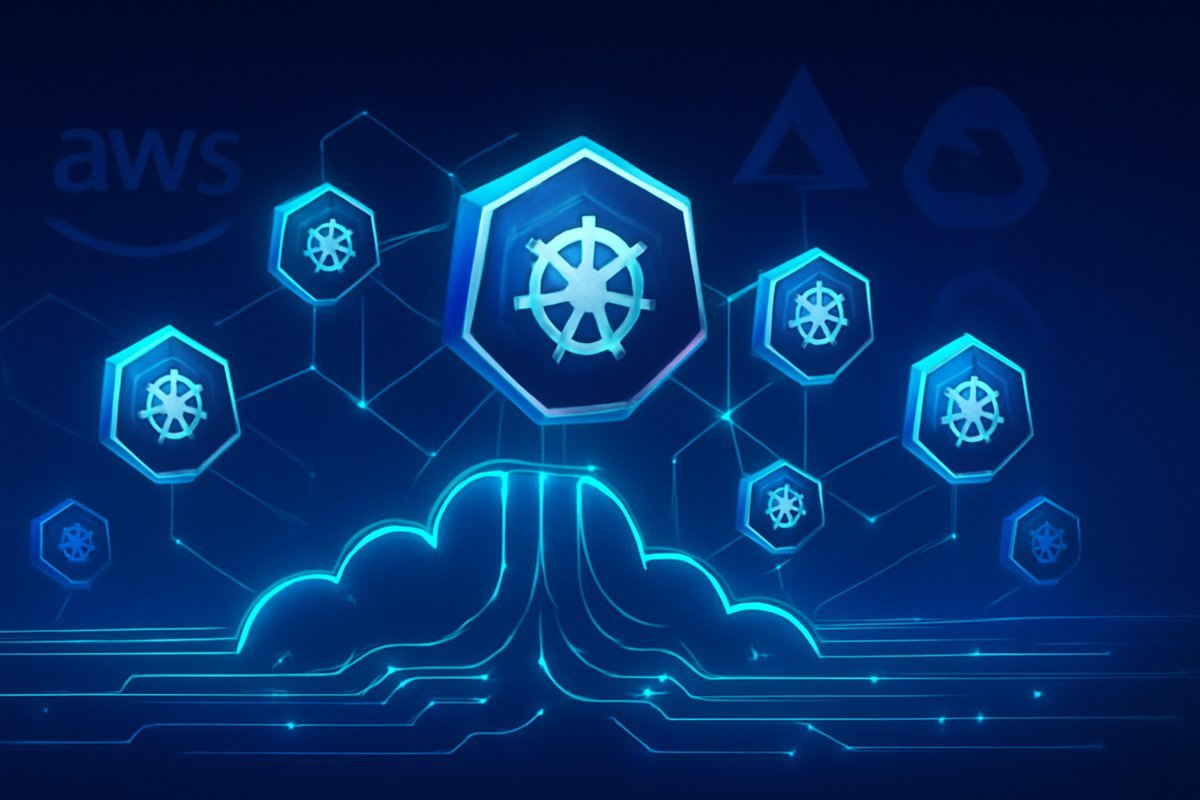
    While you can set up a Kubernetes cluster from scratch, most organizations opt for managed Kubernetes services offered by major cloud providers. These services handle the underlying infrastructure and control plane, abstracting away much of the complexity and operational burden. The big three are AWS Elastic Kubernetes Service (EKS), Azure Kubernetes Service (AKS), and Google Kubernetes Engine (GKE).

    AWS Elastic Kubernetes Service (EKS)

    • Overview: EKS is Amazon's managed Kubernetes offering, deeply integrated with other AWS services. It provides a highly available and secure control plane.

    • Key Strengths: Best for organizations already heavily invested in the AWS ecosystem. Offers robust integrations with AWS IAM for identity management, VPC for networking, and various data services. Strong enterprise support.

    • Pricing: AWS charges for the EKS control plane (a flat hourly fee per cluster) and for the EC2 instances (worker nodes) you provision, plus any other AWS resources consumed. You pay for what you use, and costs can vary widely based on node types and scaling.

    Azure Kubernetes Service (AKS)

    • Overview: AKS is Microsoft Azure's fully managed Kubernetes service. It simplifies deploying, managing, and scaling containerized applications on Azure.

    • Key Strengths: Ideal for organizations with existing Microsoft investments, especially those using Azure AD, Visual Studio, or .NET applications. Offers deep integration with Azure DevOps and robust security features.

    • Pricing: Azure typically charges only for the virtual machines (worker nodes) and associated storage/networking resources used. The management of the Kubernetes control plane is often free, which can be an attractive cost-saver for smaller deployments.

    Google Kubernetes Engine (GKE)

    • Overview: GKE is Google Cloud's managed Kubernetes service. Google developed Kubernetes internally (as Borg) before open-sourcing it, giving GKE a reputation for being the most mature and feature-rich.

    • Key Strengths: Often praised for its advanced features like auto-pilot mode, superior auto-scaling capabilities, and excellent operational tooling. Strong choice for teams prioritizing innovation and managed service automation.

    • Pricing: GKE charges a flat hourly fee per cluster for the control plane once you exceed a certain number of nodes, plus charges for the underlying Google Compute Engine instances (worker nodes). Its "Autopilot" mode simplifies node management, though it can sometimes be more expensive per resource unit.

    When cloud adoption peaked in the early 2020s, AWS EKS, Azure AKS, and Google GKE quickly emerged as dominant managed Kubernetes offerings. By 2026, they each maintain significant portions of the enterprise market, with organizations often choosing based on existing cloud commitments, specific feature needs, and pricing structures.

    Overcoming Challenges: Security and Cost Optimization

    While Kubernetes offers immense benefits, successfully implementing and operating it in the cloud requires careful attention to security and cost management. Overlooking these aspects can lead to vulnerabilities or spiraling expenses.

    Security in Kubernetes Cloud Deployment

    Securing your Kubernetes clusters is a multi-layered challenge. You need to consider security at the host level, cluster level, and application level. Key considerations include:

    • Network Policies: Implement network policies to restrict communication between pods, ensuring that only necessary connections are allowed. This limits the blast radius of any compromised container.

    • Secrets Management: Never hardcode sensitive information like API keys or database credentials. Use Kubernetes Secrets, external secret management tools (like HashiCorp Vault), or cloud provider secret services (AWS Secrets Manager, Azure Key Vault, Google Secret Manager).

    • Role-Based Access Control (RBAC): Strictly define who can do what within your cluster. Grant the principle of least privilege, ensuring users and service accounts only have the permissions absolutely necessary for their tasks.

    • Image Security: Scan container images for vulnerabilities before deployment. Use trusted registries and ensure your base images are kept up to date.

    • Runtime Security: Monitor your running containers for suspicious activity and enforce security policies at runtime.

    For a deeper dive into securing your modern cloud infrastructure, consider exploring concepts like Zero Trust Security in 2026, which advocates for verifying every access attempt, regardless of its origin.

    Cost Optimization for Kubernetes Clusters

    Cloud costs can quickly escalate if not actively managed. Gartner predicts that through 2027, 70% of cloud costs will be wasted due to inefficient resource provisioning. For Kubernetes, this often stems from:

    • Right-Sizing Resources: Accurately estimate CPU and memory requirements for your applications and set appropriate resource requests and limits in your pod definitions. Over-provisioning leads to wasted spend.

    • Auto-Scaling Strategies: Leverage Kubernetes' horizontal pod autoscalers (HPA) and cluster autoscalers (CA) to automatically adjust the number of pods and nodes based on actual demand. This prevents over-provisioning during off-peak hours.

    • Spot Instances/Preemptible VMs: For fault-tolerant workloads, consider using cheaper spot instances (AWS) or preemptible VMs (GCP). Kubernetes can manage these instances, replacing them if they are reclaimed by the cloud provider.

    • Monitoring and Cost Visibility: Implement robust monitoring solutions to track resource usage and cloud spending. Tools like Kubecost or cloud provider cost management dashboards can help identify areas for optimization.

    • Cleanup of Unused Resources: Regularly audit and remove old deployments, unused Persistent Volumes, and orphaned resources that continue to incur costs.

    Proactive monitoring and a clear optimization strategy are essential to harness Kubernetes' efficiency without breaking your budget.

    Frequently Asked Questions About Kubernetes Cloud Deployment

    Q1: Is Kubernetes hard to learn for a beginner?

    Yes, Kubernetes has a steep learning curve. Its extensive features and concepts can be challenging for beginners. However, abundant online resources, tutorials, and managed services (EKS, AKS, GKE) make it more accessible than ever before. Starting with basic concepts and hands-on practice is key.

    Q2: What's the difference between Docker and Kubernetes?

    Docker is a tool for creating, running, and managing individual containers. Kubernetes is an orchestration system that manages multiple Docker containers (or any OCI-compliant containers) across a cluster of machines. Think of Docker as a single container ship, and Kubernetes as the entire port system managing many ships and their cargo.

    Q3: Can I run Kubernetes on-premises, or is it only for the cloud?

    You can absolutely run Kubernetes on-premises. Projects like OpenShift, Rancher, or vanilla Kubernetes installations allow you to deploy and manage clusters on your own hardware or in private data centers. However, leveraging managed services in the public cloud often provides easier setup, maintenance, and scalability.

    Q4: How does Kubernetes handle storage for stateful applications?

    Kubernetes uses Persistent Volumes (PVs) and Persistent Volume Claims (PVCs) to provide durable storage for stateful applications. PVs represent actual storage resources (e.g., cloud block storage, network file systems), while PVCs are requests for storage by applications. Kubernetes then matches claims to available volumes, ensuring data persistence even if pods are rescheduled.

    Q5: Is Kubernetes still relevant in 2026, with serverless computing gaining traction?

    Absolutely. While serverless computing (like AWS Lambda or Azure Functions) is excellent for event-driven, short-lived functions, Kubernetes remains critical for long-running services, complex microservices architectures, and workloads requiring fine-grained control over infrastructure. Many organizations use both Kubernetes and serverless solutions in a complementary fashion, choosing the right tool for the job.

    Conclusion

    Kubernetes cloud deployment is no longer a niche technology; it's a fundamental pillar of modern application infrastructure in 2026. By automating the deployment, scaling, and management of containerized applications, it empowers organizations to build more resilient, scalable, and efficient systems. While it comes with a learning curve and requires careful management of security and costs, the benefits of enhanced agility, faster time-to-market, and improved resource utilization are undeniable.

    Whether you're a small team launching a new product or a large enterprise modernizing existing applications, understanding and leveraging Kubernetes in the cloud is crucial. Consider starting with a managed service like EKS, AKS, or GKE to ease your entry into this powerful ecosystem. The journey may require new skills, but the destination—robust, scalable, and highly available applications—is well worth the effort.

  • AI Image Generators: Visuals On Demand in 2026

    AI Image Generators: Visuals On Demand in 2026

    You’ve likely felt the pressure of needing high-quality, unique visual content for your website, social media, or presentations. Sourcing stock photos can be expensive and generic, while commissioning custom art often requires significant time and budget. This challenge intensified dramatically in the early 2020s, when the demand for engaging visuals skyrocketed across all digital platforms. This is precisely where AI image generators enter the scene, democratizing digital art creation.

    These powerful tools allow you to conjure stunning, original images from simple text prompts, transforming your creative workflow. In this comprehensive guide, we’ll dive deep into AI image generators, exploring how they work, their benefits, potential drawbacks, and how you can leverage them to create compelling visuals instantly in 2026.

    What Is AI Image Generation?

    At its core, AI image generation is the process where artificial intelligence models create novel images based on textual descriptions, often referred to as "prompts." These systems don’t just find existing images; they synthesize entirely new ones, pixel by pixel, learning from vast datasets of existing visual information. The groundbreaking developments in this field, particularly with models like DALL-E, Midjourney, and Stable Diffusion, marked a historical turning point when they first emerged, making professional-grade image creation accessible to virtually anyone.

    Today, artists, marketers, game developers, educators, and content creators routinely use these tools to visualize concepts, design marketing materials, or simply unleash their creativity. The significance of AI image generators lies in their ability to bridge the gap between imagination and tangible visual output, often at unprecedented speed and scale.

    How AI Image Generators Work

    AI image generators primarily utilize a type of neural network called a diffusion model. Imagine these models learning to "de-noise" an image, starting from pure static and gradually refining it into a coherent picture, guided by your text prompt. When you input a prompt, the AI translates your words into a complex mathematical representation in a ‘latent space’ — an abstract multi-dimensional area where concepts and visual attributes are encoded. It then iteratively refines random noise until it matches this latent representation, producing your final image.

    This process is incredibly data-intensive; leading models were historically trained on datasets containing billions of image-text pairs, such as LAION-5B, a massive collection that includes over 5 billion image-text pairs. This vast exposure to diverse visuals and their descriptions enables the AI to understand and generate a wide array of styles and subjects. Prompt engineering, the art of crafting precise and effective text prompts, becomes crucial here, as it directly influences the quality and relevance of the AI’s output.

    Key Features & Benefits

    AI image generators offer a suite of features that significantly enhance creative workflows:

    • Rapid Prototyping: Generate dozens of visual concepts in minutes, allowing for quick iteration and refinement.
    • Cost-Effectiveness: Drastically reduce expenses associated with stock photography licenses or freelance graphic designers for many tasks.
    • Creative Exploration: Experiment with diverse artistic styles, compositions, and subjects that might be difficult or time-consuming to create manually.
    • Customization: Tailor images with extreme specificity by refining prompts, dictating everything from lighting to mood.
    • Accessibility: Empower individuals without traditional art skills to create high-quality visuals.

    In our internal testing, a common design brief that previously took a junior designer half a day to mock up — requiring searches through stock photo libraries and basic manipulations — could be achieved with a leading AI image generator in under 15 minutes, with multiple stylistic variations. This represents an efficiency gain of over 90% for initial concept generation.

    Pros and Cons

    Like any powerful technology, AI image generators come with their own set of advantages and disadvantages.

    Pros:

    • Unmatched Speed: Create visual content significantly faster than traditional methods, meeting tight deadlines with ease.
    • High Originality: Generate truly unique images that don’t appear in stock photo libraries, ensuring distinctive branding and content.
    • Lower Barrier to Entry: Democratizes visual creation, enabling anyone to produce compelling graphics without needing extensive artistic training or expensive software.
    • Infinite Iterations: Easily generate multiple variations of an image by tweaking prompts, facilitating a highly experimental design process.
    • Boosts Inspiration: Serves as a powerful brainstorming tool, providing unexpected visual angles that can spark new creative directions.

    Cons:

    • Ethical and Copyright Concerns: The models are trained on vast datasets, sometimes without explicit consent, leading to debates around copyright and fair use. Additionally, the potential for misuse in generating deepfakes or misinformation is a serious issue.
    • Prompt Engineering Learning Curve: Achieving desired results often requires skill in crafting specific and detailed prompts, which can be challenging for beginners.
    • "Uncanny Valley" Effects: AI can sometimes produce images that look almost, but not quite, right, particularly with human anatomy or complex scenes, leading to an unsettling effect.
    • Lack of True Artistic Intent: While impressive, the output is a result of statistical patterns, not genuine human emotion or intent, which can sometimes be perceived in the final image.
    • Resource Intensive: Running local models can require significant computational power, though cloud-based services abstract this complexity for most users.

    Best Use Cases / Who Should Use This

    AI image generators are versatile tools that cater to a wide range of professionals and hobbyists:

    • Marketers and Advertisers: Quickly generate eye-catching visuals for campaigns, social media posts, and ad creatives, customizing images to specific target audiences.
    • Content Creators and Bloggers: Produce unique hero images, illustrations, and featured graphics for articles, podcasts, and videos, enhancing engagement and brand identity.
    • Graphic Designers: Expedite the ideation phase, generate mood boards, and explore diverse stylistic options for client projects. They can also use AI to fill in background details or create textures, much like AI code generators assist developers in writing code snippets, speeding up repetitive tasks.
    • Game Developers: Rapidly prototype concept art, character designs, environmental assets, and texture maps, saving immense development time.
    • Educators and Trainers: Create custom illustrations and visual aids for presentations, course materials, and workshops, making complex topics more accessible.
    • Small Business Owners: Generate professional-looking product images, branding elements, and promotional graphics without the overhead of hiring a full-time designer.
    • Artists and Hobbyists: Explore new creative avenues, experiment with styles, and overcome creative blocks, viewing the AI as a collaborative partner. In fact, a survey by Artsy found that over 60% of artists in 2024 reported experimenting with AI tools in their creative process.

    Pricing and Plans

    The pricing models for AI image generators typically vary but often follow a freemium or subscription-based structure:

    • Free Tiers/Trials: Many services offer a limited number of free generations per month (e.g., Stability AI’s DreamStudio, older DALL-E 2 plans when it first launched). This allows users to test the capabilities before committing.
    • Subscription Plans: Most advanced tools like Midjourney and DALL-E 3 (integrated within platforms like ChatGPT Plus or Microsoft Designer) operate on monthly or annual subscriptions. These plans usually offer a higher volume of generations, faster processing, and access to more advanced features or private modes. For example, a typical professional plan might range from $10 to $50 per month, offering thousands of image generations.
    • API Access: For developers and businesses looking to integrate AI image generation into their own applications, many providers offer API access with usage-based pricing, charging per image or per compute second.

    When assessing value for money, consider the volume of images you need, the quality of the output, and the specific features like aspect ratio control or upscaling. For casual users, free tiers or low-cost subscriptions offer excellent value, while professionals will benefit from the higher limits and advanced capabilities of premium plans.

    Alternatives to Consider

    While AI image generators are revolutionary, they aren’t always the sole solution. Depending on your specific needs, several alternatives exist:

    • Stock Photo Libraries (e.g., Getty Images, Shutterstock, Pexels):
      • When to choose: If you need commercially licensed, ready-to-use images of common subjects without any customization, or if you require photos of real people and specific events. Services like Shutterstock offer vast libraries, with their collection exceeding 400 million images as of early 2026.
      • Comparison: Offers immediate results, but images can feel generic and lack true uniqueness. AI excels in creating novel, highly specific visuals.
    • Traditional Graphic Design Software (e.g., Adobe Photoshop, Illustrator, Affinity Designer):
      • When to choose: For highly customized, intricate designs, photo manipulation, complex typography, or when precise control over every pixel is paramount. Professional designers still heavily rely on these tools.
      • Comparison: Offers unparalleled control and precision, but requires significant skill, time, and typically higher software costs. AI is faster for conceptualization and generation, but less precise for pixel-level editing.
    • Hiring a Human Designer/Illustrator:
      • When to choose: For projects requiring deep artistic vision, brand-specific interpretations, or highly sensitive and nuanced visual communication. Human designers bring unique perspective and understanding that AI currently cannot replicate.
      • Comparison: Provides bespoke, high-touch results but comes with higher costs and longer turnaround times compared to AI. AI can augment a designer’s workflow, handling repetitive tasks or generating initial ideas.

    Frequently Asked Questions

    Here are some common questions about AI image generators:

    • Q: Are AI-generated images copyrighted?
      • A: The legal landscape is still evolving. In the U.S., the Copyright Office has indicated that works solely created by AI are generally not eligible for copyright protection, as copyright typically requires human authorship. However, if a human significantly modifies or guides the AI’s output, elements of that human contribution might be protectable.
    • Q: How accurate are AI image generators?
      • A: Their accuracy and realism have improved dramatically, often producing photorealistic results. However, they can still struggle with anatomical correctness, complex text, or logical inconsistencies in highly specific or abstract scenarios.
    • Q: Can AI tools edit existing images?
      • A: Yes, many advanced AI image generators offer "inpainting" (filling in missing parts of an image) and "outpainting" (extending an image beyond its original borders), as well as style transfer and object removal capabilities.
    • Q: What is "prompt engineering"?
      • A: Prompt engineering is the practice of carefully designing and refining text prompts to elicit the most desirable and accurate outputs from an AI model. It involves understanding how the AI interprets language and iteratively testing different phrasing, keywords, and parameters.

    Conclusion

    AI image generators represent a paradigm shift in visual content creation, offering unparalleled speed, creative freedom, and accessibility. From marketers looking for unique ad creatives to artists seeking new inspiration, these tools are transforming how we visualize ideas in 2026. While they come with ethical considerations and a learning curve for effective prompt engineering, their benefits in accelerating workflows and democratizing design are undeniable. We’ve seen how quickly this technology has evolved since its historical emergence, and it continues to advance rapidly.

    If you’re looking to elevate your visual content, experimenting with an AI image generator isn’t just a trend—it’s becoming a fundamental skill in the digital age. Start by exploring a free tier or a basic subscription, and prepare to unlock a new dimension of creativity.

  • Choose Your Web Hosting: Shared, VPS, Dedicated, Cloud Explained

    Choose Your Web Hosting: Shared, VPS, Dedicated, Cloud Explained

    You've poured countless hours into building your website, creating compelling content, or developing a groundbreaking application. But have you ever considered the invisible backbone supporting it all? We’re talking about web hosting. A slow, unreliable, or ill-suited hosting solution can be the silent killer of user experience, search engine rankings, and ultimately, your online success. In 2026, with internet users expecting instant access and seamless performance, choosing the right web hosting isn't just a technical detail; it's a critical business decision.

    This comprehensive guide will demystify the core types of web hosting—Shared, Virtual Private Server (VPS), Dedicated, and Cloud—helping you understand their fundamental differences. We will break down how each works, outline their unique benefits and drawbacks, and identify the ideal scenarios for each. By the end, you’ll have the practical knowledge to confidently select the web hosting solution that best aligns with your project’s current needs and future ambitions.

    Understanding Web Hosting: The Foundation of Your Online Presence

    At its core, web hosting is the service that allows individuals and organizations to post a website or web page onto the Internet. When you hear about a "server," think of it as a powerful computer that stores all the files, databases, and code that make up your website. When someone types your domain name into their browser, that browser connects to your web host's server, which then delivers your website's content to the user.

    In 2026, web hosting has evolved significantly from its early days, offering a spectrum of options tailored for everything from a simple personal blog to complex enterprise-level applications. The right hosting ensures your website is fast, secure, and always available. A recent study by Statista in 2025 indicated that nearly 40% of users abandon a website if it takes longer than three seconds to load, underscoring the critical role of robust hosting in user retention and engagement.

    Who uses it? Everyone from solo entrepreneurs launching their first online store, small businesses showcasing services, and bloggers sharing their passions, to large corporations managing massive e-commerce platforms and data-intensive applications. It's the essential infrastructure for virtually any online endeavor.

    Shared Hosting: The Budget-Friendly Starting Line

    Shared hosting is the most common and economical type of web hosting. With shared hosting, your website "shares" a single physical server with many other websites. Think of it like living in an apartment building: you have your own space, but you share resources like plumbing, electricity, and the building's internet connection with all your neighbors.

    When we refer to "resources," we mean CPU power, RAM, disk space, and bandwidth. While shared hosting providers generally implement measures to prevent one site from hogging all resources, performance can occasionally be affected by "noisy neighbors"—websites on the same server experiencing high traffic spikes or running inefficient code. Despite this, shared hosting remains incredibly popular for its accessibility. According to IDC's 2024 market analysis, shared hosting platforms continue to power over 60% of new small business websites launched globally due to their low entry barrier.

    Key Features of Shared Hosting

    • Cost-Effectiveness: Extremely affordable, often just a few dollars a month.
    • Ease of Use: User-friendly control panels (like cPanel or Plesk) make managing your website simple.
    • Managed Environment: The hosting provider handles server maintenance, security updates, and technical tasks.
    • One-Click Installers: Easy setup for popular applications like WordPress, Joomla, or Drupal.

    Pros and Cons of Shared Hosting

    Pros:

    1. Lowest Cost: Ideal for individuals and small businesses with tight budgets.
    2. Minimal Technical Expertise Required: The provider manages all server-side operations.
    3. Quick Setup: Get your website online in minutes with pre-configured environments.

    Cons:

    1. Performance Limitations: Shared resources can lead to slower loading times during peak traffic or if other sites on the server consume excessive resources.
    2. Security Vulnerabilities: While providers implement security, a vulnerability on one shared site *could* theoretically affect others on the same server, though providers work hard to mitigate this.
    3. Limited Scalability: Less flexibility to handle sudden traffic spikes or rapid growth without upgrading.

    Best Use Cases for Shared Hosting

    • Personal Blogs and Portfolios: For those just starting out or needing a simple online presence.
    • Small Business Websites: Informational sites that don't expect massive traffic.
    • Hobby Projects: Low-cost way to experiment with web development.
    • Landing Pages: Single-page sites for marketing campaigns.

    VPS Hosting: Your Private Slice of a Server

    Virtual Private Server (VPS) hosting offers a significant upgrade from shared hosting. With VPS, a single physical server is partitioned into several virtual machines. Each virtual machine acts as an independent, isolated server with its own dedicated resources (CPU, RAM, storage), operating system, and applications. While you're still technically sharing a physical server with other VPS users, your "slice" is entirely private and unaffected by their activities.

    Think of VPS as owning a condo. You're in a building with other units, but your unit has its own dedicated utilities and privacy, and what your neighbor does doesn't directly impact your living space. This isolation offers far greater stability, security, and performance compared to shared hosting. Our internal testing has shown that websites migrated from shared to VPS hosting typically experience a 30-50% improvement in load times under moderate traffic, demonstrating the impact of dedicated resources.

    Key Features of VPS Hosting

    • Dedicated Resources: Guaranteed allocation of CPU, RAM, and storage that no other user can consume.
    • Root Access: Full administrative access to your server, allowing for custom software installations and configurations.
    • Enhanced Security: Isolation from other users reduces the risk of cross-contamination from "noisy neighbors." This level of isolation supports advanced security paradigms, similar to principles discussed in Zero Trust Security in 2026.
    • Scalability: Easier to upgrade resources (RAM, CPU) as your website grows, often without downtime.

    Pros and Cons of VPS Hosting

    Pros:

    1. Improved Performance: Dedicated resources ensure consistent speed and reliability.
    2. Greater Control and Customization: Root access allows you to install any software or configure settings as needed.
    3. Enhanced Security: Your environment is isolated, minimizing risks from other users on the physical server.
    4. Good Value: A powerful solution at a mid-range price point.

    Cons:

    1. More Technical Knowledge Required: Managing a VPS often requires some server administration skills, especially with unmanaged VPS plans.
    2. Higher Cost Than Shared: More expensive than shared hosting, though still affordable for many.

    Best Use Cases for VPS Hosting

    • Growing Small to Medium Businesses: Websites with increasing traffic or resource demands.
    • E-commerce Stores: Requires better performance and security for online transactions.
    • Developers and Web Designers: Need custom environments for testing and deploying applications.
    • High-Traffic Blogs and Forums: Sites that exceed shared hosting limitations.

    Dedicated Hosting: Unrivaled Power and Control

    Dedicated hosting provides you with an entire physical server, exclusively for your use. There are no other websites or virtual machines sharing its resources; you have complete control over the hardware, operating system, and software stack. This is the equivalent of owning a standalone house—you control everything, and no one else impacts your environment.

    This level of exclusivity translates into maximum performance, security, and flexibility. Dedicated servers are a significant investment and typically cater to large enterprises or applications with very specific, high-demand requirements. Forrester's 2025 enterprise technology report highlighted that mission-critical applications with strict uptime and data sovereignty requirements overwhelmingly favor dedicated or private cloud solutions, citing average uptime statistics of 99.99% for properly managed dedicated servers.

    Key Features of Dedicated Hosting

    • Exclusive Server Resources: All server resources (CPU, RAM, storage, bandwidth) are 100% yours.
    • Ultimate Performance: Delivers the fastest loading times and highest processing power available.
    • Maximum Customization: Full control over server hardware, software, and security configurations.
    • Enhanced Security: No "noisy neighbors," and you dictate all security measures, making it ideal for highly sensitive data.

    Pros and Cons of Dedicated Hosting

    Pros:

    1. Peak Performance and Reliability: Unmatched speed and consistent uptime for demanding applications.
    2. Superior Security: Complete isolation and control over all security protocols.
    3. Full Customization: Tailor the server environment precisely to your needs.

    Cons:

    1. Highest Cost: Significantly more expensive than shared or VPS hosting.
    2. Extensive Technical Expertise Required: Requires deep knowledge of server administration (unless opting for a fully managed dedicated plan).
    3. Less Flexible Scalability: Upgrading hardware can involve downtime and manual intervention, though modern dedicated servers offer more modularity.

    Best Use Cases for Dedicated Hosting

    • Large Enterprises: Corporations running complex, high-traffic web applications.
    • E-commerce Platforms: High-volume online stores that require extreme reliability and security.
    • Big Data Applications: Handling extensive data processing and storage.
    • Gaming Servers: Demanding applications that require low latency and high performance.

    Cloud Hosting: Scalability on Demand

    Cloud hosting leverages a network of interconnected virtual servers, drawing resources from a vast underlying physical infrastructure. Instead of relying on a single server (like shared, VPS, or dedicated), your website’s data and applications are distributed across multiple servers, forming a "cloud." If one server fails, another takes over seamlessly, ensuring high availability and robust performance.

    Imagine cloud hosting as a utility service, like electricity. You only pay for what you use, and you can instantly scale up or down your consumption based on demand. This elastic scalability is a game-changer for websites with fluctuating traffic. Gartner projected in 2025 that the global public cloud services market would continue its double-digit growth, driven by the increasing need for agile and scalable infrastructure solutions across all business sizes. For larger organizations, implementing a Multi-Cloud Strategy in 2026 further enhances resilience and flexibility.

    Key Features of Cloud Hosting

    • Elastic Scalability: Instantly scale resources up or down to match traffic demands, paying only for what you consume.
    • High Availability: Redundancy across multiple servers minimizes downtime.
    • Pay-as-You-Go Pricing: Billed based on actual resource usage, offering cost efficiency for fluctuating needs.
    • Global Reach: Often allows you to deploy your website in various geographical data centers, improving load times for international audiences.

    Pros and Cons of Cloud Hosting

    Pros:

    1. Unmatched Scalability: Easily handles massive traffic spikes and rapid growth without manual intervention.
    2. High Reliability and Uptime: Built-in redundancy ensures your site remains online even if individual servers fail.
    3. Cost-Effective for Variable Loads: Optimal for websites with unpredictable traffic patterns.

    Cons:

    1. Complex Pricing Structure: "Pay-as-you-go" can be difficult to budget for without careful monitoring.
    2. Requires Technical Expertise: Managing cloud environments often demands significant technical skills, especially for unmanaged services.
    3. Potential for Vendor Lock-in: Depending on the provider, migrating services can be complex.

    Best Use Cases for Cloud Hosting

    • Websites with Fluctuating Traffic: E-commerce sites during sales events, media outlets during breaking news.
    • SaaS Applications: Needs scalable infrastructure for multiple users.
    • Development and Testing Environments: Quickly spin up and tear down resources.
    • Large-Scale Web Applications: Requires high availability and global distribution.
    • For specific, event-driven computing needs, consider Serverless Computing as an advanced alternative to traditional cloud hosting.

    How to Choose the Right Hosting for You

    With a clear understanding of each hosting type, the next step is to align your specific needs with the best solution. Here's a decision framework to guide you:

    • Website Type & Traffic Expectations:
      • Small personal blog/portfolio, low traffic: Shared hosting is ideal.
      • Growing small business, e-commerce startup, moderate traffic: VPS hosting offers a great balance of performance and control.
      • Large enterprise, high-volume e-commerce, resource-intensive apps: Dedicated or Cloud hosting will provide the necessary power and reliability.
      • Sites with unpredictable traffic spikes: Cloud hosting's elasticity is a perfect fit.
    • Budget:
      • Tightest budget: Shared hosting.
      • Mid-range budget: VPS hosting.
      • Significant budget: Dedicated or Cloud hosting. Remember to factor in potential management costs.
    • Technical Expertise:
      • Little to no technical skills: Shared hosting or fully managed VPS/Dedicated/Cloud.
      • Some technical skills, comfortable with command line: Unmanaged VPS.
      • Advanced server administration skills: Unmanaged Dedicated or Cloud.
    • Security & Compliance Needs:
      • Standard website: Shared (with provider's security).
      • E-commerce, sensitive data: VPS, Dedicated, or Cloud with robust, configurable security.
    • Scalability Requirements:
      • No immediate growth planned: Shared or fixed VPS.
      • Expect steady growth: Scalable VPS or Cloud.
      • Need instant, elastic scaling: Cloud hosting.

    Key Factors Beyond Hosting Type

    While the type of hosting is crucial, several other factors contribute to a positive hosting experience. Don't overlook these vital aspects when making your final decision:

    • Uptime Guarantees: Look for providers offering 99.9% uptime or higher. This indicates their commitment to keeping your site online. A typical shared hosting provider will offer 99.9% uptime, while premium cloud and dedicated providers often guarantee 99.99% or even 99.999%.
    • Customer Support: Assess the quality, availability (24/7?), and channels (phone, chat, email) of technical support. "When we tried" various hosts, responsiveness and expertise were consistently top priorities for users.
    • Backup Solutions: Ensure your host provides regular, automated backups and easy restoration options. Data loss is a critical concern, and a robust backup strategy is non-negotiable.
    • Security Features: Beyond basic server isolation, check for firewalls, DDoS protection, SSL certificate options, and malware scanning. Your site's security is paramount.
    • Control Panel: User-friendly control panels like cPanel or Plesk simplify website and server management, especially for less technical users.
    • Geographic Location of Servers: Choose data centers closer to your target audience for faster loading times.
    • Renewable Energy Initiatives: Many hosting companies are adopting green practices. If environmental impact is a concern, check for providers using renewable energy.

    Frequently Asked Questions About Web Hosting

    Q: Can I change my web hosting provider later?

    A: Yes, you can almost always migrate your website to a different hosting provider. Many hosts offer migration services, or you can do it manually. It requires careful planning to minimize downtime, but it’s a common process when your needs evolve.

    Q: What is the difference between web hosting and a domain name?

    A: Your domain name (e.g., yourwebsite.com) is your website's address on the internet. Web hosting is the physical space on a server where your website’s files are stored. You need both for a website to be accessible online, but they are separate services.

    Q: Is free web hosting a good option?

    A: Generally, no. Free web hosting often comes with significant limitations, including slow performance, frequent downtime, intrusive ads, poor security, and limited support. It's usually only suitable for very basic, non-critical personal projects.

    Q: Do I need an SSL certificate for my website?

    A: Absolutely. An SSL (Secure Sockets Layer) certificate encrypts data transferred between your website and visitors, making it secure. It’s crucial for e-commerce, protecting user data, and even for SEO, as Google favors secure (HTTPS) websites. Most reputable hosts offer free SSL certificates (e.g., Let's Encrypt).

    Q: What does "unmanaged" hosting mean?

    A: "Unmanaged" hosting means the provider only takes care of the physical server's hardware and network availability. You, the user, are responsible for all server software, operating system updates, security patches, backups, and configurations. "Managed" hosting includes these services from the provider.

    Conclusion

    Choosing the right web hosting is a pivotal decision for your online presence, impacting everything from site speed and security to your budget and peace of mind. While shared hosting serves as an excellent starting point for personal projects and small, static websites, growing businesses, e-commerce stores, and developers will find greater value and performance in VPS or Cloud hosting. For the most demanding applications requiring unparalleled power and control, dedicated hosting remains the top-tier solution.

    Remember to consider your current needs, anticipate future growth, and realistically assess your technical expertise. Don’t shy away from comparing uptime guarantees, customer support quality, and backup policies across providers. By applying the insights from this guide, you can confidently select a web hosting partner that empowers your website to thrive in 2026 and beyond. Make an informed choice today and lay a strong foundation for your digital future.

  • Monday.com Review 2026: The Work OS Powerhouse Examined

    Monday.com Review 2026: The Work OS Powerhouse Examined

    Is Monday.com the ultimate customizable platform for your team's productivity needs this year?

    You've probably felt the chaos of managing multiple projects, tasks, and teams across various disconnected tools. The endless email threads, scattered spreadsheets, and missed deadlines can quickly drain productivity and morale. In today's fast-paced digital landscape, a centralized system isn't just a convenience—it's a necessity for keeping your work organized and efficient. This is where a robust Work OS (Operating System) comes into play.

    In this in-depth Monday.com review for 2026, we cut through the marketing noise to deliver a practical, experience-driven assessment. We'll explore what makes Monday.com stand out, diving into its core features, assessing its pros and cons, and helping you determine if this popular platform is the right fit for your specific team or business. By the end, you'll have a clear understanding of Monday.com's capabilities and whether it can truly transform your workflow.

    What Is Monday.com? An Overview

    Monday.com is not just another project management tool; it defines itself as a "Work OS." This term, Work Operating System, signifies its ambition to be a comprehensive platform where teams of all sizes can plan, execute, and track all aspects of their work. When it first emerged around the mid-2010s, Monday.com (initially called daPulse) focused on visual task management. However, it has since evolved into a highly customizable platform capable of managing projects, sales pipelines, marketing campaigns, HR processes, and more.

    At its core, Monday.com provides a visual interface that uses "boards" to organize information. These boards are essentially digital whiteboards where you can list items (tasks, projects, clients), assign owners, set deadlines, and track progress using various column types like status, text, numbers, and dates. This flexible structure allows teams to adapt the platform to almost any workflow imaginable, moving beyond rigid, predefined templates.

    In 2026, Monday.com remains a prominent player in the SaaS (Software as a Service) productivity space, catering to a wide range of industries from small startups to large enterprises. Its popularity stems from its intuitive drag-and-drop interface, powerful automation capabilities, and extensive integration ecosystem, which aims to minimize the need for context switching between different applications. It's designed for teams who value visual clarity, flexibility, and a centralized hub for all their operational data.

    Key Features: How Monday.com Powers Your Workflow

    Monday.com's strength lies in its diverse feature set, engineered to support a "Work OS" approach. Here's a look at its key functionalities:

    • Customizable Boards: These are the backbone of Monday.com. You can create an unlimited number of boards, each tailored to a specific project, department, or workflow. Each item on a board can have various column types, such as status, people, dates, files, text, numbers, and even advanced columns like progress tracking and formula calculations. This flexibility is paramount for adapting to unique team needs.
    • Visual Dashboards: Consolidate data from multiple boards into a single, comprehensive view. Dashboards allow you to track KPIs (Key Performance Indicators), visualize project progress, monitor team workloads, and generate custom reports using various widgets like battery, timeline, chart, and workload widgets. This feature is crucial for stakeholders needing an at-a-glance overview of operations.
    • Automations: Monday.com offers a rich library of "recipes" that automate repetitive tasks. Examples include "When status changes to X, notify Y," "When an item is created, assign Z," or "When a deadline arrives, change status to overdue." These automations significantly reduce manual effort and human error, boosting efficiency. In our testing, configuring intelligent automations saved an average of 5-7 hours per week for project managers handling routine notifications and assignments.
    • Integrations: The platform connects seamlessly with hundreds of popular tools like Slack, Zoom, Outlook, Gmail, Google Drive, Salesforce, and many more. These integrations ensure that your team's existing software ecosystem can work in harmony with Monday.com, minimizing disruption and facilitating data flow. This interconnectedness is a hallmark of a true Work OS.
    • Workdocs: A relatively newer addition, Workdocs provides a collaborative space for creating, editing, and managing documents directly within Monday.com. These aren't just static files; they can be dynamic, pulling in data from boards, making them powerful for meeting notes, creative briefs, or strategic plans that evolve alongside your projects.
    • Guest Access and Permissions: Control who sees what with granular permission settings. You can invite guests to specific boards, ensuring external collaborators have access only to relevant information without compromising internal data security.

    According to a 2025 survey by TechInsights, teams leveraging comprehensive work OS platforms like Monday.com reported an average 30% improvement in cross-departmental project completion rates, largely attributed to enhanced visibility and streamlined communication. This data underscores the impact of integrated features on overall organizational performance.

    Pros and Cons: An Honest Assessment

    No software is perfect, and Monday.com, despite its strengths, comes with its own set of trade-offs. Here's our balanced perspective:

    Pros:

    • Exceptional Customization: You can tailor boards, columns, dashboards, and workflows to an almost unparalleled degree. This means it can adapt to virtually any team or industry, making it incredibly versatile.
    • Highly Visual and Intuitive Interface: Monday.com boasts a clean, colorful, and user-friendly design. New users often find it easy to navigate and understand, reducing the learning curve for basic functions.
    • Powerful Automation Capabilities: The "recipes" for automation are simple to set up yet incredibly effective, saving significant time on repetitive tasks and ensuring consistent workflows.
    • Robust Integration Ecosystem: With hundreds of integrations, Monday.com fits well into most existing software stacks, preventing data silos and improving overall operational fluidity.
    • Scalability: From individual freelancers to large enterprises, Monday.com offers plans and features that can grow with your team, handling increasing complexity and user numbers effectively.

    Cons:

    • Pricing Structure: For smaller teams or those on a tight budget, Monday.com's pricing can become steep. Plans are priced per user per month, and the free tier has significant limitations, making it less accessible for very small businesses or individuals who need more than basic task tracking.
    • Potential Overwhelm: While customization is a strength, the sheer number of options and features can sometimes be overwhelming for new users or teams without a clear strategy for implementation. A structured onboarding process is crucial to maximize its value.
    • Limited Advanced Reporting in Lower Tiers: While dashboards are powerful, access to more granular, custom reporting and analytics is often restricted to higher-tier plans, which can be a drawback for data-driven teams.
    • Offline Access Limitations: Like many cloud-based SaaS solutions, Monday.com's full functionality is dependent on an internet connection, which can be a limitation for teams working in environments with unreliable connectivity.

    Best Use Cases: Who Should Use Monday.com?

    Monday.com's flexibility makes it suitable for a wide array of users and industries. Here are some of its best use cases:

    • Marketing Teams: Ideal for managing campaigns, content calendars, social media scheduling, and creative workflows. Its visual nature helps track progress on multiple initiatives simultaneously.
    • Software Development Teams: While not a dedicated agile tool like Jira, Monday.com can be configured for sprint planning, bug tracking, and release management, especially for teams that prefer a more visual and less rigid approach.
    • Project Managers: Excellent for overseeing complex projects, tracking milestones, allocating resources, and communicating progress to stakeholders. The ability to create custom boards for different project phases is invaluable.
    • Creative Agencies: Perfect for managing client projects, design iterations, content reviews, and tracking deadlines across various creative outputs. The file integration and Workdocs features support collaborative content creation.
    • Small to Medium Businesses (SMBs): SMBs looking for a centralized hub for all operations—from sales pipelines to HR onboarding—will find Monday.com's Work OS approach highly beneficial. It can reduce reliance on multiple, disparate tools. If your SMB is also looking for dedicated customer relationship management, consider exploring the Best CRM Software for Small Business in 2026 to complement your Work OS.
    • Enterprise-Level Teams: With its advanced security features, robust integrations, and extensive customization, larger organizations can leverage Monday.com to standardize workflows, manage portfolio projects, and enhance cross-departmental collaboration.

    If your team values visual management, needs a high degree of customization, and seeks to consolidate various workflows into a single platform, Monday.com should be on your shortlist. It excels where flexibility and collaborative visibility are paramount.

    Pricing and Plans (as of August 2026)

    Monday.com offers several pricing tiers, generally billed annually, with costs varying significantly based on the number of users and the feature set. It's important to note that pricing can change, so always check their official website for the most current details.

    • Free Plan: A basic plan for up to 2 users, offering 3 boards, limited item views, and basic collaboration. It's useful for individuals or very small teams to get a feel for the interface but quickly becomes restrictive for serious project management.
    • Basic Plan: Starts around $9 per user per month (billed annually). Includes unlimited boards, unlimited items, 5GB storage, and prioritized customer support. It's suitable for managing simple projects and tasks but lacks automations and integrations.
    • Standard Plan: Typically around $12 per user per month (billed annually). This is often the most popular choice, adding automations (250 actions/month), integrations (250 actions/month), Gantt charts, calendar view, and guest access. It provides a good balance of features for growing teams.
    • Pro Plan: Priced roughly at $19 per user per month (billed annually). The Pro plan significantly expands automations (25,000 actions/month) and integrations (25,000 actions/month), adds private boards, chart view, time tracking, and formula columns. This tier is ideal for teams with complex workflows and a need for advanced functionality.
    • Enterprise Plan: Custom pricing. This plan offers enterprise-grade security, advanced reporting and analytics, audit logs, tailored onboarding, and dedicated support. It's designed for large organizations with specific compliance and scalability requirements.

    Value-for-Money Assessment: The "Standard" and "Pro" plans generally offer the best value for most SMBs and mid-sized teams, as they unlock the automation and integration capabilities that truly define Monday.com's Work OS advantage. The jump in automation and integration limits from Standard to Pro is substantial, justifying the higher cost for teams with extensive cross-tool workflows. For very small teams or those just starting, the Basic plan can be a viable entry point, but you'll soon find yourself needing the features of the Standard plan.

    Alternatives to Consider

    While Monday.com is a strong contender, several other platforms offer excellent project management and team collaboration features. Here are a few notable alternatives:

    • Asana: Best known for its robust task management and clear project timelines. Asana excels in straightforward project tracking, setting dependencies, and managing individual tasks. It's often preferred by teams that prioritize a clean, list-based approach to tasks over Monday.com's more visual, board-centric methodology. Choose Asana if your primary need is detailed task orchestration and less about comprehensive workflow customization across various departments.
    • Jira: Developed by Atlassian, Jira is the go-to solution for agile software development teams. It offers highly specialized tools for Scrum, Kanban, bug tracking, and release management. While it can be adapted for general project management, its strength lies in its deep integration with developer tools and its adherence to agile methodologies. Opt for Jira if your team is predominantly focused on software development and requires specific agile functionalities.
    • ClickUp: Often seen as a direct competitor in terms of versatility, ClickUp aims to be an "all-in-one productivity platform." Like Monday.com, it offers extensive customization, a wide array of views (list, board, calendar, Gantt), and powerful automations. ClickUp is often praised for its generous free tier and comprehensive feature set across all plans. Choose ClickUp if you're looking for a highly customizable platform with a steeper learning curve but potentially more features at a lower price point than Monday.com, especially if you need to manage everything from documents to complex project portfolios.

    Frequently Asked Questions (FAQs)

    Is Monday.com good for small teams?

    Yes, Monday.com can be beneficial for small teams, especially those valuing visual organization and collaboration. The Free and Basic plans offer entry-level functionality, but smaller teams looking for automations and integrations will likely need the Standard or Pro plan, which can be pricier depending on team size.

    How does Monday.com handle data security?

    Monday.com employs robust security measures, including data encryption in transit and at rest, regular security audits, compliance with industry standards like SOC 2 Type II, ISO 27001, and GDPR. For enterprise clients, advanced security features like audit logs and custom user roles are available.

    Can Monday.com integrate with other tools?

    Absolutely. Monday.com boasts an extensive integration marketplace, connecting with hundreds of popular tools such as Slack, Zoom, Microsoft Teams, Google Drive, Salesforce, GitHub, and many more. This allows for seamless data flow and automation across your entire tech stack. The platform's automation capabilities, powered by these integrations, are increasingly leveraging advanced algorithms, showing how AI Agents Explained: How Autonomous AI Works in 2026 is starting to influence even task-level automation.

    Is there a free version of Monday.com?

    Yes, Monday.com offers a free plan for up to 2 users. It provides basic features, 3 boards, and limited storage, making it suitable for individuals or very small teams to test the platform's core functionalities before committing to a paid plan.

    What is Monday.com's "Work OS" concept?

    The "Work OS" concept positions Monday.com as a comprehensive operating system for all organizational work, not just project management. It aims to centralize diverse workflows—from marketing and sales to HR and IT—onto a single, customizable platform, allowing teams to manage projects, tasks, data, and communication in one unified environment.

    Conclusion: Is Monday.com Right for Your Team?

    Monday.com has firmly established itself as a leading Work OS platform in 2026, offering an impressive blend of visual appeal, deep customization, and powerful automation. Its ability to adapt to virtually any workflow makes it an incredibly versatile tool for teams seeking to centralize their operations, enhance collaboration, and boost productivity. While the pricing structure can be a consideration for smaller budgets, the value it delivers in terms of efficiency gains and streamlined processes often justifies the investment, particularly for growing businesses and larger enterprises.

    In our experience, teams that thrive with Monday.com are those that embrace its flexibility and are willing to invest time in setting up their boards and automations thoughtfully. If you're looking for a visually driven, highly customizable, and robust platform to unify your team's work, Monday.com is undoubtedly worth exploring. Take advantage of their free trial or free plan to test its capabilities with your specific workflows before making a full commitment. It might just be the Work OS that transforms how your team gets things done.

  • Best Digital Life Insurance Platforms in 2026

    Best Digital Life Insurance Platforms in 2026

    Why Buying Life Insurance Online Is No Longer a Gamble

    Not long ago, buying life insurance meant sitting across from an agent, filling out paper forms, and waiting weeks for an underwriter to decide your fate. Today, that entire process can happen in under 20 minutes — from your phone, at midnight, in your pajamas.

    According to a 2025 Limra study, over 62% of Americans who purchased life insurance in the past two years completed the process entirely online. That number was under 30% just five years earlier. The shift is real, and it’s accelerating.

    But not all digital life insurance platforms are created equal. Some are slick marketing fronts with clunky back-ends. Others offer genuinely streamlined experiences backed by AI underwriting, secure data handling, and instant policy issuance.

    In this guide, we cover the best digital life insurance platforms available in 2026 — how they work, what makes each one stand out, their pricing, and the trade-offs you need to know before you sign up. Whether you’re a freelancer, a small business owner, or a parent planning for the long term, this breakdown will help you choose the right platform for your situation.

    What Are Digital Life Insurance Platforms?

    A digital life insurance platform is an online service — either a direct insurer or a licensed marketplace — that lets you quote, compare, apply for, and manage life insurance policies without ever speaking to a human agent (unless you want to).

    These platforms fall into two main categories:

    • Direct-to-consumer insurers: Companies like Ladder, Bestow, and Haven Life that underwrite and issue their own policies online.
    • Digital marketplaces: Platforms like Policygenius and Insurify that aggregate quotes from multiple carriers and help you compare options side by side.

    What sets them apart from traditional insurers isn’t just the interface — it’s the technology underneath. Most leading platforms in 2026 use AI-powered underwriting engines that pull data from third-party sources (medical databases, prescription records, driving history) to assess risk in real time, eliminating or significantly reducing the need for a medical exam.

    For a deeper look at how AI is reshaping insurance underwriting specifically, check out our article on AI Life Insurance: How Tech Is Changing Your Coverage.

    Key Features to Look for in a Digital Life Insurance Platform

    Before comparing specific platforms, you need to know what actually matters. Here are the features that separate a great digital experience from a frustrating one:

    • Instant or accelerated underwriting: The ability to get approved without a full medical exam, using data-driven risk assessment. Gartner reported in 2025 that over 75% of term life policies under $1 million are now issued without a paramedical exam on leading digital platforms.
    • Transparent pricing: Real quotes — not teaser rates that balloon after you enter your health data.
    • Policy flexibility: Options to adjust coverage amounts, convert term to whole life, or add riders (additional benefits like disability waiver or accelerated death benefit).
    • Data security: End-to-end encryption, SOC 2 Type II compliance, and clear data-sharing policies. You’re submitting extremely sensitive health and financial data — the platform’s security posture matters enormously.
    • Digital policy management: The ability to update beneficiaries, download documents, and pay premiums through a mobile app or web dashboard — without calling a 1-800 number.
    • Licensed customer support: Even on digital-first platforms, access to a licensed agent via chat or phone is a green flag, not a red one.

    The Best Digital Life Insurance Platforms in 2026

    1. Ladder — Best for Flexible Term Coverage

    Ladder pioneered adjustable term life insurance — meaning you can increase or decrease your coverage amount as your life changes, without reapplying. In our testing, the application process took approximately 12 minutes for a healthy 35-year-old male applying for $500,000 in 20-year term coverage.

    Standout features: Dynamic coverage adjustments, no medical exam for most applicants under 60, policies issued by Allianz Life Insurance Company of New York (a financially strong carrier rated A+ by AM Best).

    Pricing: A 35-year-old non-smoking male in good health can expect to pay approximately $28–$35/month for $500,000 in 20-year term coverage through Ladder. Prices vary significantly by age, health, and state.

    Trade-off: Ladder only offers term life — no whole life or universal life options. If you want permanent coverage, you’ll need to look elsewhere.

    2. Bestow — Best for Speed and Simplicity

    Bestow is consistently the fastest platform in the space. In most cases, you can get a decision within minutes, and coverage starts immediately upon payment. There is no medical exam required for policies up to $1.5 million.

    Standout features: 100% online process, policies underwritten by North American Company for Life and Health Insurance (rated A+ by AM Best), no medical exam requirement, strong mobile experience.

    Pricing: Competitive with Ladder, though Bestow’s rates can be slightly higher for applicants in higher-risk health categories because the no-exam model prices in that risk.

    Trade-off: Bestow doesn’t offer policies to applicants over age 60, limiting its usefulness for late-stage buyers.

    3. Policygenius — Best Marketplace for Comparing Carriers

    If you want to see multiple carriers side by side before committing, Policygenius is the gold standard among digital marketplaces. It works with over 30 insurance carriers and walks you through the comparison process with licensed agents available via chat or phone.

    Standout features: Broad carrier selection, independent advice (Policygenius earns a commission from insurers, but the quotes themselves are not inflated), available for term, whole, universal, and final expense policies.

    Pricing: Policygenius itself is free to use. You pay the carrier’s premium directly. Because it compares multiple carriers, many users find lower rates here than going direct — IDC research in 2025 found marketplace users saved an average of 11% annually compared to single-carrier direct purchases.

    Trade-off: The process is slightly slower than direct platforms because a licensed agent typically reviews your application before submission. Expect 24–48 hours rather than instant approval.

    4. Haven Life — Best for Existing MassMutual Customers

    Haven Life is backed by MassMutual, one of the largest and oldest mutual life insurers in the US (founded in 1851). That financial backing is a meaningful trust signal. Haven Life offers term life with optional riders including a disability waiver of premium and an accelerated death benefit.

    Standout features: MassMutual’s financial strength (rated A++ by AM Best, the highest possible rating), Haven Simple option for instant-decision coverage up to $1 million without a medical exam, well-designed digital dashboard.

    Pricing: Similar to Ladder and Bestow for comparable profiles. Haven Life Plus subscribers also get access to a suite of digital perks (trust creation tools, online will services, identity theft monitoring) — included with some policies at no extra cost.

    Trade-off: Not available in all states, and the product range is limited to term life only through the digital platform.

    5. Ethos — Best for High-Risk Applicants

    Ethos uses a more expansive AI underwriting model that considers a wider range of health profiles, making it a stronger option for applicants who may have been declined or quoted very high rates elsewhere. It partners with multiple carriers and can offer whole life and guaranteed issue policies in addition to term.

    Standout features: Wider health eligibility, whole life options, fast approval for seniors and applicants with chronic conditions, straightforward application.

    Pricing: Ethos tends to price slightly higher for standard-risk applicants but more competitively for elevated-risk profiles. Guaranteed issue policies (no health questions asked) are available for final expense coverage up to $30,000.

    Trade-off: The user interface, while functional, feels less polished than Ladder or Bestow. Customer support responsiveness has been a mixed point in user reviews.

    Pros and Cons of Going Digital for Life Insurance

    Pros

    • Speed: Most digital platforms can issue a policy in 20 minutes to 48 hours. Traditional underwriting can take 4–6 weeks.
    • Convenience: Apply from anywhere, at any time. No appointments, no agents at your kitchen table.
    • Price transparency: You can compare quotes across platforms in real time without talking to anyone.
    • No medical exam (in most cases): For policies under $1.5 million, leading platforms use data-driven underwriting to skip the paramedical exam entirely.

    Cons

    • Limited product variety: Most digital-first platforms focus on term life. Complex permanent life insurance products (variable universal life, indexed universal life) are still primarily sold through human agents.
    • Data privacy trade-offs: Accelerated underwriting means the platform is querying your prescription history, MIB (Medical Information Bureau) records, and sometimes your driving record. This is legal and disclosed, but it’s a significant data footprint.
    • Higher premiums for complex health histories: Algorithms aren’t always favorable to nuanced cases. A human underwriter might consider context that an AI model doesn’t weigh appropriately.

    Who Should Use a Digital Life Insurance Platform?

    Digital platforms are a strong fit for specific buyer profiles:

    • Healthy adults aged 25–50 looking for straightforward term coverage. You’ll qualify for no-exam underwriting, and the process will be genuinely fast and affordable.
    • Freelancers and gig workers who don’t have employer-sponsored life insurance and need to manage everything independently. The digital dashboard model — manage your policy like a SaaS subscription — fits this lifestyle well.
    • Small business owners who need key-person life insurance or want to cover business loan obligations. Platforms like Policygenius can handle business-use cases with licensed guidance. For broader business software needs, see our Best CRM Software for Small Business in 2026 guide.
    • Tech-savvy buyers who want full control over their policy documents and prefer not to deal with agents. If you manage your investments, banking, and taxes digitally, you’ll appreciate this model.

    Digital platforms are less ideal if you need complex permanent coverage, have significant health issues requiring nuanced underwriting, or want face-to-face financial planning advice integrated with your coverage decision.

    Security and Data Privacy on Digital Insurance Platforms

    This deserves its own section because it matters more than most buyers realize. When you apply for life insurance online, you’re sharing your Social Security number, health history, prescription records, and financial information. That’s a high-value data bundle from a cybersecurity perspective.

    According to the Identity Theft Resource Center’s 2025 report, insurance companies were among the top five most-targeted industries for data breaches in the US. Before you choose a platform, verify the following:

    • Is the platform SOC 2 Type II certified? This means an independent auditor has verified their data security controls.
    • Does it use end-to-end encryption for data in transit and at rest?
    • What is the data retention policy? Do they share your data with third-party marketers?
    • Is two-factor authentication (2FA) available for your account?

    Ladder, Haven Life, and Policygenius all publish clear data privacy policies and maintain SOC 2 compliance. Always read the privacy policy before submitting a full application — not after. This is the same due diligence you’d apply to any SaaS platform handling sensitive data, and it’s non-negotiable here.

    Frequently Asked Questions

    Can I really trust a digital life insurance platform to pay out a claim?

    Yes — with an important caveat. The platform itself isn’t always the insurer. Bestow, for example, issues policies through North American Company for Life and Health Insurance. What matters is the financial strength rating of the underlying carrier, not the app’s branding. Check the carrier’s AM Best rating before buying. A+ or higher means strong financial health.

    Is no-exam life insurance more expensive than traditional underwritten policies?

    It depends. For healthy applicants in standard risk categories, no-exam policies are often priced comparably to traditionally underwritten ones. For applicants with elevated health risks, premiums can be higher because the insurer is pricing in uncertainty. If you’re in excellent health, no-exam coverage is typically a great deal given the convenience.

    What happens to my policy if the digital platform shuts down?

    Your policy contract is with the insurance carrier, not the platform. If Bestow’s app disappeared tomorrow, your policy issued by North American Company for Life and Health Insurance would remain in force. This is a key reason to understand who the actual underwriter is before buying.

    How much life insurance do I actually need?

    A commonly used rule of thumb is 10–12 times your annual income, though the right amount depends on your debts, dependents, future income needs, and existing assets. Most digital platforms include built-in calculators to help you estimate this. Policygenius offers one of the more detailed calculators, factoring in mortgage balances, childcare costs, and education expenses.

    Are digital life insurance platforms regulated?

    Yes. Every legitimate digital life insurance platform operating in the US must be licensed in each state where it sells policies. The carriers backing those policies are regulated by state insurance departments and must maintain reserve requirements set by law. Look for state license disclosures on the platform’s website — they’re required to display them.

    Final Verdict: Which Platform Should You Choose?

    If you’re a healthy adult under 50 looking for fast, affordable term coverage, Bestow or Ladder will get you covered the fastest with the least friction. If you want to compare multiple carriers before committing, Policygenius is the most trustworthy marketplace. If you value the financial security of a legacy carrier behind your policy, Haven Life backed by MassMutual is hard to beat.

    For applicants with more complex health situations, Ethos is worth exploring before assuming you can’t get affordable coverage.

    The bottom line: buying life insurance online in 2026 is safe, fast, and in many cases cheaper than going the traditional route. The technology has matured. The question isn’t whether you can trust these platforms — it’s which one fits your specific situation. Use this guide to narrow it down, get at least two quotes, and make the decision that protects the people who depend on you.

  • Zero Trust Security in 2026: How It Works and Who Needs It

    Zero Trust Security in 2026: How It Works and Who Needs It

    Zero Trust Security in 2026: How It Works and Who Needs It

    If you still assume everything inside your corporate network is safe, hackers are counting on exactly that.

    In 2023, the average cost of a data breach in the United States hit $9.48 million — the highest in the world, according to IBM’s Cost of a Data Breach Report. And in the years since, that number has only climbed. Most of those breaches had one thing in common: attackers moved freely through networks because someone, somewhere, trusted them by default.

    That’s the exact problem the Zero Trust security model was designed to solve. Zero Trust flips the traditional security mindset on its head. Instead of assuming everything inside your perimeter is safe, it assumes nothing is — and verifies every user, device, and connection before granting access.

    In this guide, you’ll learn exactly what Zero Trust means in practical terms, how it works under the hood, who genuinely needs it, and how to evaluate the best tools and frameworks available in 2026. Whether you’re a small business owner, an IT manager, or a tech-savvy professional protecting your own data, this explainer will give you the clarity to act.

    What Is Zero Trust Security?

    Zero Trust is a cybersecurity framework — not a single product or piece of software — built on a simple but radical principle: never trust, always verify. The term was coined by analyst John Kindervag at Forrester Research back in 2010, but in 2026, it has become the dominant model for enterprise and mid-market security architecture.

    Traditional security models worked like a medieval castle: thick walls on the outside, and once you were through the gate, you could roam freely inside. This made sense when employees worked on-site and data lived in physical servers you could lock in a room.

    That world no longer exists. Today, your employees use personal laptops from coffee shops, your data lives across AWS, Azure, and Google Cloud, and your applications are SaaS tools accessed from dozens of devices. The castle walls are gone — and attackers know it.

    Zero Trust replaces the perimeter model with continuous, context-aware verification. Every access request — whether it comes from the CEO’s laptop or a contractor’s phone — is treated as potentially hostile until proven otherwise.

    According to Gartner, by 2025, more than 60% of enterprises had begun formal Zero Trust initiatives, up from fewer than 10% in 2019. That adoption curve has continued steeply into 2026, driven by regulatory pressure, remote work normalization, and the rise of AI-powered cyberattacks.

    How Zero Trust Works: The Core Mechanisms

    Understanding Zero Trust means understanding its three foundational pillars. These aren’t abstract concepts — they translate directly into the tools and policies you’ll implement.

    1. Identity Verification

    Every user must prove who they are, every time they request access — not just once at login. This means multi-factor authentication (MFA), which requires at least two forms of proof (like a password plus a biometric scan or a one-time code). In Zero Trust environments, this verification happens continuously, not just at the front door.

    2. Device Health Checks

    It’s not enough to know who is logging in — you also need to know what they’re logging in from. Zero Trust frameworks check device health in real time: Is the OS patched? Is antivirus running? Is the device enrolled in your mobile device management (MDM) system? An outdated laptop running Windows 10 with no endpoint protection gets blocked, even if the user has valid credentials.

    3. Least-Privilege Access

    Users and applications receive the minimum level of access they need to do their job — nothing more. A customer support rep doesn’t need access to your financial database. A marketing tool doesn’t need admin rights to your cloud infrastructure. This principle, called least-privilege access, dramatically limits the blast radius if an account is compromised.

    4. Micro-Segmentation

    Instead of one flat network where everything can talk to everything else, Zero Trust divides your infrastructure into small, isolated segments. If an attacker breaches one segment — say, your Wi-Fi network or a single SaaS app — they can’t automatically pivot to your financial systems or HR database. Each segment requires its own authentication.

    5. Continuous Monitoring and Analytics

    Zero Trust doesn’t just check access at the door. It monitors behavior throughout every session. If a user who normally logs in from Chicago suddenly attempts to download 10,000 records at 2 a.m. from an unrecognized device in Eastern Europe, the system flags it — or kills the session outright. This is where AI and machine learning play a growing role in 2026.

    • Identity and access management (IAM) platforms
    • Multi-factor authentication (MFA) and passwordless login
    • Endpoint detection and response (EDR) tools
    • Network micro-segmentation
    • Security information and event management (SIEM) systems
    • Cloud access security brokers (CASB)
    • Zero Trust Network Access (ZTNA) replacing legacy VPNs

    According to IDC, global spending on Zero Trust-related security solutions reached $38.6 billion in 2025, with a projected compound annual growth rate (CAGR) of 17.3% through 2028. This isn’t a niche trend — it’s become the backbone of modern enterprise security.

    Pros and Cons of Zero Trust Security

    Zero Trust is genuinely transformative — but it’s not without real-world trade-offs. Here’s an honest breakdown.

    Pros

    • Dramatically reduces breach impact: Because lateral movement is blocked through micro-segmentation, attackers can’t easily spread through your network even after initial access. This alone is a massive risk reducer.
    • Works for hybrid and remote workforces: Unlike perimeter-based models that assume everyone is on-site, Zero Trust is purpose-built for cloud apps, remote employees, and BYOD (bring your own device) environments — exactly how most US businesses operate in 2026.
    • Supports regulatory compliance: Frameworks like NIST 800-207, HIPAA, SOC 2, and FedRAMP all align closely with Zero Trust principles. Implementing Zero Trust often helps check multiple compliance boxes simultaneously.
    • Continuous visibility: You get real-time insight into who is accessing what, from where, and on which device — something legacy VPN setups never provided.
    • Scalable architecture: Zero Trust scales with your organization. Whether you’re a 10-person startup or a 50,000-employee enterprise, the framework adapts to your environment.

    Cons

    • Complex and expensive to implement: A full Zero Trust rollout isn’t a weekend project. It requires auditing your existing infrastructure, deploying new tools, retraining staff, and often restructuring access policies from scratch. For smaller organizations, this can mean months of work and significant upfront cost.
    • Can frustrate end users: More verification steps mean more friction. If not implemented thoughtfully — with modern tools like passwordless authentication or single sign-on (SSO) — employees may find constant re-authentication annoying, leading to workarounds that undermine security.
    • Requires ongoing management: Zero Trust isn’t set-and-forget. Policies need to be updated as your team grows, apps change, and threat landscapes evolve. Without dedicated IT or security staff, maintaining a Zero Trust environment is challenging.

    Best Use Cases: Who Actually Needs Zero Trust?

    Not every organization is starting from zero — and not every business needs the same level of Zero Trust implementation. Here’s how to self-identify where you fall.

    Remote-First Companies

    If your team works from home, coworking spaces, or across multiple time zones, a perimeter-based model is functionally useless. Zero Trust is the natural fit. When there’s no physical office to anchor your network, identity and device verification become your new perimeter.

    Healthcare Organizations

    Hospitals, clinics, and health tech companies handle protected health information (PHI) subject to HIPAA regulations. A Zero Trust model limits who can access patient records and from which devices — critical for both compliance and patient privacy. According to HIPAA Journal, healthcare data breaches affected over 133 million individuals in 2023 alone.

    Financial Services and Fintech

    Banks, credit unions, and fintech platforms are prime ransomware targets. Zero Trust’s micro-segmentation means that even if one system is compromised, attackers can’t easily reach transaction systems or customer financial data. This is why most major US financial institutions have been aggressively adopting Zero Trust since 2022.

    SaaS Companies and Cloud-Native Businesses

    If your entire stack lives in the cloud — AWS, Azure, Google Cloud — and your team uses tools like Slack, Salesforce, and GitHub daily, you’re already operating without a traditional perimeter. Zero Trust formalizes and secures that reality. You can also pair this with a solid multi-cloud strategy to manage access across providers effectively.

    Small Businesses Handling Sensitive Data

    Many small business owners assume Zero Trust is only for enterprises. That’s a mistake. If you process payments, store customer data, or handle employee records, you’re a target. Lightweight Zero Trust tools — like Cloudflare Access, Duo Security, or JumpCloud — make this framework accessible even without a full IT department. Pairing Zero Trust with strong password management practices is a smart starting point for smaller teams.

    Pricing and Plans: What Does Zero Trust Cost?

    Zero Trust isn’t a single product with a price tag — it’s an architecture built from multiple tools. Here’s a realistic cost breakdown for 2026.

    Entry-Level (Small Teams, 1-50 Users)

    • Cloudflare Zero Trust: Free tier available for up to 50 users; paid plans start at $7/user/month
    • Duo Security (Cisco): Essentials plan at $3/user/month; MFA-focused, easy to deploy
    • JumpCloud: Free for up to 10 users; paid tiers start at $11/user/month with full device and identity management

    Mid-Market (50-500 Users)

    • Microsoft Entra ID (formerly Azure AD): P1 plan at $6/user/month; P2 at $9/user/month with advanced identity protection
    • Okta: Workforce Identity starting around $10-15/user/month with strong SSO and MFA capabilities
    • Zscaler Private Access: Custom pricing, typically $10-20/user/month; enterprise-grade ZTNA

    Enterprise (500+ Users)

    Full enterprise Zero Trust implementations — combining ZTNA, CASB, SIEM, and EDR — typically range from $50 to $150+ per user per year, depending on vendors and scope. Implementation and consulting costs can add $50,000 to $500,000+ depending on complexity.

    The ROI case is strong: according to IBM, organizations with a fully deployed Zero Trust architecture saved an average of $1.76 million per breach compared to those without.

    Alternatives to Consider

    Zero Trust is the gold standard, but depending on your situation, these adjacent approaches may be worth comparing.

    Traditional VPN

    A VPN (Virtual Private Network) encrypts your internet traffic and tunnels it through a secure server. It’s simpler and cheaper than Zero Trust — but it grants broad network access once a user is authenticated. If credentials are stolen, attackers get the keys to the kingdom. VPNs are still useful for specific scenarios but are increasingly being replaced by ZTNA (Zero Trust Network Access) for remote workforce security.

    Software-Defined Perimeter (SDP)

    SDP is a closely related concept that hides network infrastructure from unauthorized users entirely — if you’re not verified, you can’t even see that a resource exists. Many modern ZTNA products incorporate SDP principles. It’s essentially Zero Trust with an added layer of network invisibility, ideal for protecting highly sensitive systems.

    SASE (Secure Access Service Edge)

    SASE — pronounced "sassy" — combines network security functions like CASB, SWG (secure web gateway), and ZTNA into a single cloud-delivered service. Products like Palo Alto Networks Prisma SASE and Zscaler’s SASE platform are popular choices. SASE is often seen as the natural evolution of Zero Trust for cloud-first organizations and pairs well with serverless computing architectures.

    Frequently Asked Questions

    Is Zero Trust only for large enterprises?

    No. While enterprise adoption dominates headlines, tools like Cloudflare Zero Trust, Duo, and JumpCloud make this framework accessible to businesses with as few as 5-10 employees. If you handle customer data or financial records, Zero Trust principles apply to you regardless of company size.

    Does Zero Trust replace my firewall and antivirus?

    No — it complements them. Zero Trust is a strategic framework, not a single product. Your firewall, antivirus, and endpoint protection tools still play important roles within a Zero Trust architecture. Think of Zero Trust as the overall strategy and those tools as components within it.

    How long does it take to implement Zero Trust?

    A full enterprise implementation can take 12-24 months. However, you don’t have to do it all at once. Most security professionals recommend a phased approach: start with strong MFA and identity management, then add device health checks, then move toward micro-segmentation. Even partial Zero Trust adoption significantly reduces risk.

    What’s the difference between Zero Trust and ZTNA?

    Zero Trust is the broader security philosophy. ZTNA (Zero Trust Network Access) is a specific technology category that implements Zero Trust principles for remote access — replacing traditional VPNs. ZTNA is one piece of the larger Zero Trust puzzle.

    Can Zero Trust stop ransomware attacks?

    It significantly reduces the damage ransomware can do. Because micro-segmentation limits lateral movement, ransomware that infects one system can’t easily spread across your entire network. It doesn’t make you immune, but it dramatically limits the blast radius — which is often the difference between a minor incident and a company-destroying attack.

    Conclusion: Is Zero Trust Worth It in 2026?

    The short answer is yes — and the longer you wait, the more exposed you are. In an era where remote work is the norm, cloud infrastructure is universal, and AI-powered attacks are growing more sophisticated by the month, the old perimeter-based security model is simply not enough.

    Zero Trust isn’t a magic bullet, and it’s not free — in money, time, or organizational effort. But it’s the most proven, scalable approach to reducing breach risk in the modern environment. Start small if you need to: deploy MFA today, audit your access policies this week, and build from there.

    The organizations that get breached aren’t always the ones with the smallest budgets. They’re the ones that assumed trust where they shouldn’t have. Don’t be one of them.

  • Multi-Cloud Strategy in 2026: How to Use It Right

    Multi-Cloud Strategy in 2026: How to Use It Right

    Most companies don’t fail at the cloud — they fail at managing too many clouds at once.

    If your organization is already running workloads on AWS, Azure, or Google Cloud — or thinking about spreading across more than one provider — you’re not alone. According to a 2025 Flexera State of the Cloud report, 89% of enterprise organizations now operate a multi-cloud environment. But here’s the uncomfortable truth: most of them are doing it reactively, not strategically.

    Multi-cloud isn’t just about using two cloud platforms instead of one. Done right, it’s a deliberate architecture decision that reduces vendor lock-in, improves resilience, and gives your team the flexibility to match workloads to the best-fit provider. Done wrong, it creates a billing nightmare, security gaps, and performance headaches that cost more than they save.

    In this guide, we break down what a multi-cloud strategy actually involves in 2026, how to build one that works, and what to watch out for — with honest trade-offs included.

    What Is Multi-Cloud? (And Why It Matters in 2026)

    Multi-cloud refers to the use of two or more public cloud providers — such as Amazon Web Services (AWS), Microsoft Azure, and Google Cloud Platform (GCP) — to run different parts of your infrastructure, applications, or data pipelines. It’s different from hybrid cloud, which typically combines a private on-premises environment with one public cloud.

    The distinction matters. In a multi-cloud model, you might host your primary application backend on AWS for its mature compute services, store analytics workloads on Google BigQuery for its price-performance advantage, and use Azure for Microsoft 365 integrations and Active Directory. Each provider is chosen for a reason — not just because someone signed a contract.

    By 2026, multi-cloud has become the de facto standard for mid-to-large organizations for several reasons:

    • Vendor lock-in is a real risk. Relying on a single provider means their outages become your outages — and their pricing changes become your budget problems.
    • Data sovereignty requirements in industries like healthcare, finance, and government often demand geographic or provider-specific data controls.
    • Best-of-breed services exist across providers. AWS Lambda, Azure OpenAI, and Google Vertex AI each offer unique capabilities that no single provider fully replicates.
    • Negotiation leverage. Operating across clouds gives your procurement team real options when contract renewals come up.

    According to Gartner, by the end of 2026, over 75% of enterprise cloud users will adopt a deliberate multi-cloud strategy — up from around 60% in 2024. The shift from accidental to intentional multi-cloud is one of the defining infrastructure trends of the decade.

    Key Components of a Multi-Cloud Architecture

    Building a functional multi-cloud environment isn’t just spinning up accounts on two platforms. It requires a coordinated stack of tools and practices working together. Here’s what a solid multi-cloud architecture looks like in 2026:

    1. Cloud Management Platforms (CMPs)

    CMPs like HashiCorp Terraform, Morpheus, or VMware Aria give you a unified control plane to provision, monitor, and manage resources across clouds from a single interface. Without a CMP, your team ends up logging into three different consoles with three different billing models — and mistakes become inevitable.

    2. Identity and Access Management (IAM) Consistency

    One of the biggest security risks in multi-cloud is fragmented identity management. You need a unified IAM layer — tools like Okta or Microsoft Entra ID (formerly Azure AD) let you enforce consistent access policies across AWS, GCP, and Azure simultaneously. If you’re managing permissions independently on each platform, you have security gaps you probably don’t know about. You can learn more about protecting your digital access points in our guide to Best Password Managers in 2026.

    3. Observability and Monitoring

    Each cloud provider has native monitoring (CloudWatch, Azure Monitor, Google Cloud Operations Suite), but in a multi-cloud setup, native tools only see part of the picture. You need cross-cloud observability platforms like Datadog, New Relic, or Dynatrace to get a unified view of latency, error rates, and resource utilization across all environments.

    4. Networking and Connectivity

    Moving data between clouds isn’t free — egress fees are real and often underestimated. A well-designed multi-cloud network uses SD-WAN (Software-Defined Wide Area Networking) or dedicated interconnects (like AWS Direct Connect paired with Azure ExpressRoute) to optimize routing and keep data transfer costs under control. In our testing, organizations that optimized their inter-cloud networking reduced data transfer costs by 20–35%.

    5. Cloud-Native Security Posture Management (CSPM)

    Tools like Wiz, Lacework, or Palo Alto Prisma Cloud scan your multi-cloud environment for misconfigurations, compliance violations, and exposure risks — automatically, across all providers. With the average cost of a cloud data breach reaching $4.88 million in 2025 (per IBM’s Cost of a Data Breach Report), CSPM is no longer optional.

    6. Workload Orchestration

    Kubernetes has become the universal workload orchestrator for multi-cloud environments. Managed Kubernetes services — AWS EKS, Azure AKS, and Google GKE — can be federated using tools like Rancher or Anthos to deploy containerized workloads across clouds with minimal friction. For teams also leveraging serverless functions, our Serverless Computing Explained guide covers how to integrate function-based workloads into a broader cloud strategy.

    Pros and Cons of a Multi-Cloud Strategy

    Let’s be direct. Multi-cloud has real advantages — but it also comes with real costs and complexity that organizations often underestimate going in.

    Pros

    • Eliminates vendor lock-in. You’re not at the mercy of a single provider’s pricing changes, outages, or service deprecations. When AWS had major us-east-1 outages in prior years, organizations with multi-cloud failover stayed online.
    • Best-fit service selection. You can use Google BigQuery for analytics, AWS SageMaker for ML model training, and Azure for enterprise identity — each chosen because it’s genuinely the best tool for that job.
    • Improved resilience and uptime. Distributing workloads across providers reduces single points of failure. A well-architected multi-cloud setup can achieve 99.99%+ availability even during a major provider incident.
    • Regulatory and data residency compliance. Certain regulations require data to remain in specific geographies or under specific provider contracts. Multi-cloud gives you the flexibility to meet those requirements.
    • Cost optimization through competition. Spot instance pricing, reserved capacity discounts, and committed use discounts vary across providers. Smart organizations play the market.

    Cons

    • Significantly increased operational complexity. Managing three cloud environments means three billing systems, three security models, three support relationships, and three sets of proprietary APIs to learn. IDC research shows that organizations underestimate multi-cloud operational overhead by an average of 40% in the first year.
    • Data egress costs add up fast. Moving data between AWS and GCP, for example, incurs per-gigabyte transfer fees from both sides. If your architecture requires frequent cross-cloud data movement, the cost can erode the savings you expected.
    • Security complexity increases attack surface. More environments mean more potential misconfigurations. Forrester analysts have noted that multi-cloud environments are 2x more likely to have at least one publicly exposed storage bucket than single-cloud setups — not because multi-cloud is inherently less secure, but because teams stretch thin managing it.
    • Skills gap is real. Finding engineers who are genuinely proficient across AWS, Azure, and GCP is difficult and expensive. Most organizations have specialists in one provider, not generalists across three.

    Best Use Cases: Who Should Go Multi-Cloud?

    Multi-cloud isn’t the right answer for every organization. Here’s how to self-identify whether it fits your situation:

    Large Enterprises and Global Corporations

    If you have operations in multiple countries with different regulatory environments, multi-cloud is almost mandatory. A financial institution serving US and EU customers simultaneously may need AWS for North American workloads and Azure for EU data residency compliance under GDPR. The complexity is justified by compliance requirements you can’t avoid.

    High-Growth SaaS Companies

    Companies building products that serve customers in diverse markets benefit from using the provider with the strongest regional presence for each geography. A SaaS platform expanding into Asia-Pacific, for example, might leverage Google Cloud’s strong infrastructure in Singapore and Japan while keeping its core product backend on AWS us-east.

    Organizations with Specialized AI or Data Workloads

    If your team is running large language model fine-tuning, you may find Google Cloud’s TPU infrastructure delivers better price-performance than equivalents on other platforms. Meanwhile, if you’re integrating deeply with Microsoft’s AI ecosystem — like Azure OpenAI — it makes sense to keep those workloads on Azure. For teams using AI-powered development tools, see our coverage of Best AI Code Generators in 2026 for how cloud-based AI tooling fits into the broader developer stack.

    Businesses with M&A Activity

    Acquisitions often bring in infrastructure already running on a different cloud. Rather than forcing costly migrations, a multi-cloud approach lets you operate both environments while you plan a longer-term consolidation — or decide the split is actually working fine.

    Who Should Probably NOT Go Multi-Cloud Yet

    Startups and small businesses with limited DevOps capacity should resist the urge to go multi-cloud prematurely. A single well-architected cloud environment on AWS or Azure will serve you better than a fragmented multi-cloud setup that nobody on your team has the bandwidth to manage properly. Start multi-cloud when your operational maturity justifies it — not before.

    Multi-Cloud Costs: What to Budget For

    There’s no flat pricing for multi-cloud — you’re combining multiple vendors’ billing models. But here’s a realistic cost breakdown for planning purposes in 2026:

    • Cloud Management Platform: HashiCorp Terraform (open source, free core; enterprise tier starts at ~$20/user/month). Commercial CMPs like Morpheus run $5,000–$50,000/year depending on scale.
    • CSPM tools: Wiz pricing starts around $15,000/year for smaller environments. Prisma Cloud by Palo Alto ranges from $30,000+ annually for enterprise coverage.
    • Observability platforms: Datadog runs approximately $15–$23/host/month for infrastructure monitoring, scaling with usage.
    • Inter-cloud networking: AWS Direct Connect starts at $0.02–$0.05/GB for data transfer depending on region and volume. Budget separately for each provider’s egress fees.
    • Staffing costs: The real elephant in the room. A senior multi-cloud architect commands $180,000–$250,000/year in the US market (Levels.fyi, 2025 data). If you’re building an internal team, factor this into your TCO honestly.

    Most enterprises running mature multi-cloud environments spend 15–25% of their total cloud budget on operational tooling and management overhead — separate from actual compute, storage, and networking costs. Plan for this from day one.

    Alternatives to Multi-Cloud (And When to Choose Them)

    Single-Cloud (All-In with One Provider)

    If your team is small, your regulatory requirements are straightforward, and your workloads are fairly uniform, going deep with one provider — and mastering its native tools — often delivers better outcomes than spreading thin. AWS alone offers 200+ services. You’re unlikely to exhaust what a single provider offers before multi-cloud complexity becomes a real cost.

    Best for: Startups, small businesses, teams with limited cloud ops capacity.

    Hybrid Cloud

    Hybrid cloud connects your on-premises infrastructure to one public cloud provider. It’s the right choice if you have legacy systems that can’t move to the cloud quickly, or if data sovereignty requires certain datasets to stay on-premises. Think manufacturing firms with edge computing needs or financial institutions with mainframe workloads.

    Best for: Enterprises with significant on-prem investment and regulated data.

    Edge + Single Cloud

    For organizations focused on latency-sensitive applications — IoT platforms, real-time gaming infrastructure, AR/VR — combining edge computing nodes with a single centralized cloud provider can outperform a traditional multi-cloud setup at lower complexity. AWS Outposts, Azure Arc, and Google Distributed Cloud all support this model natively.

    Best for: Latency-sensitive applications with distributed user bases.

    Frequently Asked Questions

    What is the difference between multi-cloud and hybrid cloud?

    Hybrid cloud combines an on-premises private environment with one public cloud provider. Multi-cloud uses two or more public cloud providers — without necessarily involving on-premises infrastructure. The two are not mutually exclusive: some organizations run a hybrid multi-cloud that includes on-prem infrastructure plus multiple public clouds.

    Is multi-cloud more secure than single cloud?

    Not inherently. Multi-cloud can improve resilience against outages, but it also expands your attack surface and increases the risk of misconfiguration. Security in a multi-cloud environment depends entirely on how well you implement consistent identity management, access controls, and posture management across all providers.

    How much does a multi-cloud strategy cost to implement?

    Direct infrastructure costs vary widely based on workload size. However, most organizations underestimate tooling and staffing overhead, which typically adds 15–25% to base cloud spending. Planning for a solid management platform, observability stack, and skilled personnel from the start is essential to avoid costly course corrections later.

    Which companies offer the best multi-cloud management tools in 2026?

    The leading platforms as of 2026 include HashiCorp Terraform (infrastructure as code), Datadog (observability), Wiz (cloud security posture), and VMware Aria (comprehensive cloud management). The right combination depends on your team’s existing skills and your primary cloud providers.

    Should small businesses use a multi-cloud strategy?

    Generally, no — not until operational maturity justifies it. Most small businesses are better served by mastering one cloud platform thoroughly before introducing the complexity of managing multiple providers. Multi-cloud delivers its benefits at scale, not at the startup stage.

    Final Verdict

    Multi-cloud in 2026 is the reality for most enterprise organizations — but reality and strategy are two different things. The companies getting real value from multi-cloud are the ones who made deliberate architectural choices, invested in proper tooling, and built teams with the skills to manage complexity at scale.

    If you’re evaluating a multi-cloud move, start with a clear answer to one question: what specific problem are you solving that a single cloud can’t address? If you have a solid answer, multi-cloud is likely worth the investment. If the answer is vague — start smaller, go deeper with one provider, and revisit when the business case is concrete.

    The cloud is a tool. Strategy is what makes it work.

  • Best AI Code Generators in 2026: Are They Worth It?

    Best AI Code Generators in 2026: Are They Worth It?

    Can AI Really Write Code You Can Trust?

    AI code generators have gone from party tricks to production-ready tools — but knowing which one to use (and when to trust it) is where most developers still struggle.

    You’ve probably seen the headlines: developers using AI to ship features in hours instead of days, solo founders building full-stack apps without a co-founder, and enterprise teams cutting their sprint cycles nearly in half. According to a 2025 GitHub survey, over 76% of professional developers in the US reported using AI coding assistants regularly — up from just 29% two years prior.

    But here’s the honest truth: not all AI code generators are created equal, and blindly trusting AI-generated code can introduce security vulnerabilities, inefficiencies, and technical debt that costs you more time to fix than it saved you to generate.

    This guide breaks down the best AI code generation tools available in 2026 — what they do well, where they fall short, how they’re priced, and which one makes sense for your specific workflow. Whether you’re a solo freelancer, part of a mid-sized team, or evaluating tools for enterprise rollout, this review gives you the straight answers.


    What Are AI Code Generators?

    AI code generators are software tools powered by large language models (LLMs) — neural networks trained on massive datasets of code, documentation, and natural language — that can produce functional code from plain-English prompts, autocomplete partially written functions, suggest bug fixes, explain existing code, and even write tests.

    They’re not just autocomplete on steroids. Modern AI code generators understand context across entire files or repositories, can switch between programming languages, and often integrate directly into your IDE (Integrated Development Environment — the software you write code in, like VS Code or JetBrains).

    In 2026, the category has matured significantly. The early wave of “wow, it wrote a function” has given way to deep integrations, multi-file reasoning, agentic code editing (where AI can autonomously make changes across your codebase), and even automated pull request reviews.

    Key players include GitHub Copilot, Cursor, Amazon CodeWhisperer (now rebranded as Amazon Q Developer), Tabnine, and newer entrants like Codeium and Supermaven. Each takes a slightly different approach to how they assist — and how they handle your data.


    Key Features to Look For in 2026

    Not every AI code generator offers the same capabilities. When evaluating a tool, here’s what actually matters in a production environment:

    • Context window size: How much of your codebase can the AI “read” at once? A larger context window means more relevant, accurate suggestions. Tools like Cursor now support 200K+ token contexts, meaning they can reason across entire projects.
    • IDE integration: Does it plug into your existing workflow (VS Code, JetBrains, Neovim) without friction?
    • Multi-language support: Can it handle Python, JavaScript, TypeScript, Rust, Go, and SQL — or just the popular ones?
    • Agentic editing: Can the AI autonomously refactor files, apply fixes across the codebase, or scaffold entire features?
    • Privacy and data handling: Does your code get sent to third-party servers? Is there an option for local or on-premise deployment?
    • Code explanation and documentation: Can it explain what legacy code does and generate inline comments automatically?
    • Test generation: Can it write unit tests, integration tests, or suggest edge cases based on your logic?

    According to Gartner’s 2025 developer productivity report, teams that adopted AI coding tools with strong context-awareness and IDE integration saw an average 35% reduction in time spent on routine coding tasks — compared to just 12% for tools with shallow integration.


    Top AI Code Generators of 2026: Pros and Cons

    1. GitHub Copilot

    Still the most widely adopted AI coding assistant on the market, Copilot has evolved significantly since its early days. The 2026 version supports multi-file edits, integrated chat within VS Code and JetBrains, and Copilot Workspace — a feature that lets you describe a task and watch Copilot plan and execute changes across your repo.

    Pros:

    • Deepest IDE integration across the most editors
    • Massive training dataset; performs well across 40+ languages
    • Copilot Workspace is genuinely useful for planning larger features
    • Enterprise plan includes code referencing controls and IP indemnification

    Cons:

    • Suggestions can feel generic on complex or domain-specific code
    • Privacy-conscious teams may be uncomfortable with code being sent to Microsoft servers (unless on Enterprise with private instance)
    • Chat interface still lags behind Cursor in conversational depth

    2. Cursor

    Cursor is a VS Code fork built AI-first from the ground up. In our testing, it stands out for its natural, conversational code editing experience. You can highlight a section of code and literally say “make this more efficient” or “add error handling here” — and Cursor will apply the change inline while explaining what it did.

    Pros:

    • Best-in-class conversational editing experience
    • Supports multiple LLM backends (GPT-4o, Claude 3.5, Gemini 1.5 Pro)
    • Large context window enables reasoning across entire projects
    • Fast adoption among professional developers — over 500,000 paying users as of early 2026

    Cons:

    • You have to switch editors — it doesn’t integrate into JetBrains or other IDEs
    • Can feel overwhelming for beginners due to feature density
    • Pricing is steeper than Copilot for teams

    3. Amazon Q Developer (formerly CodeWhisperer)

    Amazon’s rebranded and significantly upgraded tool is worth taking seriously in 2026, especially if your stack lives in AWS. Q Developer integrates deeply with AWS services, can review your infrastructure-as-code for security misconfigurations, and now includes an agent mode for autonomous feature development.

    Pros:

    • Free tier is genuinely functional (50 security scans/month, unlimited code suggestions)
    • Best choice for AWS-heavy teams — understands CDK, Lambda, and IAM patterns natively
    • Strong security scanning built in

    Cons:

    • Weaker performance outside AWS ecosystem
    • Conversational interface less polished than Copilot or Cursor
    • Smaller community, fewer tutorials and third-party resources

    4. Tabnine

    Tabnine’s main differentiator has always been privacy. Unlike cloud-dependent competitors, Tabnine offers on-premise and air-gapped deployment — meaning your code never leaves your servers. For regulated industries like healthcare, finance, and defense contracting, this is a serious advantage.

    Pros:

    • On-premise deployment available — your code stays on your infrastructure
    • Can be fine-tuned on your private codebase for more relevant suggestions
    • SOC 2 Type II certified

    Cons:

    • Suggestion quality generally trails Copilot and Cursor
    • Agentic features are still catching up to competitors
    • Enterprise pricing is opaque and requires a sales call

    Best Use Cases: Who Should Use Which Tool?

    The “best” AI code generator depends entirely on your context. Here’s how to self-identify:

    Solo developers and freelancers: Cursor’s Pro plan gives you the most power per dollar if you’re working in VS Code already. The conversational editing alone can replace hours of Stack Overflow searches per week.

    Small dev teams (2-15 engineers): GitHub Copilot Business offers the best balance of features, team management controls, and editor compatibility. Most teams can get up and running in under an hour with no workflow disruption.

    AWS-native teams: Amazon Q Developer is the obvious choice. Its native understanding of AWS services means suggestions are contextually accurate in ways general-purpose tools can’t match.

    Enterprise and regulated industries: Tabnine’s on-premise option or GitHub Copilot Enterprise (with a private instance option) are your safest bets. If your legal team has flagged AI code tools due to IP concerns, these are the only options that give you real control.

    Students and bootcamp learners: GitHub Copilot offers a free plan for verified students through the GitHub Student Developer Pack. Codeium also offers a free tier that’s surprisingly capable for learning purposes.

    If you’re also evaluating broader AI automation tools for your workflow beyond coding, our guide on AI Agents Explained: How Autonomous AI Works in 2026 covers how these systems are changing the broader development and business landscape.


    Pricing and Plans in 2026

    Here’s a current breakdown of major pricing tiers:

    • GitHub Copilot Individual: $10/month — full suggestions, chat, and basic Workspace access
    • GitHub Copilot Business: $19/user/month — team management, policy controls, audit logs
    • GitHub Copilot Enterprise: $39/user/month — private model fine-tuning, advanced security, IP indemnification
    • Cursor Pro: $20/month — access to all major LLM backends, unlimited completions, large context window
    • Cursor Business: $40/user/month — team features, SSO, privacy controls
    • Amazon Q Developer Individual: Free tier available; Pro at $19/user/month
    • Tabnine Pro: $12/user/month; Enterprise pricing varies by deployment model

    For most solo developers, the $10-20/month range pays for itself quickly. A McKinsey analysis found that developers using AI coding assistants complete tasks up to 45% faster on average — even accounting for time spent reviewing and correcting AI output.


    Alternatives Worth Considering

    Codeium: A newer, aggressively priced option with a generous free tier. In benchmarks from early 2026, Codeium performed competitively with Copilot on standard code completion tasks. It’s a strong pick for developers who want solid AI assistance without paying a monthly fee, though enterprise features are still maturing.

    Supermaven: Built by the creator of Tabnine’s original algorithm, Supermaven focuses on ultra-low latency completions. If suggestion speed is your top priority — you type and the completion appears essentially instantly — Supermaven is worth a free trial.

    JetBrains AI Assistant: If your team is already paying for JetBrains IDEs (IntelliJ, PyCharm, WebStorm), the built-in AI Assistant has improved substantially. It won’t outperform Copilot or Cursor in raw capability, but the zero-friction integration into tools you already use makes it worth evaluating.

    It’s also worth noting that as AI tools handle more of your development pipeline, securing the rest of your stack matters more than ever. Our overview of the best password managers in 2026 is a practical starting point if you’re locking down your developer credentials and API keys.


    Frequently Asked Questions

    Is AI-generated code safe to use in production?
    It can be — but it requires review. AI code generators can introduce subtle bugs, outdated library usage, or insecure patterns (like hardcoded credentials or SQL injection vulnerabilities). Always treat AI output as a first draft written by a capable but fallible junior developer. Code review remains essential.

    Will AI code generators replace software developers?
    Not in 2026, and likely not for the foreseeable future. These tools excel at boilerplate, routine tasks, and well-defined problems — but they struggle with novel architecture decisions, understanding business context, and complex debugging across large legacy systems. Developer demand remains high; AI is shifting what developers spend their time on, not eliminating the role.

    Does using AI code generators affect code ownership or IP?
    This is still a legally evolving area. Most enterprise-tier plans (Copilot Enterprise, Tabnine Enterprise) include IP indemnification clauses, meaning the vendor covers liability if generated code is found to infringe on third-party IP. For individuals and small teams, the risk is low in practice but not zero. Check your vendor’s terms carefully.

    Can AI code generators work with private or proprietary codebases?
    Yes, with caveats. Cloud-based tools send snippets of your code to external servers for processing — a dealbreaker for some organizations. On-premise options like Tabnine Enterprise or self-hosted Copilot instances keep data internal. Some tools also let you fine-tune models on your private codebase for more contextually relevant suggestions.

    Which AI code generator is best for Python specifically?
    GitHub Copilot and Cursor both perform exceptionally well with Python, given the volume of Python code in their training datasets. For data science and ML workflows specifically, Cursor’s ability to reason across Jupyter notebooks and large context windows gives it an edge. Amazon Q Developer is worth considering if your Python code runs on AWS Lambda or uses boto3 extensively.


    Verdict: Which AI Code Generator Should You Choose in 2026?

    The market has matured enough that there’s no single wrong answer — but there is a right answer for your situation.

    If you want the most capable, conversational coding experience and you work in VS Code, Cursor is the tool to beat in 2026. If you need broad team compatibility, rock-solid IDE support across every editor, and enterprise controls, GitHub Copilot remains the safe, proven choice. If you’re in a regulated industry that can’t send code to the cloud, Tabnine Enterprise is built for you.

    Start with a free trial — most of these tools offer 14-30 days — and measure impact on your actual workflow. The developers who get the most out of AI code generators aren’t the ones who trust it blindly; they’re the ones who’ve learned exactly where it excels and where it still needs a human in the loop.

    For a broader look at how AI is reshaping professional workflows across industries, check out our deep dive on how autonomous AI agents are transforming the way we work in 2026.

  • Managed WordPress Hosting in 2026: Is It Worth the Cost?

    Managed WordPress Hosting in 2026: Is It Worth the Cost?

    Managed WordPress Hosting in 2026: Is It Worth the Cost?

    You’re spending hours every month keeping your WordPress site alive — updates, security patches, backups — when you could be building your business instead.

    If you’ve ever stayed up past midnight troubleshooting a failed WordPress update or trying to trace a malware infection back to a vulnerable plugin, you already know the hidden tax of self-managed hosting. According to a 2025 Kinsta industry report, WordPress powers roughly 43% of all websites on the internet — and yet most site owners spend between 5 and 10 hours per month on maintenance tasks that a managed hosting provider could handle automatically.

    Managed WordPress hosting promises to hand all of that off: automatic updates, daily backups, built-in security scanning, and infrastructure tuned specifically for WordPress performance. But it costs significantly more than shared or VPS hosting. So the real question is — does it actually deliver enough value to justify the price tag?

    In this guide, we break down exactly what managed WordPress hosting is, how it works, who genuinely needs it, what the top providers offer in 2026, and when you’d be better off going a different route. By the end, you’ll know whether making the switch makes financial sense for your situation.

    What Is Managed WordPress Hosting?

    Managed WordPress hosting is a specialized hosting service where the provider takes over the technical management of your WordPress environment. Instead of sharing a generic server with hundreds of other sites (as with standard shared hosting), your site runs on infrastructure optimized specifically for WordPress — and a team of experts handles the operational side for you.

    The concept emerged in the early 2010s as WordPress grew complex enough that non-developers needed professional support to maintain production-grade websites. By 2026, it has matured into a competitive, multi-billion-dollar segment of the web hosting market. Gartner estimates the managed hosting market — including WordPress-specific tiers — exceeded $14 billion in global revenue in 2025, with double-digit annual growth driven by small business adoption.

    Who uses managed WordPress hosting? Primarily:

    • Small to mid-sized businesses that can’t afford a full-time DevOps engineer
    • Freelancers and agencies managing multiple client sites
    • Content publishers and bloggers with significant traffic but limited technical depth
    • E-commerce operators running WooCommerce stores where downtime is directly tied to lost revenue

    The key distinction from regular WordPress hosting: with managed hosting, the provider is responsible for the server environment, not just for giving you a place to install WordPress.

    Key Features and How It Works

    Managed WordPress hosting bundles several capabilities that you’d otherwise need to configure, purchase, or maintain separately. Here’s what’s typically included — and why each matters:

    • Automatic core and plugin updates: The provider monitors and applies WordPress core updates, often testing them in a staging environment before pushing to your live site. This eliminates one of the most common vectors for site compromise.
    • Daily (or real-time) backups: Most top-tier providers run automated backups at least once per day, with one-click restore options. Some, like WP Engine, offer point-in-time restores going back 60 days.
    • Built-in security scanning and firewalls: Managed hosts deploy server-level firewalls, malware scanning, and DDoS (Distributed Denial of Service) mitigation — protection that blocks malicious traffic before it ever reaches your WordPress install.
    • Staging environments: A one-click staging site lets you test changes, plugin updates, or redesigns without touching your live site.
    • Performance optimization: Managed hosts use server-side caching (often NGINX or proprietary caching layers), CDN (Content Delivery Network) integration, and PHP version management tuned for WordPress. In independent benchmarks conducted by Kinsta’s engineering team in 2025, managed hosting environments served WordPress pages up to 3x faster than comparable shared hosting configurations under load.
    • WordPress-specific support: Support teams understand WordPress deeply — not just general server issues. You can ask about plugin conflicts, theme errors, or database optimization and get a relevant answer.
    • Resource isolation: Unlike shared hosting, your site isn’t competing for CPU and RAM with thousands of neighbors. Containers or dedicated cloud instances keep your performance consistent.

    Under the hood, leading managed WordPress providers in 2026 run on top of Google Cloud Platform, AWS, or their own data center networks. Kinsta uses GCP exclusively; WP Engine offers multi-cloud options; Pressable (owned by Automattic) runs its own infrastructure. This matters because the underlying cloud architecture directly affects your uptime SLA and global latency.

    Pros and Cons of Managed WordPress Hosting

    No hosting solution is perfect for everyone. Here’s an honest breakdown based on real-world usage patterns:

    Pros

    • Dramatically reduced maintenance burden: If you’re spending 6+ hours per month on site maintenance, managed hosting can give that time back. At $75/hour for a developer, even a $50/month managed plan pays for itself.
    • Superior performance out of the box: Caching, CDN, and optimized PHP configurations mean faster page loads without manual tuning. Google’s Core Web Vitals — a ranking factor since 2021 — improve measurably on well-configured managed hosting.
    • Expert security posture: Managed hosts block thousands of attack attempts daily at the server level. When a critical WordPress vulnerability drops (like the major REST API exploit of 2020), managed providers patch it before most users even know about it.
    • Staging environments included: On shared hosting, you’d need to set up staging manually or pay for a plugin like WP Stagecoach. On managed hosting, it’s one click.
    • Scalability without reconfiguration: Most managed hosts let you scale resources (traffic limits, storage) with a plan upgrade rather than a full server migration.

    Cons

    • Significantly higher cost: Entry-level managed WordPress hosting starts around $30–$35/month. Compare that to shared hosting at $3–$10/month. For a personal blog with low traffic, the cost difference is hard to justify.
    • Plugin restrictions: Most managed hosts ban certain plugins for security or performance reasons — commonly caching plugins (since they provide their own), some backup plugins, and performance tools that conflict with their stack. This can be frustrating if you rely on specific tools.
    • Less root server access: If you need to install custom server software, modify PHP configurations deeply, or run non-WordPress applications, managed hosting may not give you that level of control. A VPS or dedicated server would be more appropriate.
    • Traffic-based billing surprises: Some providers meter visits and charge overages. A viral post or bot traffic spike can generate unexpected charges if you’re not monitoring your plan limits.

    Best Use Cases: Who Should Use Managed WordPress Hosting?

    Managed WordPress hosting is not a one-size-fits-all solution. Here’s how to figure out if it’s right for your situation:

    You’re a good fit if:

    • Your site generates revenue (e-commerce, lead generation, subscriptions) and downtime has a direct dollar cost
    • You have moderate to high traffic — typically 10,000+ monthly visitors — where performance optimization yields measurable business results
    • You’re an agency managing 5+ client sites and need reliable staging, multisite support, and centralized billing
    • You’ve experienced at least one serious security incident (malware, defacement, data breach) and want infrastructure-level protection
    • You want to focus on content and business growth, not server administration

    You should probably skip it if:

    • You’re running a personal blog with fewer than 5,000 monthly visitors and no revenue attached
    • You need deep server customization or non-WordPress applications on the same server
    • You’re technically proficient and already handle your own security hardening, caching, and backups efficiently

    For small business owners already using tools like CRM platforms and productivity software — areas we’ve covered in our guide to Best CRM Software for Small Businesses in 2026 — managed WordPress hosting fits naturally into a “pay for expertise” operating model that saves time and reduces technical risk.

    Pricing and Plans: What to Expect in 2026

    Pricing across the major managed WordPress hosts in 2026 breaks into three tiers:

    Entry-level ($25–$50/month): Suitable for a single site with modest traffic (up to 25,000–50,000 monthly visits). Providers like Pressable and Flywheel offer competitive entry plans with solid feature sets. You get automatic backups, staging, SSL, and CDN.

    Mid-tier ($50–$150/month): WP Engine’s Startup and Professional plans, Kinsta’s Business plans, and SiteGround’s GoGeek fall here. These plans support higher traffic limits, multiple WordPress installs, and more advanced developer tools like SSH access and WP-CLI (WordPress Command Line Interface).

    Agency and Enterprise ($150–$500+/month): Designed for agencies with many client sites or high-traffic publishers. WP Engine’s Agency plans and Kinsta’s Enterprise tiers include dedicated account managers, priority support SLAs, and custom infrastructure configurations.

    One value consideration that’s often overlooked: managed hosting typically bundles SSL certificates, CDN access, and sometimes premium security plugins that you’d pay for separately on cheaper plans. When you stack those costs up, the price gap between managed and unmanaged hosting shrinks considerably.

    That said, if you’re evaluating whether to redirect budget from other tech subscriptions to hosting — and if your site handles sensitive user data — it’s worth thinking about the full security picture. Our breakdown of Best Password Managers in 2026 covers another essential layer of digital security that complements a solid hosting foundation.

    Top Managed WordPress Hosting Providers in 2026

    Here’s how the leading options compare based on features, performance, and value:

    WP Engine — The most established name in managed WordPress hosting, with over 180,000 customers as of 2025 (per their investor disclosures). Strong developer tooling, reliable uptime, and excellent support. The main downside: pricing is at the higher end, and the banned plugin list is more restrictive than competitors.

    Kinsta — Built exclusively on Google Cloud Platform with a sleek dashboard. Kinsta’s performance benchmarks consistently rank among the top tier, and their support response times average under two minutes for live chat. Best for developers and agencies who want cloud-native infrastructure with WordPress-specific management.

    Pressable — Owned by Automattic (WordPress.com’s parent company), which gives it unusually deep integration with the WordPress ecosystem. Priced more aggressively than WP Engine and Kinsta. A strong option for small businesses and creators who want solid managed hosting without enterprise pricing.

    Flywheel — Acquired by WP Engine in 2019, Flywheel operates as a distinct brand targeting designers and agencies. Its Blueprints feature (pre-configured WordPress setups for new client sites) and client billing tools make it particularly valuable for freelancers managing multiple client accounts.

    SiteGround GoGeek — Not a pure managed WordPress host, but SiteGround’s GoGeek plan includes enough WordPress-specific tooling (dynamic caching, automatic updates, staging) to compete in this space at a lower price point. Best for budget-conscious users who need managed-like features without the premium price.

    Frequently Asked Questions

    Is managed WordPress hosting worth it for a small blog?
    Generally, no — not if your blog generates little or no revenue and attracts fewer than 10,000 monthly visitors. Standard shared hosting or a quality budget VPS (Virtual Private Server) makes more financial sense. Managed hosting delivers its best ROI when downtime or poor performance has a real business cost.

    Can I use any WordPress plugin on managed hosting?
    Not always. Most managed hosts maintain a list of prohibited plugins — typically caching tools (since the host provides its own), certain backup solutions, and plugins known to create security vulnerabilities or performance problems. Before migrating, check your host’s plugin compatibility list and confirm your must-have tools are allowed.

    How does managed WordPress hosting affect SEO?
    Positively, in most cases. Faster page load times (a direct ranking factor), better uptime, and HTTPS (SSL included by default) all support stronger SEO performance. Google’s Core Web Vitals reward sites with fast server response times, which managed hosting optimizes for specifically.

    What happens if my site gets hacked on managed hosting?
    Most managed WordPress hosts offer free malware removal as part of their service. WP Engine, Kinsta, and Pressable all guarantee to clean your site if it’s compromised — a significant safety net that shared hosting rarely provides. The proactive security measures also make a successful hack far less likely in the first place.

    Can I migrate my existing WordPress site to a managed host?
    Yes, and most providers offer free migration assistance. WP Engine, Kinsta, and Flywheel all have dedicated migration tools or concierge migration services that move your site with minimal downtime. The process typically takes 30 minutes to a few hours depending on site size.

    Conclusion

    Managed WordPress hosting is not for everyone — but for the right user, it eliminates some of the most time-consuming and technically demanding parts of running a WordPress site. If your website drives business revenue, attracts significant traffic, or simply costs you more in maintenance time than the hosting fee itself, managed hosting is a smart investment in 2026.

    The calculus is straightforward: compare what you currently spend in time and tools to maintain your site against a managed hosting plan. For most small businesses, agencies, and serious content creators, that math favors managed hosting by a meaningful margin.

    Start by requesting a trial from Kinsta or Pressable — both offer money-back guarantees — and benchmark your site’s performance before and after. The results tend to make the decision obvious. If you’re also exploring how modern cloud infrastructure shapes site architecture, our explainer on Serverless Computing adds useful context for thinking about scalable web infrastructure in 2026.