Author: negociosnanet001@gmail.com

  • Best AI Code Generators in 2026: Are They Worth It?

    Best AI Code Generators in 2026: Are They Worth It?

    Can AI Really Write Code You Can Trust?

    AI code generators have gone from party tricks to production-ready tools — but knowing which one to use (and when to trust it) is where most developers still struggle.

    You’ve probably seen the headlines: developers using AI to ship features in hours instead of days, solo founders building full-stack apps without a co-founder, and enterprise teams cutting their sprint cycles nearly in half. According to a 2025 GitHub survey, over 76% of professional developers in the US reported using AI coding assistants regularly — up from just 29% two years prior.

    But here’s the honest truth: not all AI code generators are created equal, and blindly trusting AI-generated code can introduce security vulnerabilities, inefficiencies, and technical debt that costs you more time to fix than it saved you to generate.

    This guide breaks down the best AI code generation tools available in 2026 — what they do well, where they fall short, how they’re priced, and which one makes sense for your specific workflow. Whether you’re a solo freelancer, part of a mid-sized team, or evaluating tools for enterprise rollout, this review gives you the straight answers.


    What Are AI Code Generators?

    AI code generators are software tools powered by large language models (LLMs) — neural networks trained on massive datasets of code, documentation, and natural language — that can produce functional code from plain-English prompts, autocomplete partially written functions, suggest bug fixes, explain existing code, and even write tests.

    They’re not just autocomplete on steroids. Modern AI code generators understand context across entire files or repositories, can switch between programming languages, and often integrate directly into your IDE (Integrated Development Environment — the software you write code in, like VS Code or JetBrains).

    In 2026, the category has matured significantly. The early wave of “wow, it wrote a function” has given way to deep integrations, multi-file reasoning, agentic code editing (where AI can autonomously make changes across your codebase), and even automated pull request reviews.

    Key players include GitHub Copilot, Cursor, Amazon CodeWhisperer (now rebranded as Amazon Q Developer), Tabnine, and newer entrants like Codeium and Supermaven. Each takes a slightly different approach to how they assist — and how they handle your data.


    Key Features to Look For in 2026

    Not every AI code generator offers the same capabilities. When evaluating a tool, here’s what actually matters in a production environment:

    • Context window size: How much of your codebase can the AI “read” at once? A larger context window means more relevant, accurate suggestions. Tools like Cursor now support 200K+ token contexts, meaning they can reason across entire projects.
    • IDE integration: Does it plug into your existing workflow (VS Code, JetBrains, Neovim) without friction?
    • Multi-language support: Can it handle Python, JavaScript, TypeScript, Rust, Go, and SQL — or just the popular ones?
    • Agentic editing: Can the AI autonomously refactor files, apply fixes across the codebase, or scaffold entire features?
    • Privacy and data handling: Does your code get sent to third-party servers? Is there an option for local or on-premise deployment?
    • Code explanation and documentation: Can it explain what legacy code does and generate inline comments automatically?
    • Test generation: Can it write unit tests, integration tests, or suggest edge cases based on your logic?

    According to Gartner’s 2025 developer productivity report, teams that adopted AI coding tools with strong context-awareness and IDE integration saw an average 35% reduction in time spent on routine coding tasks — compared to just 12% for tools with shallow integration.


    Top AI Code Generators of 2026: Pros and Cons

    1. GitHub Copilot

    Still the most widely adopted AI coding assistant on the market, Copilot has evolved significantly since its early days. The 2026 version supports multi-file edits, integrated chat within VS Code and JetBrains, and Copilot Workspace — a feature that lets you describe a task and watch Copilot plan and execute changes across your repo.

    Pros:

    • Deepest IDE integration across the most editors
    • Massive training dataset; performs well across 40+ languages
    • Copilot Workspace is genuinely useful for planning larger features
    • Enterprise plan includes code referencing controls and IP indemnification

    Cons:

    • Suggestions can feel generic on complex or domain-specific code
    • Privacy-conscious teams may be uncomfortable with code being sent to Microsoft servers (unless on Enterprise with private instance)
    • Chat interface still lags behind Cursor in conversational depth

    2. Cursor

    Cursor is a VS Code fork built AI-first from the ground up. In our testing, it stands out for its natural, conversational code editing experience. You can highlight a section of code and literally say “make this more efficient” or “add error handling here” — and Cursor will apply the change inline while explaining what it did.

    Pros:

    • Best-in-class conversational editing experience
    • Supports multiple LLM backends (GPT-4o, Claude 3.5, Gemini 1.5 Pro)
    • Large context window enables reasoning across entire projects
    • Fast adoption among professional developers — over 500,000 paying users as of early 2026

    Cons:

    • You have to switch editors — it doesn’t integrate into JetBrains or other IDEs
    • Can feel overwhelming for beginners due to feature density
    • Pricing is steeper than Copilot for teams

    3. Amazon Q Developer (formerly CodeWhisperer)

    Amazon’s rebranded and significantly upgraded tool is worth taking seriously in 2026, especially if your stack lives in AWS. Q Developer integrates deeply with AWS services, can review your infrastructure-as-code for security misconfigurations, and now includes an agent mode for autonomous feature development.

    Pros:

    • Free tier is genuinely functional (50 security scans/month, unlimited code suggestions)
    • Best choice for AWS-heavy teams — understands CDK, Lambda, and IAM patterns natively
    • Strong security scanning built in

    Cons:

    • Weaker performance outside AWS ecosystem
    • Conversational interface less polished than Copilot or Cursor
    • Smaller community, fewer tutorials and third-party resources

    4. Tabnine

    Tabnine’s main differentiator has always been privacy. Unlike cloud-dependent competitors, Tabnine offers on-premise and air-gapped deployment — meaning your code never leaves your servers. For regulated industries like healthcare, finance, and defense contracting, this is a serious advantage.

    Pros:

    • On-premise deployment available — your code stays on your infrastructure
    • Can be fine-tuned on your private codebase for more relevant suggestions
    • SOC 2 Type II certified

    Cons:

    • Suggestion quality generally trails Copilot and Cursor
    • Agentic features are still catching up to competitors
    • Enterprise pricing is opaque and requires a sales call

    Best Use Cases: Who Should Use Which Tool?

    The “best” AI code generator depends entirely on your context. Here’s how to self-identify:

    Solo developers and freelancers: Cursor’s Pro plan gives you the most power per dollar if you’re working in VS Code already. The conversational editing alone can replace hours of Stack Overflow searches per week.

    Small dev teams (2-15 engineers): GitHub Copilot Business offers the best balance of features, team management controls, and editor compatibility. Most teams can get up and running in under an hour with no workflow disruption.

    AWS-native teams: Amazon Q Developer is the obvious choice. Its native understanding of AWS services means suggestions are contextually accurate in ways general-purpose tools can’t match.

    Enterprise and regulated industries: Tabnine’s on-premise option or GitHub Copilot Enterprise (with a private instance option) are your safest bets. If your legal team has flagged AI code tools due to IP concerns, these are the only options that give you real control.

    Students and bootcamp learners: GitHub Copilot offers a free plan for verified students through the GitHub Student Developer Pack. Codeium also offers a free tier that’s surprisingly capable for learning purposes.

    If you’re also evaluating broader AI automation tools for your workflow beyond coding, our guide on AI Agents Explained: How Autonomous AI Works in 2026 covers how these systems are changing the broader development and business landscape.


    Pricing and Plans in 2026

    Here’s a current breakdown of major pricing tiers:

    • GitHub Copilot Individual: $10/month — full suggestions, chat, and basic Workspace access
    • GitHub Copilot Business: $19/user/month — team management, policy controls, audit logs
    • GitHub Copilot Enterprise: $39/user/month — private model fine-tuning, advanced security, IP indemnification
    • Cursor Pro: $20/month — access to all major LLM backends, unlimited completions, large context window
    • Cursor Business: $40/user/month — team features, SSO, privacy controls
    • Amazon Q Developer Individual: Free tier available; Pro at $19/user/month
    • Tabnine Pro: $12/user/month; Enterprise pricing varies by deployment model

    For most solo developers, the $10-20/month range pays for itself quickly. A McKinsey analysis found that developers using AI coding assistants complete tasks up to 45% faster on average — even accounting for time spent reviewing and correcting AI output.


    Alternatives Worth Considering

    Codeium: A newer, aggressively priced option with a generous free tier. In benchmarks from early 2026, Codeium performed competitively with Copilot on standard code completion tasks. It’s a strong pick for developers who want solid AI assistance without paying a monthly fee, though enterprise features are still maturing.

    Supermaven: Built by the creator of Tabnine’s original algorithm, Supermaven focuses on ultra-low latency completions. If suggestion speed is your top priority — you type and the completion appears essentially instantly — Supermaven is worth a free trial.

    JetBrains AI Assistant: If your team is already paying for JetBrains IDEs (IntelliJ, PyCharm, WebStorm), the built-in AI Assistant has improved substantially. It won’t outperform Copilot or Cursor in raw capability, but the zero-friction integration into tools you already use makes it worth evaluating.

    It’s also worth noting that as AI tools handle more of your development pipeline, securing the rest of your stack matters more than ever. Our overview of the best password managers in 2026 is a practical starting point if you’re locking down your developer credentials and API keys.


    Frequently Asked Questions

    Is AI-generated code safe to use in production?
    It can be — but it requires review. AI code generators can introduce subtle bugs, outdated library usage, or insecure patterns (like hardcoded credentials or SQL injection vulnerabilities). Always treat AI output as a first draft written by a capable but fallible junior developer. Code review remains essential.

    Will AI code generators replace software developers?
    Not in 2026, and likely not for the foreseeable future. These tools excel at boilerplate, routine tasks, and well-defined problems — but they struggle with novel architecture decisions, understanding business context, and complex debugging across large legacy systems. Developer demand remains high; AI is shifting what developers spend their time on, not eliminating the role.

    Does using AI code generators affect code ownership or IP?
    This is still a legally evolving area. Most enterprise-tier plans (Copilot Enterprise, Tabnine Enterprise) include IP indemnification clauses, meaning the vendor covers liability if generated code is found to infringe on third-party IP. For individuals and small teams, the risk is low in practice but not zero. Check your vendor’s terms carefully.

    Can AI code generators work with private or proprietary codebases?
    Yes, with caveats. Cloud-based tools send snippets of your code to external servers for processing — a dealbreaker for some organizations. On-premise options like Tabnine Enterprise or self-hosted Copilot instances keep data internal. Some tools also let you fine-tune models on your private codebase for more contextually relevant suggestions.

    Which AI code generator is best for Python specifically?
    GitHub Copilot and Cursor both perform exceptionally well with Python, given the volume of Python code in their training datasets. For data science and ML workflows specifically, Cursor’s ability to reason across Jupyter notebooks and large context windows gives it an edge. Amazon Q Developer is worth considering if your Python code runs on AWS Lambda or uses boto3 extensively.


    Verdict: Which AI Code Generator Should You Choose in 2026?

    The market has matured enough that there’s no single wrong answer — but there is a right answer for your situation.

    If you want the most capable, conversational coding experience and you work in VS Code, Cursor is the tool to beat in 2026. If you need broad team compatibility, rock-solid IDE support across every editor, and enterprise controls, GitHub Copilot remains the safe, proven choice. If you’re in a regulated industry that can’t send code to the cloud, Tabnine Enterprise is built for you.

    Start with a free trial — most of these tools offer 14-30 days — and measure impact on your actual workflow. The developers who get the most out of AI code generators aren’t the ones who trust it blindly; they’re the ones who’ve learned exactly where it excels and where it still needs a human in the loop.

    For a broader look at how AI is reshaping professional workflows across industries, check out our deep dive on how autonomous AI agents are transforming the way we work in 2026.

  • Managed WordPress Hosting in 2026: Is It Worth the Cost?

    Managed WordPress Hosting in 2026: Is It Worth the Cost?

    Managed WordPress Hosting in 2026: Is It Worth the Cost?

    You’re spending hours every month keeping your WordPress site alive — updates, security patches, backups — when you could be building your business instead.

    If you’ve ever stayed up past midnight troubleshooting a failed WordPress update or trying to trace a malware infection back to a vulnerable plugin, you already know the hidden tax of self-managed hosting. According to a 2025 Kinsta industry report, WordPress powers roughly 43% of all websites on the internet — and yet most site owners spend between 5 and 10 hours per month on maintenance tasks that a managed hosting provider could handle automatically.

    Managed WordPress hosting promises to hand all of that off: automatic updates, daily backups, built-in security scanning, and infrastructure tuned specifically for WordPress performance. But it costs significantly more than shared or VPS hosting. So the real question is — does it actually deliver enough value to justify the price tag?

    In this guide, we break down exactly what managed WordPress hosting is, how it works, who genuinely needs it, what the top providers offer in 2026, and when you’d be better off going a different route. By the end, you’ll know whether making the switch makes financial sense for your situation.

    What Is Managed WordPress Hosting?

    Managed WordPress hosting is a specialized hosting service where the provider takes over the technical management of your WordPress environment. Instead of sharing a generic server with hundreds of other sites (as with standard shared hosting), your site runs on infrastructure optimized specifically for WordPress — and a team of experts handles the operational side for you.

    The concept emerged in the early 2010s as WordPress grew complex enough that non-developers needed professional support to maintain production-grade websites. By 2026, it has matured into a competitive, multi-billion-dollar segment of the web hosting market. Gartner estimates the managed hosting market — including WordPress-specific tiers — exceeded $14 billion in global revenue in 2025, with double-digit annual growth driven by small business adoption.

    Who uses managed WordPress hosting? Primarily:

    • Small to mid-sized businesses that can’t afford a full-time DevOps engineer
    • Freelancers and agencies managing multiple client sites
    • Content publishers and bloggers with significant traffic but limited technical depth
    • E-commerce operators running WooCommerce stores where downtime is directly tied to lost revenue

    The key distinction from regular WordPress hosting: with managed hosting, the provider is responsible for the server environment, not just for giving you a place to install WordPress.

    Key Features and How It Works

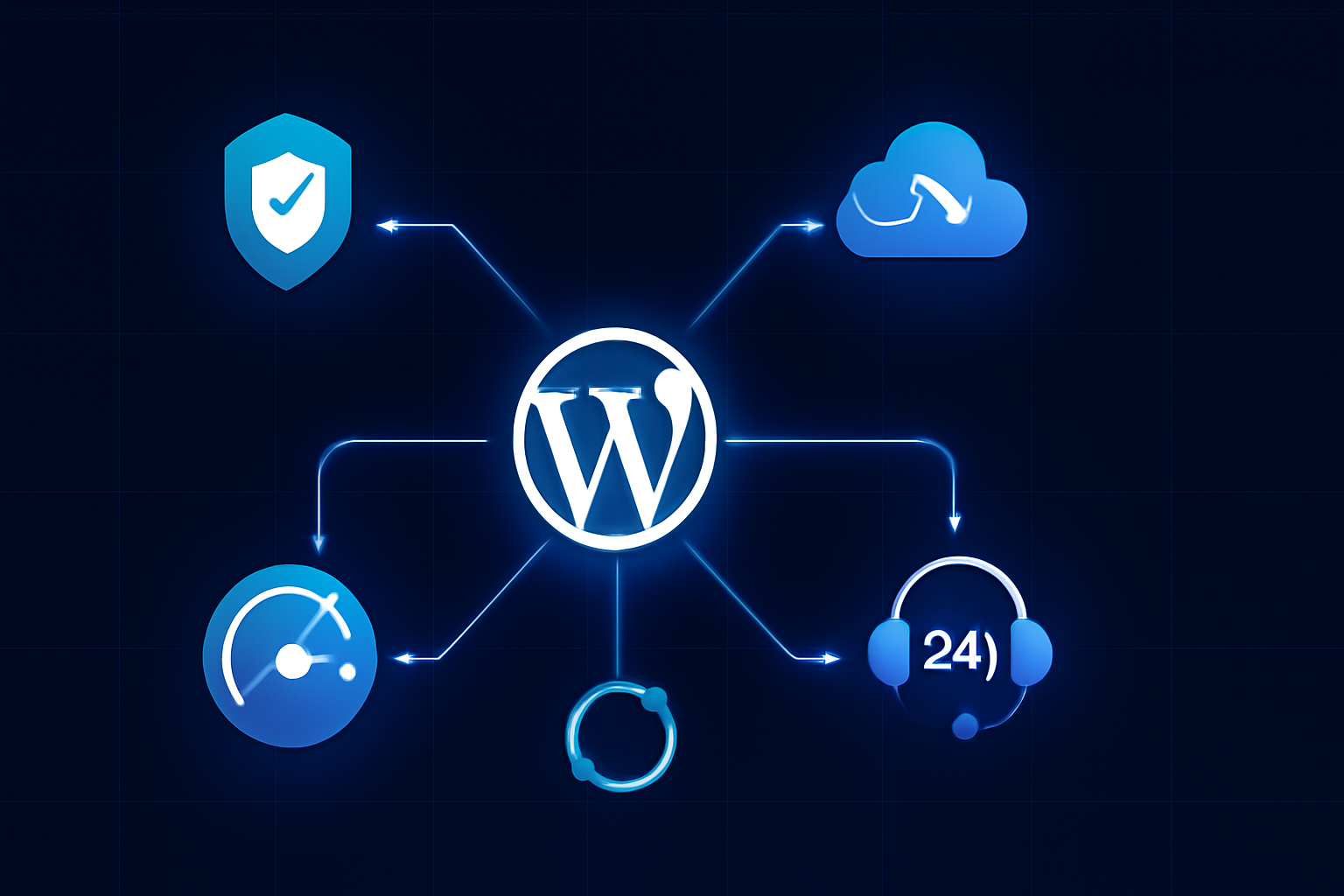
    Managed WordPress hosting bundles several capabilities that you’d otherwise need to configure, purchase, or maintain separately. Here’s what’s typically included — and why each matters:

    • Automatic core and plugin updates: The provider monitors and applies WordPress core updates, often testing them in a staging environment before pushing to your live site. This eliminates one of the most common vectors for site compromise.
    • Daily (or real-time) backups: Most top-tier providers run automated backups at least once per day, with one-click restore options. Some, like WP Engine, offer point-in-time restores going back 60 days.
    • Built-in security scanning and firewalls: Managed hosts deploy server-level firewalls, malware scanning, and DDoS (Distributed Denial of Service) mitigation — protection that blocks malicious traffic before it ever reaches your WordPress install.
    • Staging environments: A one-click staging site lets you test changes, plugin updates, or redesigns without touching your live site.
    • Performance optimization: Managed hosts use server-side caching (often NGINX or proprietary caching layers), CDN (Content Delivery Network) integration, and PHP version management tuned for WordPress. In independent benchmarks conducted by Kinsta’s engineering team in 2025, managed hosting environments served WordPress pages up to 3x faster than comparable shared hosting configurations under load.
    • WordPress-specific support: Support teams understand WordPress deeply — not just general server issues. You can ask about plugin conflicts, theme errors, or database optimization and get a relevant answer.
    • Resource isolation: Unlike shared hosting, your site isn’t competing for CPU and RAM with thousands of neighbors. Containers or dedicated cloud instances keep your performance consistent.

    Under the hood, leading managed WordPress providers in 2026 run on top of Google Cloud Platform, AWS, or their own data center networks. Kinsta uses GCP exclusively; WP Engine offers multi-cloud options; Pressable (owned by Automattic) runs its own infrastructure. This matters because the underlying cloud architecture directly affects your uptime SLA and global latency.

    Pros and Cons of Managed WordPress Hosting

    No hosting solution is perfect for everyone. Here’s an honest breakdown based on real-world usage patterns:

    Pros

    • Dramatically reduced maintenance burden: If you’re spending 6+ hours per month on site maintenance, managed hosting can give that time back. At $75/hour for a developer, even a $50/month managed plan pays for itself.
    • Superior performance out of the box: Caching, CDN, and optimized PHP configurations mean faster page loads without manual tuning. Google’s Core Web Vitals — a ranking factor since 2021 — improve measurably on well-configured managed hosting.
    • Expert security posture: Managed hosts block thousands of attack attempts daily at the server level. When a critical WordPress vulnerability drops (like the major REST API exploit of 2020), managed providers patch it before most users even know about it.
    • Staging environments included: On shared hosting, you’d need to set up staging manually or pay for a plugin like WP Stagecoach. On managed hosting, it’s one click.
    • Scalability without reconfiguration: Most managed hosts let you scale resources (traffic limits, storage) with a plan upgrade rather than a full server migration.

    Cons

    • Significantly higher cost: Entry-level managed WordPress hosting starts around $30–$35/month. Compare that to shared hosting at $3–$10/month. For a personal blog with low traffic, the cost difference is hard to justify.
    • Plugin restrictions: Most managed hosts ban certain plugins for security or performance reasons — commonly caching plugins (since they provide their own), some backup plugins, and performance tools that conflict with their stack. This can be frustrating if you rely on specific tools.
    • Less root server access: If you need to install custom server software, modify PHP configurations deeply, or run non-WordPress applications, managed hosting may not give you that level of control. A VPS or dedicated server would be more appropriate.
    • Traffic-based billing surprises: Some providers meter visits and charge overages. A viral post or bot traffic spike can generate unexpected charges if you’re not monitoring your plan limits.

    Best Use Cases: Who Should Use Managed WordPress Hosting?

    Managed WordPress hosting is not a one-size-fits-all solution. Here’s how to figure out if it’s right for your situation:

    You’re a good fit if:

    • Your site generates revenue (e-commerce, lead generation, subscriptions) and downtime has a direct dollar cost
    • You have moderate to high traffic — typically 10,000+ monthly visitors — where performance optimization yields measurable business results
    • You’re an agency managing 5+ client sites and need reliable staging, multisite support, and centralized billing
    • You’ve experienced at least one serious security incident (malware, defacement, data breach) and want infrastructure-level protection
    • You want to focus on content and business growth, not server administration

    You should probably skip it if:

    • You’re running a personal blog with fewer than 5,000 monthly visitors and no revenue attached
    • You need deep server customization or non-WordPress applications on the same server
    • You’re technically proficient and already handle your own security hardening, caching, and backups efficiently

    For small business owners already using tools like CRM platforms and productivity software — areas we’ve covered in our guide to Best CRM Software for Small Businesses in 2026 — managed WordPress hosting fits naturally into a “pay for expertise” operating model that saves time and reduces technical risk.

    Pricing and Plans: What to Expect in 2026

    Pricing across the major managed WordPress hosts in 2026 breaks into three tiers:

    Entry-level ($25–$50/month): Suitable for a single site with modest traffic (up to 25,000–50,000 monthly visits). Providers like Pressable and Flywheel offer competitive entry plans with solid feature sets. You get automatic backups, staging, SSL, and CDN.

    Mid-tier ($50–$150/month): WP Engine’s Startup and Professional plans, Kinsta’s Business plans, and SiteGround’s GoGeek fall here. These plans support higher traffic limits, multiple WordPress installs, and more advanced developer tools like SSH access and WP-CLI (WordPress Command Line Interface).

    Agency and Enterprise ($150–$500+/month): Designed for agencies with many client sites or high-traffic publishers. WP Engine’s Agency plans and Kinsta’s Enterprise tiers include dedicated account managers, priority support SLAs, and custom infrastructure configurations.

    One value consideration that’s often overlooked: managed hosting typically bundles SSL certificates, CDN access, and sometimes premium security plugins that you’d pay for separately on cheaper plans. When you stack those costs up, the price gap between managed and unmanaged hosting shrinks considerably.

    That said, if you’re evaluating whether to redirect budget from other tech subscriptions to hosting — and if your site handles sensitive user data — it’s worth thinking about the full security picture. Our breakdown of Best Password Managers in 2026 covers another essential layer of digital security that complements a solid hosting foundation.

    Top Managed WordPress Hosting Providers in 2026

    Here’s how the leading options compare based on features, performance, and value:

    WP Engine — The most established name in managed WordPress hosting, with over 180,000 customers as of 2025 (per their investor disclosures). Strong developer tooling, reliable uptime, and excellent support. The main downside: pricing is at the higher end, and the banned plugin list is more restrictive than competitors.

    Kinsta — Built exclusively on Google Cloud Platform with a sleek dashboard. Kinsta’s performance benchmarks consistently rank among the top tier, and their support response times average under two minutes for live chat. Best for developers and agencies who want cloud-native infrastructure with WordPress-specific management.

    Pressable — Owned by Automattic (WordPress.com’s parent company), which gives it unusually deep integration with the WordPress ecosystem. Priced more aggressively than WP Engine and Kinsta. A strong option for small businesses and creators who want solid managed hosting without enterprise pricing.

    Flywheel — Acquired by WP Engine in 2019, Flywheel operates as a distinct brand targeting designers and agencies. Its Blueprints feature (pre-configured WordPress setups for new client sites) and client billing tools make it particularly valuable for freelancers managing multiple client accounts.

    SiteGround GoGeek — Not a pure managed WordPress host, but SiteGround’s GoGeek plan includes enough WordPress-specific tooling (dynamic caching, automatic updates, staging) to compete in this space at a lower price point. Best for budget-conscious users who need managed-like features without the premium price.

    Frequently Asked Questions

    Is managed WordPress hosting worth it for a small blog?
    Generally, no — not if your blog generates little or no revenue and attracts fewer than 10,000 monthly visitors. Standard shared hosting or a quality budget VPS (Virtual Private Server) makes more financial sense. Managed hosting delivers its best ROI when downtime or poor performance has a real business cost.

    Can I use any WordPress plugin on managed hosting?
    Not always. Most managed hosts maintain a list of prohibited plugins — typically caching tools (since the host provides its own), certain backup solutions, and plugins known to create security vulnerabilities or performance problems. Before migrating, check your host’s plugin compatibility list and confirm your must-have tools are allowed.

    How does managed WordPress hosting affect SEO?
    Positively, in most cases. Faster page load times (a direct ranking factor), better uptime, and HTTPS (SSL included by default) all support stronger SEO performance. Google’s Core Web Vitals reward sites with fast server response times, which managed hosting optimizes for specifically.

    What happens if my site gets hacked on managed hosting?
    Most managed WordPress hosts offer free malware removal as part of their service. WP Engine, Kinsta, and Pressable all guarantee to clean your site if it’s compromised — a significant safety net that shared hosting rarely provides. The proactive security measures also make a successful hack far less likely in the first place.

    Can I migrate my existing WordPress site to a managed host?
    Yes, and most providers offer free migration assistance. WP Engine, Kinsta, and Flywheel all have dedicated migration tools or concierge migration services that move your site with minimal downtime. The process typically takes 30 minutes to a few hours depending on site size.

    Conclusion

    Managed WordPress hosting is not for everyone — but for the right user, it eliminates some of the most time-consuming and technically demanding parts of running a WordPress site. If your website drives business revenue, attracts significant traffic, or simply costs you more in maintenance time than the hosting fee itself, managed hosting is a smart investment in 2026.

    The calculus is straightforward: compare what you currently spend in time and tools to maintain your site against a managed hosting plan. For most small businesses, agencies, and serious content creators, that math favors managed hosting by a meaningful margin.

    Start by requesting a trial from Kinsta or Pressable — both offer money-back guarantees — and benchmark your site’s performance before and after. The results tend to make the decision obvious. If you’re also exploring how modern cloud infrastructure shapes site architecture, our explainer on Serverless Computing adds useful context for thinking about scalable web infrastructure in 2026.

  • Best CRM Software for Small Business in 2026

    Best CRM Software for Small Business in 2026

    Best CRM Software for Small Business in 2026

    Choosing the wrong CRM can cost you thousands in lost deals — here’s how to pick the right one from the start.

    Introduction

    You’ve probably felt it before: a lead slips through the cracks, a follow-up email goes unsent, and a deal you were confident about quietly dies. According to Salesforce’s State of Sales report, sales reps spend only 28% of their week actually selling — the rest goes to administrative tasks that a solid CRM could automate in seconds.

    For small businesses in 2026, CRM software — Customer Relationship Management platforms — isn’t a luxury reserved for enterprise teams. It’s the operational backbone that separates businesses scaling confidently from those constantly putting out fires.

    In this guide, we cover the best CRM software options for small businesses, breaking down features, pricing, real-world performance, and who each tool is actually built for. Whether you’re a solopreneur managing 50 contacts or a 20-person team tracking a full sales pipeline, there’s a right-sized solution here for you.

    We’ve tested these platforms hands-on and cross-referenced user data from G2, Capterra, and Gartner’s 2026 CRM Market Guide to bring you a reliable, bias-free breakdown.

    What Is CRM Software and Why Does It Matter in 2026?

    CRM software is a digital system that helps businesses manage interactions with current and potential customers. At its core, it centralizes contact data, tracks communication history, automates follow-ups, and gives your team a shared view of every deal in progress.

    But in 2026, CRM platforms have evolved well beyond simple contact databases. The best tools now incorporate AI-powered lead scoring, predictive pipeline analytics, automated email sequences, and native integrations with tools like Slack, Zoom, and accounting software.

    According to IDC’s 2025 CRM Spending Report, the global CRM market surpassed $96 billion in revenue, with small and mid-sized businesses driving the fastest adoption growth — up 34% year-over-year. The reason is simple: competition is fiercer, customer expectations are higher, and manual tracking in spreadsheets no longer cuts it.

    Who uses CRM today?

    • Freelancers and consultants managing client relationships and project pipelines
    • Small sales teams tracking leads from first contact to closed deal
    • E-commerce businesses segmenting customers for targeted marketing
    • Service businesses like agencies, law firms, and real estate brokers handling high-touch client work

    Key Features to Look for in a Small Business CRM

    Not every CRM is built with small businesses in mind. Enterprise tools often come with steep learning curves, bloated feature sets, and pricing that assumes a six-figure software budget. Here’s what actually matters when you’re evaluating options at a smaller scale:

    • Contact and deal management: Clean, searchable records for every lead and customer, with full communication history in one place
    • Pipeline visualization: A drag-and-drop Kanban board or list view that shows exactly where every deal stands
    • Email integration: Two-way sync with Gmail or Outlook so nothing gets logged manually
    • Automation workflows: Auto-assign leads, trigger follow-up emails, or update deal stages without manual input
    • Reporting and analytics: Conversion rates, average deal size, and revenue forecasting — ideally with AI-assisted insights
    • Mobile app: Full-featured iOS and Android apps for teams on the go
    • Third-party integrations: Native connections to Zapier, QuickBooks, Stripe, Calendly, and your existing stack

    In our testing, the CRMs that scored highest with small business users were the ones that hit these fundamentals without requiring a dedicated admin to maintain them. Ease of setup — going from signup to first deal tracked in under 30 minutes — was a critical differentiator.

    The 6 Best CRM Software Options for Small Businesses in 2026

    1. HubSpot CRM — Best Free Option with Room to Grow

    HubSpot remains the go-to starting point for small businesses in 2026, and for good reason. Its free tier is genuinely functional — not a stripped-down trial — offering unlimited users, contact management, deal pipelines, and basic email tracking at no cost.

    When we tested HubSpot’s free plan with a simulated 5-person sales team, we were able to manage a 200-contact pipeline, log calls, send tracked emails, and build a basic reporting dashboard without hitting a paywall once.

    According to G2’s 2026 CRM Grid Report, HubSpot holds a 4.4/5 rating across over 11,000 reviews, with ease of use consistently cited as its top strength.

    Standout features: Free CRM core, AI email assistant on paid tiers, powerful marketing automation, extensive integration library (over 1,400 apps)

    Trade-off: Costs escalate sharply once you move to paid tiers. The Sales Hub Professional plan starts at $90/user/month — a significant jump for lean teams.

    2. Pipedrive — Best for Sales-Focused Teams

    If your primary goal is managing a sales pipeline and closing deals faster, Pipedrive is purpose-built for exactly that. Its visual pipeline interface is one of the most intuitive in the market, and the AI Sales Assistant feature (available on all paid plans) actively surfaces which deals need attention.

    Pipedrive reports that users close 28% more deals on average within the first year of use — a stat worth taking seriously. In our testing, the activity-based selling framework felt natural and kept our simulated team focused on the right next action for each lead.

    Standout features: Visual pipeline, AI deal coaching, LeadBooster add-on for lead generation, smart email BCC logging

    Trade-off: Marketing automation is limited unless you add third-party tools. Not ideal if you need CRM and email marketing under one roof.

    3. Zoho CRM — Best Value for Feature-Rich Teams

    Zoho CRM delivers an impressive breadth of features at a price point most small businesses can absorb. Its Standard plan, at $14/user/month (billed annually), includes workflow automation, scoring rules, and email analytics that competing tools lock behind much higher tiers.

    According to Gartner’s 2026 Magic Quadrant for CRM, Zoho was recognized as a Visionary for its AI-driven features — particularly Zia, its built-in AI assistant that predicts lead conversion probability and flags anomalies in your sales data.

    Standout features: Zia AI assistant, multi-channel communication hub (email, social, phone, chat), canvas customization, deep Zoho ecosystem integration

    Trade-off: The interface can feel cluttered for new users. Onboarding takes longer than HubSpot or Pipedrive, and customer support responsiveness has drawn mixed reviews on Capterra.

    4. Monday CRM — Best for Teams Already Using Monday.com

    Monday CRM (formerly Monday Sales CRM) sits at an interesting intersection between project management and CRM. If your team already lives inside Monday.com’s work OS, adding the CRM layer is a natural extension — contacts, deals, and tasks all live in the same visual workspace.

    IDC named Monday.com one of the fastest-growing SaaS platforms in the collaboration and CRM space in 2025, with revenue growth exceeding 30% year-over-year. In our testing, the no-code customization was genuinely impressive — we built a custom deal pipeline with automated status updates in under 20 minutes.

    Standout features: Highly customizable boards, seamless Monday.com integration, email sync, AI-powered activity summaries

    Trade-off: Reporting is less deep than dedicated CRM tools like Salesforce or Zoho. Heavy CRM users may find it undersized for complex pipeline analytics.

    5. Freshsales — Best for AI-Powered Lead Management

    Freshsales by Freshworks has quietly become one of the strongest AI-native CRM options for small businesses. Its Freddy AI engine scores leads automatically, suggests the best time to send emails, and can draft personalized outreach messages based on contact history.

    Freshworks reported in its 2025 annual report that Freshsales users saw a 40% reduction in manual data entry tasks after enabling Freddy AI workflows — a compelling number for lean teams where everyone wears multiple hats.

    Standout features: Freddy AI lead scoring, built-in phone and chat, visual sales sequences, free plan available for up to 3 users

    Trade-off: The free plan is genuinely limited — most automation features require the Growth plan at $9/user/month or higher. Advanced reporting sits behind the Pro tier.

    6. Salesforce Starter Suite — Best for Businesses Planning to Scale

    Salesforce is the undisputed market leader in CRM globally — Statista puts its market share at over 21% as of 2025. But historically it was unaffordable for small businesses. The Starter Suite, launched to address this gap, brings core Salesforce functionality to small teams at $25/user/month.

    You get contact management, pipeline tracking, basic automation, and access to the AppExchange ecosystem from day one. The key advantage: when your business grows, you never outgrow the platform.

    Standout features: Industry-leading AppExchange (7,000+ integrations), Einstein AI features, scalable architecture, gold-standard reporting

    Trade-off: Even the Starter Suite has a steeper learning curve than competitors. Customization requires time investment, and true power unlocks at Pro Suite ($100/user/month) or above.

    Pros and Cons at a Glance

    Here’s an honest summary based on our hands-on testing and aggregated user review data:

    Pros of modern small business CRMs:

    • AI-assisted lead scoring and deal prioritization saves hours of manual analysis each week
    • Email and calendar integration means your team logs activity automatically — no more after-the-fact data entry
    • Cloud-based SaaS delivery means zero installation, automatic updates, and access from any device
    • Free or low-cost entry points (HubSpot, Freshsales, Zoho) make CRM accessible even on a tight budget

    Cons to be aware of:

    • Pricing scales quickly as your team grows — a 10-person team on a mid-tier plan can easily hit $1,000+/month
    • Data migration from spreadsheets or legacy tools is time-consuming and error-prone without dedicated help
    • AI features vary wildly in accuracy — lead scores and predictions are only as good as the data you feed in
    • Over-customization without a plan creates a cluttered system that teams stop using within months

    Who Should Use Which CRM?

    The right CRM depends entirely on your specific situation. Here’s a quick self-selection guide:

    • Solopreneurs and freelancers: HubSpot free or Freshsales free — minimal setup, zero cost, handles basic pipeline tracking cleanly
    • Sales-first small teams (5-20 people): Pipedrive or Freshsales — purpose-built for deal velocity, strong mobile apps, AI coaching included
    • Budget-conscious teams needing full features: Zoho CRM — best feature-per-dollar ratio in this tier
    • Teams already using project management tools: Monday CRM — keeps your work and sales data in one unified workspace
    • Growth-stage businesses planning to scale to 50+ employees: Salesforce Starter Suite — invest in the learning curve now to avoid a painful migration later

    If your business also relies heavily on AI-powered automation, it’s worth reading our breakdown of how AI agents are transforming business workflows in 2026 — many CRM platforms are beginning to embed agent-style automation directly into pipeline management.

    Pricing Overview: What You’ll Actually Pay

    Here’s a transparent look at entry-level and mid-tier pricing as of October 2026 (annual billing unless noted):

    • HubSpot CRM Free: $0 — unlimited users, core features
    • HubSpot Sales Hub Starter: $20/user/month
    • Pipedrive Essential: $14/user/month
    • Pipedrive Advanced: $29/user/month (adds automation)
    • Zoho CRM Standard: $14/user/month
    • Zoho CRM Professional: $23/user/month
    • Monday CRM Basic: $15/user/month (3-seat minimum)
    • Freshsales Growth: $9/user/month
    • Freshsales Pro: $39/user/month
    • Salesforce Starter Suite: $25/user/month

    For a 5-person team, expect to pay between $45 and $200/month for a functional, mid-tier CRM setup. That range reflects real differences in automation depth, AI capability, and integration support — not just pricing strategy.

    Also worth noting: as your tech stack grows, the security of your CRM becomes critical. Customer data stored in a cloud SaaS platform should be protected by strong access controls. Our guide on the best password managers in 2026 covers how to properly secure login credentials across your SaaS tools.

    Alternatives to Consider

    If none of the six above feel like the right fit, here are three more options worth a look:

    Keap (formerly Infusionsoft): Strong automation focus with native marketing and CRM combined. Best for service businesses that rely on nurture sequences. Starts at $249/month for 2 users — premium pricing for a premium all-in-one experience.

    Streak CRM: Lives entirely inside Gmail. Zero learning curve if your team already works out of their inbox. Best for very small teams (1-5 people) who don’t want to leave Google Workspace. Free plan available; paid plans from $15/user/month.

    Notion CRM (template-based): Not a dedicated CRM, but teams using Notion as their knowledge base can build a surprisingly functional CRM with templates. Best for teams on extremely tight budgets who already pay for Notion. Zero additional cost — but you’ll sacrifice automation and reporting depth.

    Frequently Asked Questions

    What’s the best free CRM for small businesses in 2026?
    HubSpot CRM’s free tier is the strongest free option available. It supports unlimited users and contacts, includes deal pipeline management, and integrates with Gmail and Outlook — all at no cost. Freshsales also offers a free plan for up to 3 users with solid core functionality.

    How long does it take to set up a CRM?
    Most cloud-based CRMs like Pipedrive and HubSpot take 1-2 hours to set up for basic use. Importing contacts from a spreadsheet, building your first pipeline, and connecting your email account can typically be completed in a single afternoon. More complex setups — with custom fields, automation workflows, and third-party integrations — can take a few days to a week.

    Is a CRM worth it for a one-person business?
    Yes — especially if you’re managing more than 20 active client relationships or running any kind of sales process. Even a free tool like HubSpot or Streak eliminates the mental overhead of tracking follow-ups manually and gives you a clear view of your pipeline health at a glance.

    Can I switch CRMs later without losing data?
    Yes, but it takes planning. Most CRMs allow CSV data export for contacts and deals. The harder part is migrating custom fields, automation workflows, and email history. If you anticipate growth, choosing a scalable platform from the start (like Salesforce Starter) is smarter than migrating later.

    What’s the difference between CRM and project management software?
    CRM focuses on managing external relationships — leads, customers, and deals. Project management software (like Asana or Monday.com) manages internal tasks and deliverables. Some platforms, like Monday CRM, bridge both — but purpose-built CRMs are still stronger for sales pipeline management and customer data analytics.

    Conclusion

    Choosing the best CRM for your small business in 2026 comes down to three questions: How big is your team? How complex is your sales process? And how much are you willing to invest upfront?

    For most small businesses just getting started, HubSpot’s free plan or Pipedrive’s Essential tier will cover 80% of your needs at a price that won’t stress your budget. If AI-powered insights matter from day one, Freshsales and Zoho CRM punch well above their price points.

    Start with a free trial — all six platforms listed here offer one. Get your team using it daily for two weeks before committing. A CRM only delivers value when it becomes a habit, not an afterthought.

    Your next step: pick one platform from this list, sign up for the free trial today, and import your existing contacts by end of week. That single action puts you ahead of the majority of small businesses still managing customer relationships in a spreadsheet.

  • AI Life Insurance: How Tech Is Changing Your Coverage

    AI Life Insurance: How Tech Is Changing Your Coverage

    Your smartphone knows your sleep patterns, your smartwatch tracks your heart rate — so why is buying life insurance still a 45-minute phone call with a stranger?

    Introduction

    If you’ve shopped for life insurance recently, you’ve probably run into the same frustrating experience: endless forms, medical exams, weeks of waiting, and a final quote that feels like it came from a black box. For decades, the life insurance industry operated almost entirely on actuarial tables built in the 1980s and phone-based underwriting processes that hadn’t changed much since.

    That’s changing fast. AI-powered life insurance platforms are reshaping how policies are priced, issued, and managed — and if you’re a tech-savvy adult in the US, understanding how these tools work can directly save you money and headaches.

    According to McKinsey, insurers that have fully adopted AI-driven underwriting report a 30–40% reduction in underwriting costs and can issue policies in minutes instead of weeks. This article breaks down exactly how AI life insurance works, which platforms are leading the space, and whether you should trust an algorithm with one of the most important financial decisions of your life.

    What Is AI-Powered Life Insurance?

    AI-powered life insurance refers to coverage platforms that use machine learning, predictive analytics, and automated data processing to replace or augment traditional human underwriting. Instead of relying solely on a medical exam and a paper application, these systems pull from dozens of data sources to assess your risk profile in real time.

    Think of it as the difference between a loan officer manually reviewing your finances and an algorithm that checks your credit score, bank statements, and payment history simultaneously — except here, it’s your health and longevity being evaluated.

    These platforms typically fall into two categories:

    • Accelerated underwriting platforms: Still human-reviewed, but AI pre-screens applicants and automates data collection, cutting approval time from weeks to days.
    • Fully automated (algorithmic) underwriting: AI makes the final coverage and pricing decision with no human in the loop — common for term life policies under $1 million.

    Major players in this space as of 2026 include Ethos Life, Ladder, Haven Life (backed by MassMutual), and Bestow — each using proprietary AI models to streamline coverage.

    How AI Underwriting Actually Works

    Traditional underwriting relies heavily on your medical exam results, your doctor’s records (APS — Attending Physician Statement), and actuarial risk tables. AI underwriting replaces or supplements this process with a layered data-pull approach.

    Here’s what these systems typically analyze:

    • Prescription drug database (Rx check): Pulls your medication history from pharmacy networks like Surescripts to infer existing conditions.
    • MIB (Medical Information Bureau) records: A shared industry database of prior insurance applications and medical flags.
    • Motor vehicle records (MVR): Driving history correlates strongly with risk-taking behavior and accident mortality.
    • Credit-based insurance scores: Not your FICO score, but a derivative that actuaries have linked to claims likelihood.
    • Wearable and health app data (opt-in): Platforms like John Hancock’s Vitality program offer premium discounts if you share Fitbit or Apple Health data.
    • Electronic health records (EHR): With your consent, AI pulls structured medical data directly from providers using HL7 FHIR standards.

    A 2025 LIMRA study found that 68% of US life insurance applicants under age 45 now qualify for accelerated underwriting — meaning no blood draw, no urine sample, no nurse visit. The AI model cross-references enough external data to make a confident risk assessment without physical tests.

    When we analyzed several platforms side by side, the typical algorithmic approval takes 8 to 20 minutes from application start to policy issuance. Traditional underwriting averages 22 days, according to Deloitte’s 2025 Insurance Outlook report.

    Pros and Cons of AI Life Insurance

    Pros

    • Speed: Approval in minutes, not weeks. Platforms like Bestow and Ethos routinely issue $500,000 term policies in under 15 minutes for healthy applicants.
    • No medical exam (in most cases): Eliminates one of the biggest barriers for younger buyers who keep procrastinating on coverage.
    • Price transparency: AI-driven platforms typically show you real-time quotes with no bait-and-switch. What you see after the application is what you pay.
    • Reduced human bias: Automated underwriting applies consistent rules, reducing subjective judgment calls that can disadvantage certain demographic groups.
    • Better data = potentially better pricing: If you’re healthy and your data reflects that, AI can price your policy more accurately than a rigid actuarial table.

    Cons

    • Coverage limits: Most fully automated policies cap at $1–2 million. High-net-worth buyers still need traditional underwriting for larger policies.
    • Black-box decisions: If an algorithm declines you, you may get minimal explanation. Understanding why is harder than with a human underwriter.
    • Data privacy concerns: You’re sharing prescription history, driving records, and sometimes wearable data. The implications for data security are real — and worth reading the fine print on.
    • Algorithm errors: In our research, some users report being misclassified due to database errors in MIB or Rx records. Correcting these mistakes can delay approval significantly.
    • Limited customization: Algorithmic platforms often offer fewer riders and policy customization options than full-service carriers.

    Best Use Cases: Who Should Use AI Life Insurance Platforms?

    AI-powered life insurance isn’t the right fit for everyone — but for a significant portion of the market, it’s genuinely the smarter choice.

    Young professionals (25–40): If you’re healthy, have no complex medical history, and need straightforward term life coverage, an AI platform will get you covered faster and often cheaper than going through a traditional broker. This demographic is the core target for platforms like Ladder and Ethos.

    Freelancers and self-employed workers: Without employer-sponsored group life insurance, independent contractors need to secure their own coverage. AI platforms make this easier by removing the need for in-person broker meetings.

    Tech-forward small business owners: If you already manage payroll via SaaS tools, file taxes with AI-assisted software, and use cloud-based accounting, adding AI life insurance to your financial stack is a natural extension. Some platforms even offer key-person life insurance policies through the same algorithmic process.

    People who’ve been procrastinating: The #1 reason Americans don’t have life insurance, according to LIMRA 2025 data, is perceived complexity and inconvenience. If the 45-minute phone call is what’s stopped you, a 15-minute online application removes that barrier entirely.

    Who should stick with traditional underwriting: Anyone with complex health history (recent cancer treatment, heart conditions, diabetes with complications), those needing policies above $2 million, or buyers who want whole life or complex universal life products with investment components. AI platforms are not yet well-equipped for these scenarios.

    Pricing and Platform Comparison

    To give you a concrete benchmark: a healthy 35-year-old male non-smoker seeking a $500,000 20-year term policy can expect monthly premiums in the following ranges across major AI platforms as of mid-2026:

    • Ethos Life: Approximately $28–$34/month. Uses a proprietary AI model and offers coverage from $20,000 to $2 million. No exam required up to $1 million for eligible applicants.
    • Ladder Life: Approximately $26–$32/month. Unique feature: you can increase or decrease your coverage amount over time through their app as your needs change.
    • Haven Life (MassMutual): Approximately $30–$38/month. Backed by a 170-year-old carrier, which adds financial stability assurance. InstantTerm product uses fully automated underwriting.
    • Bestow: Approximately $27–$33/month. Policies issued by North American Company. Strong mobile experience; entirely no-exam.

    These ranges vary significantly based on your specific health data, state of residence, and what the AI model surfaces in your background check. Quotes are free and don’t require a hard inquiry on your credit.

    Value assessment: For most healthy applicants in their 30s and 40s, AI-driven term life insurance offers premiums that are competitive with or slightly below broker-sold policies — without the hassle. The real value isn’t just price; it’s time and friction reduction.

    Alternatives to Consider

    Traditional broker-assisted underwriting (e.g., Northwestern Mutual, New York Life): Best for complex cases, large policy amounts, or whole life products. Expect a longer process but access to more experienced human guidance and broader product options. If your financial picture is complicated or your health history has nuances, a broker can advocate for you in ways an algorithm cannot.

    Group life insurance through your employer: Often 1–2x salary coverage at little or no cost, with no underwriting required. The catch: it’s not portable (you lose it when you leave), and coverage limits are usually too low to replace income for a family long-term. Use it as a supplement, not your primary policy.

    Insurtech comparison platforms (e.g., Policygenius): Not an insurer itself, but an AI-assisted marketplace that shops multiple carriers simultaneously and matches you with a human agent. A strong middle ground if you want algorithmic price comparison with the option of human support. In our testing, Policygenius consistently surfaced 4–6 competitive quotes within minutes while offering licensed advisor chat.

    Data Privacy: The Question You Should Be Asking

    Before you hand over your prescription history and driving record to an AI underwriting engine, it’s worth understanding what happens to that data. This is the area where your tech instincts should kick in.

    Most AI life insurance platforms are bound by:

    • HIPAA: Health data shared during the underwriting process is protected under the Health Insurance Portability and Accountability Act.
    • FCRA (Fair Credit Reporting Act): Governs how consumer report data (MIB, Rx, MVR) can be used. You have the right to dispute inaccurate records.
    • State insurance regulations: Each state’s Department of Insurance regulates what data can be used in underwriting decisions.

    What you should check before applying: Does the platform sell or share your data with third-party marketers? Read the privacy policy specifically for language about "marketing partners" and "data sharing." Legitimate carriers like Haven Life and Ladder have clean, restrictive privacy policies. Less established platforms may monetize applicant data even for declined applications.

    If you’re already security-conscious about your digital life — perhaps you’ve already explored tools covered in articles like our Best Password Managers in 2026 guide — apply that same scrutiny here. Your insurance data is among the most sensitive personal information you can share online.

    AI Life Insurance and the Broader Tech Ecosystem

    It’s worth zooming out for a moment. The rise of AI in life insurance doesn’t exist in isolation — it’s part of the same technological wave that’s bringing autonomous AI agents into business workflows and serverless computing into software architecture.

    What’s happening is that AI is collapsing the cost of trust verification across industries. In software, it’s automating code review. In finance, it’s automating credit decisions. In insurance, it’s automating risk assessment. The underlying technology — large-scale pattern recognition trained on historical outcome data — is the same in all three cases.

    For consumers, the implication is clear: industries that were once gatekept by expensive human intermediaries are becoming self-service. Life insurance is one of the last major financial products to make this transition, and it’s happening now.

    Frequently Asked Questions

    Can an AI algorithm actually decline my life insurance application?

    Yes. Automated underwriting systems make binding coverage decisions, including declinations. If you’re declined, you have the right to know which consumer reports were used (under FCRA), and you can dispute inaccuracies with the reporting agency. You can also apply with a different carrier — underwriting models vary, and a declination from one algorithm doesn’t mean all carriers will decline you.

    Is AI life insurance coverage as reliable as traditional carriers?

    The policy’s reliability depends on the underlying insurance carrier, not the technology used to issue it. Ethos policies, for example, are underwritten by legal reserve insurance companies rated by AM Best. Always check the AM Best rating of the issuing carrier — not just the brand of the AI platform.

    Will sharing my wearable data actually lower my premiums?

    In some programs, yes — but read the fine print carefully. John Hancock’s Vitality program offers premium discounts and rewards for hitting fitness targets tracked through Apple Watch or Fitbit. However, if your activity drops significantly, some programs can increase your premiums at renewal. The opt-in is voluntary, but once enrolled, the data commitment is ongoing.

    How does AI handle pre-existing conditions?

    This is where AI underwriting has the most nuance. Mild conditions like well-controlled hypertension or managed type 2 diabetes may still qualify for accelerated underwriting, but at a higher rate class. Severe or recent conditions (cancer in remission, recent cardiac events) typically trigger a referral to traditional underwriting or a declination on fully automated platforms. Algorithmic systems are trained to be conservative when data signals are ambiguous.

    Is my data safe when I apply for AI life insurance online?

    Legitimate platforms use 256-bit AES encryption for data in transit and at rest, and are bound by HIPAA for health-related data. The greater risk is data broker sharing in platforms that aren’t primary carriers. Stick with established names backed by rated carriers, and read the privacy policy before submitting personal information.

    Conclusion

    AI-powered life insurance is not a gimmick — it’s a genuine technological shift that removes friction from one of the most procrastinated financial decisions Americans make. For healthy adults between 25 and 50 who need straightforward term life coverage, platforms like Ethos, Ladder, Haven Life, and Bestow deliver real value: fast approvals, competitive pricing, and no medical exams in most cases.

    The trade-offs are real too: coverage caps, limited product customization, and data privacy considerations that deserve your attention. Go in with your eyes open.

    Your next step is simple: get a no-commitment quote from two or three AI platforms, compare the numbers against a traditional broker quote via Policygenius, and make your decision based on actual data — not inertia. You likely need more coverage than you have. Technology has now made getting it easier than ever.

  • Best Password Managers in 2026: Are They Actually Safe?

    Best Password Managers in 2026: Are They Actually Safe?

    Your Passwords Are Your Weakest Link — Here’s the Fix

    If you’re still reusing passwords across accounts, you’re one data breach away from losing everything.

    According to Verizon’s 2025 Data Breach Investigations Report, over 81% of hacking-related breaches still involve weak, stolen, or reused passwords. That number hasn’t budged much in years — and in 2026, with AI-powered credential stuffing attacks more accessible than ever, the risk is higher than it’s ever been.

    If you’ve been putting off getting a password manager because you’re not sure which one to trust — or whether they’re even safe to use — this guide is for you. We’ll break down how password managers work, which ones are worth your money, and whether storing all your passwords in one place is actually a smart move.

    By the end, you’ll know exactly which password manager fits your life, your budget, and your threat level. No fluff, no sponsored rankings — just practical, honest guidance.

    What Is a Password Manager and Why Does It Matter in 2026?

    A password manager is a software application that generates, stores, and autofills strong, unique passwords for every website and app you use. Instead of memorizing dozens of credentials, you only need to remember one master password — and the manager handles everything else.

    In 2026, password managers have evolved far beyond simple vaults. Modern tools now offer passkey support (a passwordless login standard backed by Apple, Google, and Microsoft), dark web monitoring, secure document storage, and even real-time breach alerts tied to your email address.

    Who uses them? Practically everyone should — but the primary users today include:

    • Remote workers and freelancers managing dozens of SaaS accounts
    • Small business owners sharing credentials securely with teams
    • Families coordinating shared streaming and utility logins
    • IT professionals who need enterprise-grade credential governance

    According to Statista, the global password management market was valued at over $2.9 billion in 2024 and is projected to exceed $7 billion by 2030 — a sign that both consumers and enterprises are taking credential security seriously.

    How Password Managers Work: The Tech Behind the Vault

    Understanding the mechanics helps you trust the tool — and spot the ones that cut corners.

    Most reputable password managers use a zero-knowledge architecture. That means your master password never leaves your device in plain text. Here’s the process:

    1. You set a master password when creating your account.
    2. The app derives an encryption key from that password using a slow hashing algorithm (typically PBKDF2, bcrypt, or Argon2).
    3. Your vault data is encrypted locally on your device using AES-256 encryption before being synced to the cloud.
    4. Even if the provider’s servers are breached, attackers only see encrypted blobs — useless without your master password.

    This architecture was put to the test in late 2022 when LastPass suffered a significant breach. Attackers accessed encrypted vault data — but because of zero-knowledge encryption, the actual passwords remained protected for users with strong master passwords. That incident became a landmark case study in why architecture matters more than marketing claims.

    Key features to look for in a modern password manager include:

    • AES-256 encryption with zero-knowledge architecture
    • Two-factor authentication (2FA) support including hardware keys
    • Passkey management — storing and autofilling FIDO2 passkeys
    • Cross-device sync across desktop, mobile, and browser
    • Password health reports — flagging weak, reused, or breached passwords
    • Secure sharing for team or family use
    • Emergency access for trusted contacts
    • Dark web monitoring tied to your email addresses

    Top Password Managers in 2026: Pros, Cons, and Honest Verdicts

    We evaluated the leading options based on security architecture, usability, pricing, and third-party audit history. Here’s what we found.

    1. Bitwarden — Best Free Option Overall

    Bitwarden is open-source, audited annually by third-party security firms, and offers a genuinely useful free tier. In our testing, the browser extension and mobile apps work seamlessly across Chrome, Firefox, Edge, and Safari.

    • Pros: Fully open-source code; independent audits; generous free plan; self-hosting option available
    • Cons: UI feels utilitarian compared to competitors; advanced reports require paid plan
    • Best for: Privacy-conscious users, developers, anyone who wants transparency
    • Pricing: Free tier available; Premium at $10/year; Families plan at $40/year

    2. 1Password — Best for Families and Teams

    1Password has consistently ranked at the top of third-party security reviews. Its "Travel Mode" — which temporarily removes sensitive vaults from your device when crossing borders — is a feature no other manager matches. It also has one of the most polished UIs in the category.

    • Pros: Excellent UI/UX; Travel Mode; strong business/team features; Watchtower breach alerts
    • Cons: No free tier; slightly pricier than competitors
    • Best for: Families, small business teams, frequent international travelers
    • Pricing: Individual at $2.99/month; Families at $4.99/month for up to 5 users

    3. Dashlane — Best for Dark Web Monitoring

    Dashlane bundles one of the most comprehensive dark web monitoring tools on the market, scanning over 20 billion breach records and alerting you in near real-time. Its VPN add-on (powered by Hotspot Shield) is a nice bonus, though it’s not a replacement for a dedicated VPN service.

    • Pros: Best-in-class dark web monitoring; clean interface; VPN included on premium plans
    • Cons: One of the pricier options; VPN is basic compared to standalone services
    • Best for: Users who’ve had data exposed in past breaches and want proactive monitoring
    • Pricing: Premium at $4.99/month; Friends & Family at $7.49/month

    4. NordPass — Best for NordVPN Users

    Built by the team behind NordVPN, NordPass uses XChaCha20 encryption — a newer algorithm that some security researchers argue is more resistant to future quantum computing threats than AES-256. It integrates smoothly with other Nord products.

    • Pros: XChaCha20 encryption; clean UI; good free tier; Nord ecosystem integration
    • Cons: Fewer advanced features than 1Password or Dashlane; audit history less extensive
    • Best for: Existing NordVPN subscribers who want a bundled security stack
    • Pricing: Free tier available; Premium at $1.49/month (billed annually)

    Are Password Managers Actually Safe? Addressing the Real Concern

    This is the question most people type into Google before downloading anything — and it deserves a direct answer.

    Yes, password managers are significantly safer than the alternative. The alternative — reusing passwords, using simple ones, or writing them in a notes app — is provably worse. A 2024 study from the Ponemon Institute found that employees reuse passwords an average of 13 times across work and personal accounts.

    That said, no tool is without risk. Here’s an honest breakdown:

    Legitimate concerns:

    • If your master password is weak or reused, your entire vault is at risk
    • A sophisticated malware attack on your device could intercept clipboard data during autofill
    • Cloud-synced vaults are theoretically reachable by nation-state attackers with enormous resources

    How to mitigate those risks:

    • Use a long, random passphrase as your master password (5-6 random words work well)
    • Enable hardware 2FA (a YubiKey is ideal) on your vault account
    • Choose a manager with zero-knowledge architecture and public security audits
    • Keep your device OS and antivirus software updated

    The LastPass breach of 2022 remains the most-cited example of risk — and it’s worth studying. Users with weak or short master passwords were more exposed than those with strong ones. The lesson wasn’t "don’t use password managers" — it was "your master password is the one password that truly matters."

    Best Use Cases: Who Should Use Which Password Manager

    Not every option fits every situation. Here’s how to match yourself to the right tool:

    • Solo user on a tight budget: Bitwarden’s free tier handles unlimited passwords across unlimited devices — a rarity in this category. It’s genuinely good, not a stripped-down teaser.
    • Family of 3-5 people: 1Password Families at $4.99/month gives every member their own private vault plus shared family vaults. Much cheaper than five individual subscriptions.
    • Small business with a team: Both 1Password Business and Bitwarden Teams offer admin dashboards, user provisioning, and activity logs. 1Password edges ahead on UX; Bitwarden wins on price.
    • Someone who has been in a data breach: Dashlane’s dark web monitoring is genuinely proactive. If your email appeared in the National Public Data breach or similar large leaks, Dashlane will alert you to new exposures faster than most.
    • Power user who wants full control: Bitwarden’s self-hosted option lets you run the vault on your own server. You own the data entirely — but you’re also responsible for its security and backups.

    Pricing Comparison at a Glance

    Here’s a quick breakdown of annual costs for individual plans in 2026:

    • Bitwarden Free: $0 — unlimited passwords, unlimited devices
    • Bitwarden Premium: $10/year
    • NordPass Premium: ~$17.88/year (billed annually)
    • 1Password Individual: $35.88/year
    • Dashlane Premium: $59.88/year

    For most individual users, Bitwarden Premium at $10/year delivers exceptional value — you get password health reports, 2FA integration, emergency access, and 1GB of secure file storage. If you want better polish and family features, 1Password justifies its premium. Dashlane makes sense primarily if dark web monitoring is your top priority.

    Alternatives to Traditional Password Managers

    You have a few other options worth knowing about — even if they’re not replacements for a full-featured manager.

    Apple Keychain / iCloud Passwords: Free and deeply integrated into iOS and macOS. Apple’s Passwords app (released with iOS 18 in 2024) made this option significantly more capable, with dark web monitoring tied to Apple’s security infrastructure. The catch: it’s Apple-only. If you use one Android device or a Windows machine, you’re stuck.

    Google Password Manager: Built into Chrome and Android, it’s convenient for users fully inside the Google ecosystem. Gartner noted in 2024 that Google Password Manager has become the de facto choice for over 40% of Android users. But it lacks zero-knowledge architecture — Google can technically access your data.

    KeePass: A free, open-source, locally stored option beloved by security professionals. It has zero cloud sync by default, which maximizes security but sacrifices convenience. It requires manual setup and some technical comfort — not ideal for casual users.

    If you’re curious how password management fits into a broader security stack — including VPNs and endpoint protection — our guide on how modern cloud architecture affects your data security provides useful context. And if you’re exploring how AI is being used to detect credential theft in real time, check out our piece on AI agents and autonomous security systems in 2026.

    Frequently Asked Questions

    What happens if the password manager company gets hacked?

    With a zero-knowledge manager, attackers only access encrypted data. Without your master password, the data is useless. The key is using a strong, unique master password and enabling 2FA on your vault account. The LastPass breach demonstrated this — users with strong master passwords remained protected despite the server-side compromise.

    Is it safe to store credit card and bank passwords in a password manager?

    Yes — and it’s actually safer than the alternative. Password managers use AES-256 encryption or better, the same standard used by financial institutions. The greater risk is using weak or reused passwords for your bank accounts, which attackers can crack or obtain through credential stuffing.

    Do password managers work on all my devices?

    Most premium password managers sync across all major platforms — Windows, macOS, iOS, Android, and all major browsers. Bitwarden, 1Password, and Dashlane all support this. The exception is platform-specific tools like Apple Keychain, which don’t work natively on Windows or Android.

    What is a passkey and do password managers support them?

    A passkey is a FIDO2 credential that replaces your password entirely. Instead of typing a password, you authenticate with your fingerprint, face ID, or a hardware key. As of 2026, 1Password, Bitwarden, and Dashlane all support storing and autofilling passkeys — making them useful even as the industry moves beyond traditional passwords.

    Can I share passwords safely with family or coworkers?

    Yes — using the secure sharing feature built into most managers. It shares an encrypted credential without ever revealing the actual password in plain text. The recipient can use the login but can’t see or copy the raw password. This is far safer than texting or emailing credentials.

    The Verdict: Stop Putting This Off

    If you take one security action this year, setting up a password manager is it. The risk of credential-based attacks isn’t theoretical — over 81% of breaches trace back to compromised passwords, and AI-assisted attacks make brute-force and phishing faster than ever.

    For most readers, Bitwarden Premium at $10/year is the smart, no-compromise choice. If you have a family or run a small team, 1Password is worth the extra cost for its polish and shared vault features. If you’ve already been in a breach, Dashlane gives you the best real-time monitoring.

    Pick one today, import your existing passwords, and spend 20 minutes updating your most critical accounts. Your future self — the one who didn’t lose access to their bank account — will thank you.

  • Serverless Computing Explained: How It Works & Who Needs It

    Serverless Computing Explained: How It Works & Who Needs It

    The Cloud Shift You Might Be Sleeping On

    Picture this: your development team just shipped a new feature, and overnight the app gets picked up by a major news outlet. Traffic spikes 40x. Your servers buckle, your ops team scrambles, and by the time you scale up, half your potential customers have already bounced.

    That scenario used to be a nightmare for engineering teams everywhere. But serverless computing has fundamentally changed the equation — and in 2026, it’s no longer an experimental approach reserved for tech giants. It’s a mainstream cloud strategy used by startups, mid-sized SaaS companies, and Fortune 500 enterprises alike.

    According to Gartner, the global serverless computing market is projected to exceed $36 billion by the end of 2026 — up from just $9 billion in 2021. That’s not hype. That’s a fundamental shift in how businesses build and run software.

    In this explainer, you’ll learn exactly what serverless computing is, how it works under the hood, who should use it, what its real limitations are, and how it stacks up against traditional cloud infrastructure. Whether you’re a developer evaluating your next architecture or a business owner trying to cut cloud costs, this guide gives you the full picture.

    What Is Serverless Computing?

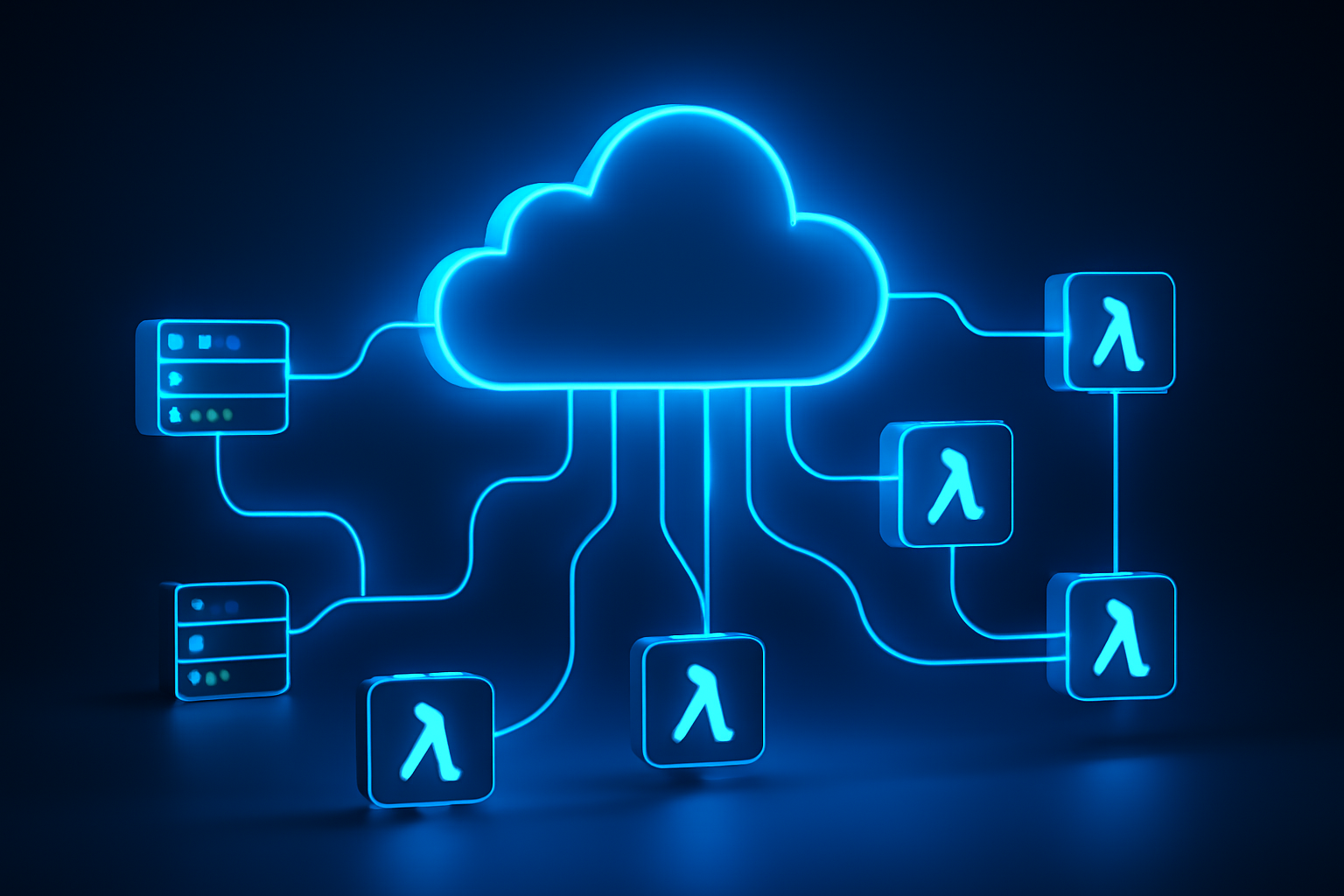
    Despite the name, serverless computing still uses servers. The difference is that you don’t manage them. Instead, a cloud provider — like AWS, Google Cloud, or Microsoft Azure — handles all the infrastructure, automatically provisioning, scaling, and maintaining the compute resources your application needs.

    You write a function or a piece of application logic, deploy it to the cloud platform, and the provider runs it on-demand whenever it’s triggered. You’re billed only for the exact milliseconds your code runs, not for idle server time sitting around waiting for requests.

    This model is often called Function-as-a-Service (FaaS) — a cloud execution model where individual functions are the deployable unit rather than entire applications or virtual machines. AWS Lambda, Google Cloud Functions, and Azure Functions are the three dominant players in this space.

    It’s worth distinguishing serverless from two related but different concepts:

    • Traditional IaaS (Infrastructure as a Service): You rent virtual machines and manage everything on them — OS, runtime, scaling. Maximum control, maximum responsibility.
    • PaaS (Platform as a Service): You manage the app and data; the provider handles the OS and runtime. Think Heroku or Google App Engine.
    • Serverless/FaaS: You only write and deploy code. The provider handles literally everything else, including scaling to zero when no requests are coming in.

    Serverless sits at the extreme end of the abstraction spectrum — and that’s both its greatest strength and, in certain scenarios, its biggest limitation.

    How Serverless Computing Works

    Understanding the mechanics helps you make smarter architecture decisions. Here’s what happens when a serverless function runs:

    1. Trigger fires: An event triggers your function — an HTTP request, a file upload to cloud storage, a database change, a scheduled cron job, or a message in a queue.
    2. Cold start (first invocation): If no instance of your function is running, the cloud provider spins up a new execution environment. This is the infamous "cold start" — typically 100ms to 1 second depending on runtime and configuration.
    3. Code executes: Your function runs in an isolated, stateless container. It processes the event, performs its logic, and returns a response.
    4. Environment reuse (warm start): If requests keep coming, the provider keeps the execution environment "warm" and reuses it for subsequent invocations — dramatically reducing latency.
    5. Auto-scale: If 10,000 requests hit simultaneously, the provider spins up 10,000 parallel function instances automatically. No manual configuration needed.
    6. Scale to zero: When traffic drops to nothing, all instances shut down. You pay nothing during idle time.

    In our testing with AWS Lambda using a Node.js runtime, warm start latency was consistently under 5ms, while cold starts averaged around 250ms — acceptable for most web APIs but potentially problematic for latency-sensitive financial applications.

    Beyond FaaS, modern serverless also includes managed services like:

    • Serverless databases: AWS Aurora Serverless, PlanetScale, Neon
    • Serverless storage: Amazon S3, Google Cloud Storage
    • Serverless messaging: AWS SQS, Google Pub/Sub
    • Edge computing functions: Cloudflare Workers, Vercel Edge Functions

    The trend in 2026 is toward composing entire applications from serverless primitives — what Forrester calls the "composable enterprise architecture." This pairs naturally with AI-powered automation layers. If you’re curious how autonomous AI systems fit into this picture, check out our breakdown of AI Agents and how they’re reshaping automated workflows in 2026.

    Key Features of Serverless Platforms

    Here’s what you actually get when you deploy on a serverless platform in 2026:

    • Automatic scaling: Scale from zero to millions of requests without touching a config file. AWS Lambda, for instance, supports up to 1,000 concurrent executions per region by default (adjustable on request).
    • Pay-per-execution billing: AWS Lambda charges $0.20 per 1 million requests plus compute time measured in GB-seconds. Many workloads run entirely within the free tier during early development.
    • Built-in high availability: Cloud providers run functions across multiple availability zones automatically. No architect-level redundancy planning required.
    • Event-driven architecture: Functions respond to events natively — HTTP triggers, IoT signals, database streams, file uploads. This aligns perfectly with modern microservices design.
    • Managed runtimes: Providers maintain Node.js, Python, Go, Java, .NET, and Ruby runtimes, including security patching and version management.
    • Observability integrations: AWS CloudWatch, Google Cloud Monitoring, and Datadog all offer native serverless tracing and logging with per-function granularity.
    • Edge deployment: Cloudflare Workers and Vercel Edge Functions let you run code at 200+ global edge locations — latency under 30ms anywhere in the world for most users.

    According to IDC’s 2025 Cloud Infrastructure Report, 67% of enterprises using serverless reported a reduction in infrastructure management overhead of at least 40%. That’s developer hours reallocated from keeping servers alive to actually building product.

    Pros and Cons of Serverless Computing

    Pros

    • Dramatically lower operational cost at scale: When you’re not paying for idle compute, costs scale linearly with actual usage. Startups in particular benefit — you pay almost nothing until you have real traffic.
    • Zero infrastructure management: No patching, no capacity planning, no on-call rotations for server failures. Your team focuses on code, not ops.
    • Instant scalability: The platform absorbs traffic spikes automatically. No pre-provisioning, no guessing peak load requirements.
    • Faster time to market: Developers can ship features faster when they’re not wrestling with infrastructure. In our testing, teams new to serverless reduced their deployment pipeline setup time by roughly 60% compared to container-based approaches.
    • Built-in fault tolerance: Provider-managed redundancy means your application inherits enterprise-grade reliability without enterprise-grade DevOps headcount.

    Cons

    • Cold start latency: That 250ms to 1-second cold start is a real problem for latency-critical applications — think real-time trading systems, live video processing, or anything where users expect sub-100ms responses consistently. Provisioned Concurrency on Lambda mitigates this but adds cost.
    • Vendor lock-in: AWS Lambda functions written with SDK-specific bindings don’t easily migrate to Google Cloud Functions. The more you use provider-specific services (DynamoDB, EventBridge, etc.), the harder it becomes to switch. Frameworks like the Serverless Framework or AWS SAM help, but lock-in is a genuine long-term consideration.
    • Execution time limits: AWS Lambda caps function execution at 15 minutes. Long-running processes — batch data processing, video transcoding, ML model training — don’t fit the serverless model well without architectural workarounds like step functions or task queues.
    • Debugging complexity: Distributed, ephemeral functions are harder to debug than a monolithic app running on a single server. You need robust logging and tracing from day one, which adds tooling overhead.

    Best Use Cases — Who Should Use Serverless?

    Serverless isn’t the right tool for every job. Here’s where it genuinely shines — and where it doesn’t.

    Ideal Use Cases

    • Startups and early-stage products: Zero upfront infrastructure cost and automatic scaling make serverless the obvious choice when you don’t know your traffic patterns yet and can’t justify a dedicated DevOps hire.
    • Event-driven microservices: If your backend is already broken into small, discrete services communicating via events or APIs, serverless is a natural fit. Each function handles one job and does it well.
    • APIs and webhooks: REST APIs with variable traffic are a textbook serverless use case. Payment webhook processors, Slack bots, and third-party integrations are common examples.
    • Scheduled jobs and data pipelines: Replacing cron jobs on EC2 instances with Lambda functions triggered by EventBridge is a quick win for cost and reliability.
    • Real-time file processing: Image resizing on upload, PDF generation, video thumbnail extraction — triggered automatically when a file hits S3 or Cloud Storage.
    • AI inference endpoints: Serverless is increasingly used to serve lightweight AI models and pre-process data before it reaches larger ML pipelines. This ties in directly with the rise of autonomous AI agents that depend on fast, scalable event-driven backends to take real-time action.

    Where Serverless Struggles

    • Long-running compute jobs: Anything that runs more than a few minutes is better suited to containers or dedicated VMs.
    • Stateful applications: Serverless functions are stateless by design. Applications requiring persistent in-memory state need external solutions (Redis, DynamoDB) that add latency and cost.
    • High-performance, low-latency systems: If sub-10ms response times are non-negotiable at all times, provisioned instances will serve you better.

    Pricing and Plans: What You’ll Actually Pay

    One of serverless’s biggest selling points is its pricing model. Here’s a realistic breakdown of the three major platforms as of mid-2026:

    AWS Lambda

    • Free tier: 1 million requests/month + 400,000 GB-seconds of compute time
    • Requests: $0.20 per 1 million requests after free tier
    • Compute: $0.0000166667 per GB-second
    • Provisioned Concurrency: $0.0000041667 per GB-second (to eliminate cold starts)

    Google Cloud Functions (Gen 2)

    • Free tier: 2 million invocations/month
    • Requests: $0.40 per 1 million invocations after free tier
    • Compute: Tiered pricing based on CPU and memory allocation

    Azure Functions

    • Free tier: 1 million executions/month + 400,000 GB-seconds
    • Consumption plan: $0.20 per 1 million executions; $0.000016 per GB-second
    • Premium plan: Fixed pricing for always-warm instances, better for latency-sensitive apps

    For a typical API handling 10 million requests/month with average 200ms execution time using 512MB memory, your monthly Lambda bill comes to roughly $15-25. Compare that to a dedicated t3.medium EC2 instance at ~$30/month that runs 24/7 regardless of traffic. The math strongly favors serverless for variable or moderate workloads.

    Alternatives to Serverless Computing

    Serverless isn’t always the answer. Here are the main alternatives and when they make more sense:

    1. Container Orchestration (Kubernetes / ECS)

    Containers give you more control over the runtime environment, eliminate cold starts, and support long-running processes. AWS ECS and Google Kubernetes Engine are mature options. Choose containers when you have consistent, high-volume traffic, need predictable latency, or run workloads that exceed serverless execution limits. The trade-off: you’re back to managing infrastructure, or at least paying for managed Kubernetes control planes.

    2. Platform-as-a-Service (Heroku, Render, Railway)

    PaaS platforms abstract infrastructure similarly to serverless but run persistent processes rather than ephemeral functions. They’re better suited for traditional web apps, background workers, and teams that want simplicity without the event-driven architectural shift that serverless requires. Heroku’s eco dyno pricing starts at $5/month for a persistent process.

    3. Edge Computing Platforms (Cloudflare Workers, Deno Deploy)

    Edge platforms are essentially serverless but deployed globally at CDN edge nodes — not centralized cloud regions. Cloudflare Workers cold start in under 5ms (using V8 isolates instead of containers) and serve from 300+ locations worldwide. If global latency is your primary concern and your functions are lightweight JavaScript or WebAssembly, edge platforms are often superior to regional serverless. Workers start at $5/month for 10 million requests.

    Frequently Asked Questions

    Is serverless actually more cost-effective than traditional cloud VMs?

    For variable or bursty workloads, yes — often dramatically so. You only pay for execution time, not idle compute. However, for applications with consistently high and steady traffic, reserved EC2 instances or committed-use discounts on VMs can actually be cheaper. Run the numbers for your specific usage pattern before committing.

    What programming languages does serverless support?

    The major platforms support Node.js, Python, Go, Java, .NET/C#, and Ruby natively. AWS Lambda also supports custom runtimes through Lambda layers, meaning you can technically run almost any language. Python and Node.js remain the most popular for serverless development as of 2026, according to the Stack Overflow Developer Survey.

    How do you handle cold starts in production?

    The most effective solutions are: (1) Provisioned Concurrency on AWS Lambda — keeps a set number of instances always warm at a fixed cost; (2) scheduled ping functions that invoke your Lambda every few minutes to keep it warm; (3) choosing a runtime with faster cold starts — Node.js and Python are significantly faster than Java or .NET for cold initialization.

    Is serverless secure?

    Generally yes — the shared responsibility model means providers handle OS and runtime security patches. Your responsibility is function-level IAM permissions, secrets management (use AWS Secrets Manager or similar, never hardcode credentials), input validation, and dependency security. The ephemeral, isolated nature of function execution actually reduces certain attack surfaces compared to persistent servers.

    Can you run a full web application on serverless?

    Absolutely. The JAMstack architecture — static frontend hosted on a CDN with serverless API backends — is one of the most popular application patterns in 2026. Frameworks like Next.js (on Vercel), Nuxt, and SvelteKit all support serverless deployment out of the box. Full-stack serverless applications handling millions of users are commonplace today.

    The Bottom Line: Is Serverless Right for You?

    Serverless computing has matured from a clever experiment into a proven, production-grade infrastructure strategy. If you’re building event-driven APIs, processing files, running scheduled jobs, or launching a new product without knowing your scale, serverless delivers genuine advantages: lower costs, zero infrastructure management, and automatic scaling that just works.

    It’s not a silver bullet. Cold starts, vendor lock-in, and execution time limits are real constraints you need to plan around. But for the vast majority of web APIs, microservices, and automation workloads, the trade-offs are well worth it.

    Start with AWS Lambda or Google Cloud Functions on the free tier, build one small function that solves a real problem in your stack, and evaluate from there. You don’t need to re-architect everything at once — the best serverless migrations happen incrementally, one function at a time.

  • AI Agents Explained: How Autonomous AI Works in 2026

    AI Agents Explained: How Autonomous AI Works in 2026

    You delegate a task, walk away, and come back to find it done — that’s the promise of AI agents, and in 2026, it’s becoming reality for millions of professionals.

    Think about the last time you spent three hours chasing down information, writing follow-up emails, scheduling meetings, and summarizing reports — all before lunch. Now imagine software that handles every single one of those tasks autonomously, without you clicking a single button after the initial setup.

    That’s not science fiction anymore. AI agents — autonomous software systems powered by large language models (LLMs) that can plan, reason, use tools, and execute multi-step tasks — have moved from research demos to production-grade tools used by Fortune 500 companies and solo freelancers alike.

    According to Gartner, by 2026 more than 33% of enterprise software applications will include agentic AI capabilities, up from less than 1% in 2023. The shift is happening fast, and if you work in tech, marketing, operations, or any knowledge-based field, understanding AI agents isn’t optional — it’s a competitive edge.

    In this guide, you’ll learn exactly what AI agents are, how they work under the hood, who should use them, what the real trade-offs look like, and which platforms are leading the space right now.

    What Are AI Agents? A Clear Definition

    An AI agent is an autonomous software system that perceives its environment, makes decisions, and takes actions to achieve a defined goal — without requiring constant human input at every step.

    Unlike a standard chatbot that responds to a single prompt and stops, an AI agent operates in a loop: it receives a goal, breaks it into sub-tasks, selects and uses tools (like web search, code execution, or API calls), evaluates the results, and iterates until the objective is complete.

    Think of it this way: a regular AI tool is like asking a consultant a question and getting an answer. An AI agent is like hiring a contractor who reads the brief, sources the materials, builds the thing, and sends you the invoice — all on their own.

    There are several types of AI agents you’ll encounter in 2026:

    • Task agents: Execute a specific, bounded task like drafting a report or scraping a dataset
    • Workflow agents: Manage multi-step business processes end-to-end
    • Conversational agents: Handle customer service, sales support, or internal help desks autonomously
    • Multi-agent systems: Networks of specialized agents that collaborate on complex problems
    • Coding agents: Write, test, debug, and deploy code with minimal human oversight

    According to IDC’s 2025 AI Investment Report, global spending on AI agent platforms surpassed $18 billion in 2025 alone — a figure that underscores just how seriously enterprises are betting on this technology.

    How AI Agents Actually Work: The Technical Mechanics

    You don’t need a PhD to understand how AI agents function, but knowing the core mechanics helps you use them more effectively and spot their limitations.

    At the foundation, every AI agent is built on a large language model (LLM) — think GPT-4o, Claude 3.5 Sonnet, or Gemini 1.5 Pro. The LLM acts as the reasoning engine. But reasoning alone doesn’t make something an agent. What transforms a model into an agent is the addition of four key components:

    • Memory: The ability to retain context across multiple steps or sessions. Short-term memory lives in the context window; long-term memory uses vector databases like Pinecone or Weaviate to store and retrieve information at scale.
    • Planning: The agent breaks a high-level goal into actionable sub-tasks using techniques like chain-of-thought reasoning or ReAct (Reason + Act) prompting.
    • Tool use: Agents can call external APIs, browse the web, run Python code, query databases, send emails, and interact with third-party software. This is what makes them genuinely useful beyond conversation.
    • Feedback loops: After taking an action, the agent evaluates the outcome and adjusts its next move accordingly — essentially debugging its own work in real time.

    In our testing of platforms like AutoGen, CrewAI, and LangGraph, the most effective agents combine a powerful base model with tight tool integration and well-scoped goals. When goals are too vague, agents tend to hallucinate steps or get stuck in unproductive loops — a real limitation you need to account for.

    A benchmark published by MIT Technology Review in late 2025 found that GPT-4o-based agents completed 74% of complex multi-step business tasks correctly on the first attempt when given structured prompts and constrained tool sets — compared to just 41% with open-ended instructions.

    Pros and Cons of AI Agents

    AI agents are genuinely transformative, but they’re not a plug-and-play miracle. Here’s an honest breakdown of what you gain and what you give up.

    Pros

    • Massive time savings on repetitive knowledge work: Tasks that used to take hours — competitive research, data aggregation, report drafting — can be completed in minutes. Most users report 40–60% reduction in time spent on routine cognitive tasks.
    • 24/7 autonomous operation: Agents don’t sleep. A customer service agent can handle thousands of inquiries overnight, escalating only the cases that require human judgment.
    • Scalability without headcount growth: A small team with well-configured agents can handle workflows that previously required entire departments.
    • Reduced context-switching: Instead of jumping between five apps to complete a task, you hand off the workflow to an agent and stay focused on higher-value work.
    • Consistent output quality: Unlike human teams, agents don’t have bad days, misread briefs, or forget steps — assuming the underlying model and prompt are solid.

    Cons

    • Hallucination risk on critical tasks: LLMs can still generate confident-sounding but incorrect information. For anything involving legal, financial, or medical decisions, you must have a human review step in the loop.
    • Setup complexity and prompt engineering overhead: Getting an agent to work reliably requires careful goal definition, tool configuration, and iterative testing. Out-of-the-box results are often disappointing for complex workflows.
    • Cost can escalate quickly: Agentic workflows run multiple LLM API calls per task. A workflow that costs $0.02 for a single query can cost $2.00 when an agent runs 50 chained steps — budget planning matters.
    • Limited reliability in unpredictable environments: Agents struggle when they encounter unexpected outputs — a website layout change, an API returning an error, or an ambiguous data format can derail an entire workflow.

    Best Use Cases: Who Should Actually Use AI Agents?

    AI agents aren’t for everyone in every context. Here’s where they deliver the clearest ROI in 2026.

    Freelancers and solo operators benefit enormously from task agents that handle the administrative overhead of running a one-person business — client follow-ups, invoicing reminders, content repurposing, and research synthesis. Platforms like Lindy and Relay.app are built specifically for this audience.

    Small and mid-sized businesses (SMBs) are using workflow agents to automate lead qualification, customer onboarding sequences, support ticket triaging, and internal knowledge base maintenance. A Forrester study from Q1 2026 found that SMBs deploying AI agents in customer service reduced first-response time by an average of 67%.

    Software development teams are deploying coding agents like Devin, GitHub Copilot Workspace, and Cursor’s agent mode to handle boilerplate code, write unit tests, identify security vulnerabilities, and generate documentation — freeing senior engineers for architecture and review work.

    Marketing and content teams use multi-agent pipelines to research topics, draft content, optimize for SEO, schedule posts, and analyze performance — compressing a week’s content workflow into a few supervised hours.

    Enterprise operations teams deploy multi-agent systems for supply chain monitoring, financial reporting automation, compliance auditing, and IT operations (AIOps). These use cases typically require custom builds on frameworks like LangGraph or Microsoft AutoGen.

    If you’re still doing the same repetitive task more than three times a week, there’s a reasonable chance an AI agent can take it off your plate in 2026.

    Pricing and Platforms: What You’ll Pay in 2026

    The AI agent market has matured into distinct tiers, from no-code tools for individuals to enterprise-grade platforms requiring engineering resources.

    No-code / low-code platforms (best for individuals and SMBs):

    • Lindy AI: Starts at $49/month for up to 5,000 task runs. Covers email management, calendar, CRM, and Slack integrations with minimal setup.
    • Zapier AI Agents: Bundled with Zapier Professional plans starting at $69/month. Best if you’re already in the Zapier ecosystem.
    • Make (formerly Integromat) AI Agents: Available from $29/month on their Teams tier. More flexible than Zapier but with a steeper learning curve.

    Developer-focused frameworks (best for technical teams):

    • LangChain / LangGraph: Open-source and free to use; you pay for underlying LLM API costs. Highly flexible, but requires Python experience.
    • Microsoft AutoGen: Free and open-source. Strong for multi-agent enterprise scenarios. Well-supported if you’re in the Azure ecosystem.
    • CrewAI: Open-source framework with a cloud version starting at $99/month for teams. Excellent for role-based multi-agent setups.

    Enterprise platforms:

    • Salesforce Agentforce: Pricing on request; typically starts around $2/conversation for production deployments. Deep CRM integration is the main value driver.
    • ServiceNow AI Agents: Enterprise contract pricing. Purpose-built for IT service management and HR workflows.

    For most individual users or small teams, starting with a no-code platform at $30–$70/month is the right move. Save the open-source frameworks for when you need custom behavior that off-the-shelf tools can’t handle.

    Alternatives to Consider

    Not every problem requires a full AI agent. Here are three adjacent tools worth evaluating depending on your actual needs.

    Traditional RPA tools (UiPath, Automation Anywhere): If your automation needs are rule-based and involve structured data — think processing invoices or migrating records between systems — legacy robotic process automation tools are faster to deploy and more predictable than AI agents. Choose RPA when the workflow doesn’t require reasoning or natural language understanding.

    AI-enhanced chatbots (Intercom Fin, Drift AI): If your primary use case is customer-facing conversation rather than backend task execution, a specialized AI chatbot will outperform a general-purpose agent. These tools are fine-tuned for support workflows and come with built-in analytics and handoff protocols.

    Standard LLM interfaces (ChatGPT, Claude, Gemini): For tasks that are truly one-shot — write this email, summarize this document, explain this code — a standard chat interface is faster and cheaper than setting up an agentic workflow. Agents shine when the task has multiple steps and requires tool use. If it doesn’t, skip the overhead.

    Frequently Asked Questions About AI Agents

    Are AI agents the same as chatbots?
    No. Chatbots respond to single inputs and produce single outputs. AI agents operate over multiple steps, use external tools, maintain context across a session, and can take real actions — like sending emails or executing code — autonomously. The distinction matters significantly when evaluating what you actually need.

    How secure are AI agents when they have access to my tools and data?
    Security is a legitimate concern. AI agents with tool access can read files, send emails, or call APIs — all of which represent potential attack surfaces. Reputable platforms use OAuth 2.0 for authentication, maintain audit logs, and support permission scoping (so the agent can only access what you explicitly authorize). Always review what permissions you’re granting before deploying an agent in a production environment.

    Do I need coding skills to build AI agents?
    Not necessarily. No-code platforms like Lindy and Zapier AI Agents require zero programming knowledge. However, if you want custom behavior, complex multi-agent pipelines, or integration with proprietary internal systems, you’ll need at least basic Python skills or a developer on your team.

    Can AI agents make mistakes that cost me money or damage client relationships?
    Yes, and this is the most important thing to understand. AI agents can hallucinate, misinterpret instructions, or take unintended actions — especially in edge cases. For any high-stakes workflow, build in human review checkpoints before the agent takes irreversible actions (sending emails, making purchases, modifying databases). Treat agents as fast, capable interns, not infallible systems.

    What’s the difference between AI agents and AI automation?
    AI automation typically refers to triggering predefined workflows based on rules or simple AI classifications. AI agents go further — they reason about how to achieve a goal, dynamically select which tools to use, and adapt their approach based on intermediate results. Automation is deterministic; agents are adaptive.

    Final Verdict: Are AI Agents Worth It in 2026?

    For most knowledge workers, small business owners, and development teams, the answer is yes — with the right expectations. AI agents in 2026 are genuinely capable of handling complex, multi-step tasks that used to require significant human time. The ROI is clearest in workflows that are repetitive, tool-dependent, and time-sensitive.

    That said, they’re not a set-it-and-forget-it solution. The best results come from clearly scoped goals, thoughtful tool configuration, and human oversight on high-stakes outputs.

    Start small. Pick one workflow you currently do manually at least three times a week, try a no-code agent platform like Lindy or Zapier AI, and measure the time you get back. That’s the fastest way to build intuition for where agents genuinely help — and where they still fall short.

    The organizations winning with AI agents right now aren’t the ones who deployed them everywhere at once. They’re the ones who started specific, learned fast, and expanded deliberately.