
Tag: DevOps

  • Cloud Cost Optimization in 2026: Cut Your AWS & Azure Bills

    Cloud Cost Optimization in 2026: Cut Your AWS & Azure Bills

    Cloud Cost Optimization in 2026: Cut Your AWS & Azure Bills

    Your cloud bill keeps climbing — here’s how to take back control without sacrificing performance.

    Introduction

    If you’ve ever opened your monthly AWS or Azure invoice and felt a jolt of sticker shock, you’re not alone. According to Gartner, organizations waste an average of 32% of their cloud spend on idle resources, oversized instances, and misconfigured services. For a mid-sized company spending $50,000 a month on cloud infrastructure, that’s over $16,000 flushed down the drain every 30 days.

    Cloud cost optimization is the discipline of analyzing, managing, and reducing your cloud expenditures without compromising the performance or reliability your team depends on. It’s not about being cheap — it’s about being strategic.

    In this guide, you’ll learn exactly how cloud cost optimization works in 2026, which tools and techniques deliver real savings, and what common traps to avoid. Whether you run a startup on AWS or manage a hybrid Azure environment for an enterprise, the principles here apply directly to your situation.

    We’ll cover the core concepts, the best tools on the market right now, honest pros and cons, and concrete steps you can take this week to start trimming your bill.

    What Is Cloud Cost Optimization?

    Cloud cost optimization is the ongoing process of reducing unnecessary cloud spending while maintaining — or improving — the performance, availability, and scalability of your workloads. Think of it as a financial hygiene practice for your infrastructure, not a one-time cleanup.

    The concept sits at the intersection of FinOps (Financial Operations) and DevOps. FinOps, which gained significant traction as a formal framework through the FinOps Foundation, treats cloud spend as a shared engineering and business responsibility rather than purely an IT budget line item.

    In 2026, cloud optimization matters more than ever because cloud adoption has hit a saturation point. IDC reports that over 90% of US enterprises now run workloads across at least one public cloud provider, and multi-cloud environments have become the default rather than the exception. With more services running in the cloud, unchecked costs compound quickly.

    Key stakeholders include:

    • DevOps and platform engineers who provision resources and set up auto-scaling policies
    • Finance and procurement teams that track cloud spend against departmental budgets
    • CTOs and engineering managers making vendor commitment decisions like Reserved Instances or Savings Plans
    • Startups and SMBs where one developer wears all three hats

    If your team is already managing Kubernetes clusters and container workloads, our Kubernetes Cloud Deployment guide pairs well with this article — cost control and orchestration go hand in hand.

    Key Techniques and How They Work

    Cloud cost optimization isn’t a single action. It’s a collection of techniques applied continuously across your infrastructure. Here are the most impactful ones in 2026.

    1. Right-Sizing Instances

    Right-sizing means matching your virtual machine or container size to its actual workload demand. Most teams over-provision out of caution — choosing a large instance "just in case" — and never revisit that decision.

    AWS Compute Optimizer and Azure Advisor both provide automated right-sizing recommendations based on historical utilization data. In our testing, applying right-sizing recommendations to a set of 40 EC2 instances reduced that cluster’s monthly cost by approximately 28% with no measurable latency impact.

    2. Reserved Instances and Savings Plans

    On-demand pricing is the most expensive way to run cloud workloads. AWS Savings Plans and Azure Reserved VM Instances let you commit to a usage level for one or three years in exchange for discounts of 30–72% compared to on-demand rates, according to official AWS documentation.

    The key is committing only to your stable baseline workload — not your peak. Reserve your predictable base, then use Spot or preemptible instances to handle burst traffic at an additional 60–90% discount.

    3. Spot and Preemptible Instances

    AWS Spot Instances and Google Cloud Preemptible VMs offer dramatically lower prices in exchange for the possibility that the cloud provider can reclaim the instance with short notice. These are ideal for stateless, fault-tolerant workloads like batch processing, CI/CD pipelines, and ML training jobs.

    According to The Verge’s cloud infrastructure coverage, mature engineering teams now run 40–60% of their compute on Spot with proper interruption-handling logic in place.

    4. Storage Lifecycle Policies

    S3 and Azure Blob Storage both offer tiered storage classes — from hot (frequent access) to cold to archive. Many teams store rarely accessed data in expensive hot storage indefinitely. Implementing lifecycle rules that automatically move aging data to cheaper tiers can cut storage costs by 50–80% on large datasets.

    5. Tagging and Cost Allocation

    You can’t optimize what you can’t see. Mandatory resource tagging — by team, project, environment (dev/staging/prod), and application — is the foundation of cost visibility. Without tags, your bill is a monolithic number. With them, you can attribute spend to specific departments and create accountability loops that drive behavior change.

    6. Autoscaling and Scheduled Scaling

    Running full capacity at 3 AM when traffic is near zero is pure waste. Autoscaling automatically adjusts compute capacity based on real-time demand. Scheduled scaling goes further — if you know traffic drops 80% on weekends, you can pre-schedule a scale-down to match that pattern reliably.

    7. FinOps Tooling

    Dedicated FinOps platforms like Apptio Cloudability, CloudHealth by VMware, and Spot.io (now part of NetApp) aggregate cost data across clouds, model savings scenarios, and generate automated optimization recommendations. These tools have matured significantly and now integrate natively with Jira and Slack for workflow-friendly cost alerts.

    Pros and Cons of Active Cloud Cost Optimization

    Cloud cost optimization delivers clear financial benefits, but it requires real commitment. Here’s an honest breakdown:

    Pros

    • Significant cost reduction: Gartner’s research consistently shows 20–35% savings are achievable within the first 90 days of a structured FinOps initiative.
    • Better engineering discipline: The process of tagging, right-sizing, and auditing resources forces teams to understand their own infrastructure more deeply, often surfacing zombie resources and security misconfigurations in the process.
    • Improved budget predictability: Reserved capacity commitments and savings plans convert unpredictable variable spend into more stable, forecastable costs — something finance teams strongly prefer.
    • Competitive unit economics: For SaaS companies, lower cloud costs directly improve gross margins, a key metric for investors and growth planning.
    • Sustainability benefits: Running fewer, right-sized resources also reduces your carbon footprint — increasingly relevant as enterprises face ESG reporting requirements.

    Cons

    • Upfront engineering time: Tagging, auditing, and implementing autoscaling policies isn’t free. Expect to invest 40–80 hours of engineering time before you see systematic savings.
    • Commitment risk: Reserved Instances and Savings Plans require you to forecast usage correctly. Over-committing on the wrong instance types or regions can lock you into underutilized capacity.
    • Organizational friction: FinOps requires cross-functional buy-in from engineering, finance, and leadership. Teams that operate in silos often resist shared accountability for cloud spend.
    • Tooling costs: Premium FinOps platforms can cost $1,000–$10,000+ per month for larger organizations. You need to ensure the savings justify the tool investment.

    Best Use Cases: Who Should Prioritize Cloud Cost Optimization

    Not everyone is at the same stage of cloud cost maturity. Here’s how to self-identify:

    Startups and Early-Stage SaaS Companies

    If you’re spending $5,000–$30,000/month on AWS or GCP, focus first on right-sizing, Spot instances for non-prod environments, and enforcing development environment shutdowns outside business hours. These three steps alone typically recover 20–30% of spend with minimal complexity.

    Mid-Market Companies ($30K–$300K/month)

    At this scale, it’s worth implementing a proper tagging taxonomy, using a FinOps tool like CloudHealth or native AWS Cost Explorer with Anomaly Detection, and beginning Reserved Instance purchases for your stable production workloads. You likely have enough data history to right-size confidently.

    Enterprise Organizations

    Large enterprises running $300K+/month should operate a formal FinOps team or partner with a managed FinOps provider. Negotiating Enterprise Discount Programs (EDPs) with AWS or Microsoft, managing commitment portfolios, and running chargeback models for internal departments become essential at this scale.

    Agencies and MSPs

    If you manage cloud for clients, cost optimization is a billable service and a competitive differentiator. Clients increasingly ask for cost dashboards and optimization roadmaps alongside uptime guarantees.

    Pricing: Key Tools and Their Costs

    Several cloud cost optimization tools exist at different price points:

    • AWS Cost Explorer — Free with your AWS account; anomaly detection and rightsizing recommendations included. Reservation analysis costs $0.01 per query.
    • Azure Cost Management + Billing — Free for Azure customers; includes advisor recommendations and budget alerts at no additional cost.
    • Spot.io by NetApp — Pricing is typically a percentage of savings generated (15–20%), making it effectively self-funding if it works. Enterprise contracts available.
    • CloudHealth by VMware — Contact for enterprise pricing; typically $1,500–$8,000/month depending on cloud spend under management.
    • Apptio Cloudability — Enterprise tier; pricing scales with total cloud spend, usually 1–2% of managed spend annually.
    • Infracost (open-source) — Free for self-hosted; shows cost impact of infrastructure-as-code changes before deployment. Great for teams using Terraform.

    For smaller teams, start with native tools from your cloud provider — they’re free and surprisingly powerful. Graduate to a dedicated FinOps platform when your monthly spend justifies it, typically around $50K/month or when you’re managing multiple cloud accounts.

    Alternatives and Competing Approaches

    Cloud cost optimization looks different depending on the framework you choose:

    Native Cloud Tools vs. Third-Party FinOps Platforms

    Native tools (AWS Cost Explorer, Azure Cost Management, GCP Cost Tools) are free and tightly integrated but tend to only cover their own cloud. If you run multi-cloud workloads, you’ll need a third-party aggregator for a unified view. Platforms like CloudHealth or Apptio excel here.

    DIY FinOps vs. Managed FinOps Services

    Some organizations build internal FinOps teams; others outsource to managed services providers who work on a savings-share model. Managed services make sense when you lack internal FinOps expertise but want results faster than hiring allows.

    Infrastructure-as-Code Cost Controls

    Tools like Infracost integrated into your CI/CD pipeline let you catch expensive infrastructure changes before they’re deployed — a shift-left approach to cost governance. This pairs naturally with DevOps culture and is increasingly popular among platform engineering teams. For more on CI/CD optimization in the cloud context, our EDR Explained guide touches on how security and infrastructure tooling often share the same pipeline.

    Containerization and Serverless as Cost Levers

    Migrating appropriate workloads to containers or serverless architectures (AWS Lambda, Azure Functions) eliminates the cost of idle compute entirely — you only pay for execution time. This isn’t always the right fit, but for event-driven workloads, it can reduce compute costs by 60–80% compared to always-on instances. This ties closely into the patterns discussed in our Kubernetes Cloud Deployment guide for container-based workload management.

    Frequently Asked Questions

    How much can I realistically save through cloud cost optimization?

    According to Gartner, most organizations achieve 20–35% savings within the first 90 days of a structured program. Mature FinOps programs typically settle at 15–25% ongoing savings relative to unoptimized spend. The exact amount depends on how much waste exists in your current setup — teams with little prior optimization often see the largest initial gains.

    Is cloud cost optimization only relevant for large enterprises?

    Not at all. Startups spending as little as $3,000–$5,000/month can benefit meaningfully. Even simple actions — shutting down dev environments overnight, right-sizing dev/test instances, and using Spot for CI/CD — can save $500–$2,000/month at that scale. The ROI is proportionally just as strong.

    What is FinOps, and is it the same as cloud cost optimization?

    FinOps (Financial Operations) is the broader cultural and operational framework, while cloud cost optimization refers to the specific technical and financial techniques used within that framework. FinOps encompasses governance, accountability structures, and organizational change management. Cost optimization is the hands-on engineering and procurement work that FinOps enables.

    Will optimizing costs hurt my application’s performance?

    Done correctly, no. Right-sizing is based on actual utilization data — not guesswork — so you’re removing headroom that was never being used. Autoscaling ensures you scale back up quickly when demand spikes. The key is testing changes in staging before applying them to production.

    How often should I review my cloud costs?

    At minimum, monthly — but leading FinOps teams review spend weekly at the team level and have real-time anomaly alerts configured. Cloud environments change constantly (new services launched, traffic patterns shift, engineers spin up resources), so regular cadence prevents drift from becoming an expensive surprise.

    Conclusion

    Cloud cost optimization in 2026 isn’t optional — it’s a core engineering and business discipline. With the average organization wasting nearly a third of its cloud budget, the question isn’t whether you have room to save; it’s how quickly you act on it.

    Start with visibility: implement resource tagging and turn on your cloud provider’s native cost tools this week. Then layer in right-sizing, Spot instances for eligible workloads, and Reserved Instances for your stable baseline. As your spend grows, graduate to a dedicated FinOps platform.

    The teams winning on cloud economics in 2026 aren’t those spending the least — they’re the ones spending most strategically. Your next step is to pull up your cloud cost dashboard and find the three biggest line items. That’s where your savings are hiding.
  • Kubernetes Cloud Deployment: Your Scalability Blueprint

    Kubernetes Cloud Deployment: Your Scalability Blueprint

    Tired of manually managing application deployments, struggling with scaling issues, or battling server downtime? You're not alone. In today's fast-paced digital landscape, traditional deployment methods can quickly become a bottleneck, leading to inefficiencies and missed opportunities. Businesses of all sizes are looking for robust solutions that offer automation, resilience, and unparalleled scalability.

    This is where Kubernetes cloud deployment steps in. A cornerstone of modern cloud-native architectures, Kubernetes has revolutionized how organizations deploy, manage, and scale their applications. This comprehensive guide will break down what Kubernetes is, how it transforms cloud deployments, its benefits and drawbacks, and how leading cloud providers offer managed solutions to simplify its adoption. By the end, you'll understand why Kubernetes is indispensable for achieving high availability and efficient resource utilization in 2026.

    What is Kubernetes and Why it Matters in the Cloud?

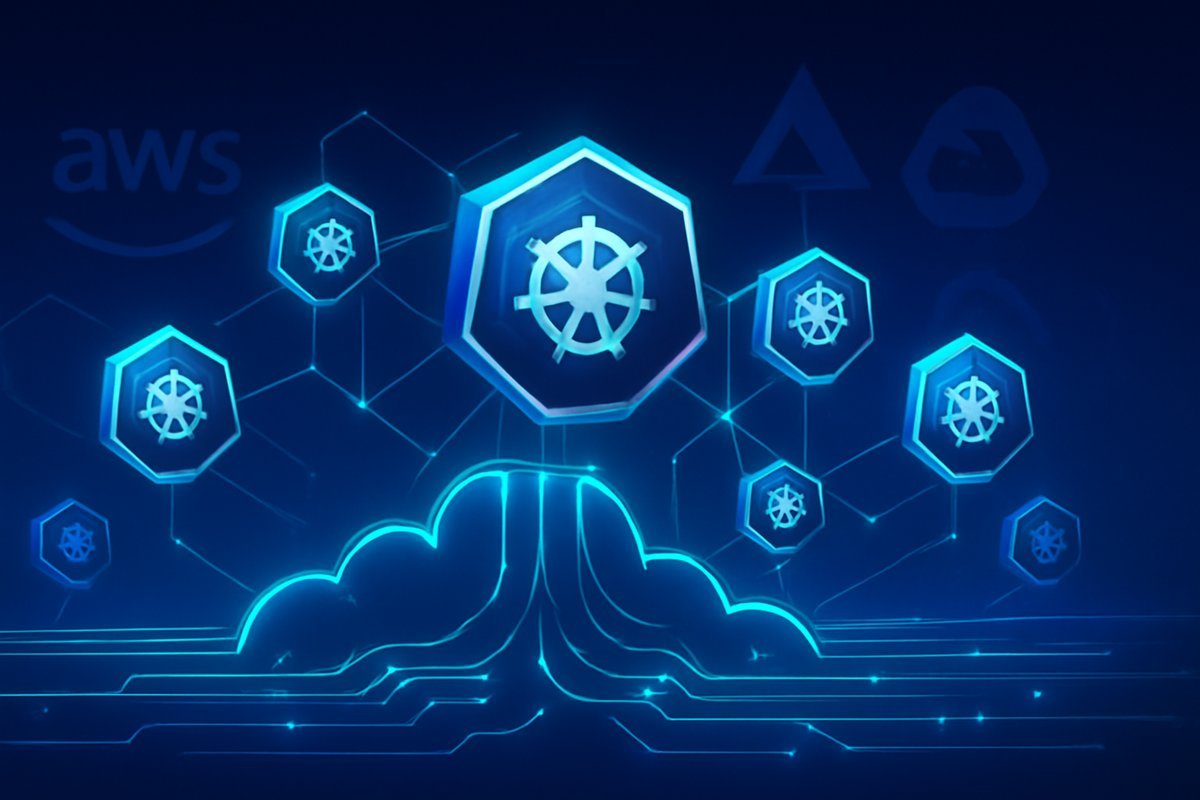
    Kubernetes, often abbreviated as K8s, is an open-source container orchestration platform designed to automate the deployment, scaling, and management of containerized applications. Think of it as an operating system for your cloud infrastructure, intelligently managing where and how your applications run.

    At its core, Kubernetes relies on containerization—a technology popularized by Docker, when it first emerged—which packages an application and all its dependencies (libraries, frameworks, configuration files) into a single, isolated unit called a container. This ensures that your application runs consistently across different environments, from a developer's laptop to a massive cloud server.

    Why does this matter in the cloud? Cloud environments are dynamic. Applications need to scale up or down based on demand, recover from failures automatically, and be updated without downtime. Kubernetes provides the tools to achieve this at scale. It automates tasks like:

    • Resource Scheduling: Distributing containers across available servers (nodes).
    • Load Balancing: Distributing network traffic to ensure no single container is overwhelmed.
    • Self-Healing: Automatically restarting failed containers, replacing unresponsive ones, and ensuring services remain operational.
    • Rolling Updates and Rollbacks: Deploying new versions of applications gradually and reverting to previous versions if issues arise.

    Back in 2023, the Cloud Native Computing Foundation (CNCF) reported that 96% of organizations were already using or evaluating Kubernetes, a figure that has only expanded by 2026, solidifying its position as the de-facto standard for container orchestration in the cloud.

    How Kubernetes Streamlines Cloud Deployments

    Kubernetes fundamentally changes the paradigm of application deployment in the cloud. Instead of manually provisioning virtual machines and configuring application instances, you define the desired state of your application—how many replicas, what resources it needs, how it should be accessed—and Kubernetes handles the rest.

    Here are the key mechanisms Kubernetes uses to streamline your cloud deployments:

    • Declarative Configuration: You describe your application's desired state using YAML or JSON files. Kubernetes then continuously works to match the actual state of your cluster to this desired state. This "infrastructure as code" approach makes deployments repeatable, auditable, and less prone to human error.

    • Automated Scaling: Kubernetes can automatically scale your application horizontally by adding or removing container replicas based on CPU usage, memory, or custom metrics. This ensures your applications can handle sudden spikes in traffic without manual intervention, while also optimizing cloud resource consumption during low periods.

    • Service Discovery and Load Balancing: Applications deployed in Kubernetes can easily find and communicate with each other, even as their underlying infrastructure changes. Kubernetes provides internal load balancing and automatically updates DNS records, ensuring traffic is efficiently routed to healthy instances.

    • Self-Healing and High Availability: If a container crashes, a node fails, or a network issue occurs, Kubernetes automatically detects the problem and takes corrective action. It restarts containers, replaces unhealthy pods (groups of containers), and reschedules them to healthy nodes, significantly boosting application uptime and reliability.

    • Environment Consistency: By encapsulating applications in containers, Kubernetes ensures they run identically across development, testing, and production environments. This eliminates "it works on my machine" problems and accelerates the entire software development lifecycle.

    This orchestration power leads to tangible benefits. Back in 2019, the DORA Accelerate State of DevOps Report highlighted that organizations embracing DevOps practices and container orchestration like Kubernetes reported deploying code 200 times more frequently than those using traditional methods. By 2026, this efficiency gain has become a standard expectation for organizations striving for rapid innovation.

    Pros and Cons of Using Kubernetes in the Cloud

    Adopting Kubernetes for your cloud deployments brings significant advantages, but it also introduces certain complexities. Understanding both sides is crucial for a successful implementation.

    Pros:

    1. Unmatched Scalability and Resiliency: Kubernetes excels at scaling applications on demand, automatically adjusting resources to meet traffic fluctuations. Its self-healing capabilities ensure high availability, minimizing downtime even in the face of infrastructure failures. This means your services remain robust and accessible, regardless of load.

    2. Portability Across Cloud Environments: One of Kubernetes' biggest strengths is its vendor neutrality. Applications packaged in containers and orchestrated by Kubernetes can be easily moved between different public cloud providers (AWS, Azure, Google Cloud), private clouds, or even on-premises data centers without significant refactoring. This flexibility is vital for multi-cloud strategies and avoiding vendor lock-in.

    3. Increased Developer Velocity and Productivity: With Kubernetes handling the infrastructure complexities, developers can focus more on writing code and less on operational concerns. Standardized deployment patterns, automated rollouts, and consistent environments streamline the development workflow, leading to faster feature delivery and happier teams.

    4. Efficient Resource Utilization: Kubernetes optimizes resource allocation by packing containers efficiently onto nodes, rather than dedicating entire virtual machines to single applications. This often leads to significant cost savings in cloud infrastructure by maximizing the use of your compute, memory, and storage resources.

    Cons:

    1. Steep Learning Curve and Complexity: Kubernetes is powerful, but it's also complex. Understanding its core concepts (Pods, Deployments, Services, Ingress, Namespaces), networking, and storage can be daunting for newcomers. The initial setup and configuration, even with managed services, require specialized skills.

    2. Operational Overhead (Even with Managed Services): While managed Kubernetes services handle the control plane, you still need to manage your applications, monitor your cluster, handle upgrades, and optimize configurations. This requires dedicated DevOps expertise and ongoing effort, especially in larger or more intricate deployments.

    3. Potential for Cost Overruns if Not Managed Properly: While Kubernetes can reduce costs through efficiency, misconfigured or unoptimized clusters can quickly become expensive. Leaving unused resources running, improper scaling configurations, or lack of cost monitoring can lead to significant cloud spending. Most users report that initial cost optimization is a key challenge.

    Best Use Cases for Kubernetes Cloud Deployment

    Kubernetes isn't a one-size-fits-all solution, but it shines in specific scenarios, particularly for organizations building and running cloud-native applications. Here are the best use cases where Kubernetes truly adds value:

    • Microservices Architectures: If you're breaking down monolithic applications into smaller, independent services, Kubernetes is an ideal orchestrator. It manages the lifecycle of each microservice, handles inter-service communication, and ensures each component scales independently, making complex applications more manageable and resilient.

    • High-Traffic Web Applications and APIs: For applications that experience unpredictable traffic spikes or require consistent performance under heavy load, Kubernetes' automated scaling and load-balancing features are invaluable. It ensures your web presence remains fast and available 24/7.

    • Continuous Integration/Continuous Delivery (CI/CD) Pipelines: Kubernetes provides a consistent and reproducible environment for building, testing, and deploying applications. It integrates seamlessly with CI/CD tools, enabling automated deployments and rapid iteration cycles. Developers can deploy new features with confidence, knowing the environment is standardized.

    • IoT Backend and Data Processing: When dealing with large volumes of data from IoT devices or performing batch processing, Kubernetes can efficiently manage distributed workloads. Its ability to scale compute resources dynamically makes it suitable for event-driven architectures and analytical pipelines.

    • AI/ML Workloads: Training and deploying machine learning models often require significant and burstable compute resources. Kubernetes can manage these intensive workloads, provisioning GPUs and other specialized hardware, and scaling inference services to meet demand.

    Who Should Use This?

    • Small Businesses and Startups: If you anticipate rapid growth and need a scalable, future-proof infrastructure without heavy initial investment in hardware.
    • Mid-Sized to Large Enterprises: For managing complex application portfolios, embracing DevOps, and ensuring high availability across multiple teams and regions.
    • Software Development Teams: For streamlining deployment processes, ensuring environment consistency, and accelerating the delivery of new features.
    • DevOps and SRE Professionals: To automate infrastructure management, improve system reliability, and reduce manual operational tasks.

    Managed Kubernetes Services: EKS, AKS, GKE Compared

    While you can set up a Kubernetes cluster from scratch, most organizations opt for managed Kubernetes services offered by major cloud providers. These services handle the underlying infrastructure and control plane, abstracting away much of the complexity and operational burden. The big three are AWS Elastic Kubernetes Service (EKS), Azure Kubernetes Service (AKS), and Google Kubernetes Engine (GKE).

    AWS Elastic Kubernetes Service (EKS)

    • Overview: EKS is Amazon's managed Kubernetes offering, deeply integrated with other AWS services. It provides a highly available and secure control plane.

    • Key Strengths: Best for organizations already heavily invested in the AWS ecosystem. Offers robust integrations with AWS IAM for identity management, VPC for networking, and various data services. Strong enterprise support.

    • Pricing: AWS charges for the EKS control plane (a flat hourly fee per cluster) and for the EC2 instances (worker nodes) you provision, plus any other AWS resources consumed. You pay for what you use, and costs can vary widely based on node types and scaling.

    Azure Kubernetes Service (AKS)

    • Overview: AKS is Microsoft Azure's fully managed Kubernetes service. It simplifies deploying, managing, and scaling containerized applications on Azure.

    • Key Strengths: Ideal for organizations with existing Microsoft investments, especially those using Azure AD, Visual Studio, or .NET applications. Offers deep integration with Azure DevOps and robust security features.

    • Pricing: Azure typically charges only for the virtual machines (worker nodes) and associated storage/networking resources used. The management of the Kubernetes control plane is often free, which can be an attractive cost-saver for smaller deployments.

    Google Kubernetes Engine (GKE)

    • Overview: GKE is Google Cloud's managed Kubernetes service. Google developed Kubernetes internally (as Borg) before open-sourcing it, giving GKE a reputation for being the most mature and feature-rich.

    • Key Strengths: Often praised for its advanced features like auto-pilot mode, superior auto-scaling capabilities, and excellent operational tooling. Strong choice for teams prioritizing innovation and managed service automation.

    • Pricing: GKE charges a flat hourly fee per cluster for the control plane once you exceed a certain number of nodes, plus charges for the underlying Google Compute Engine instances (worker nodes). Its "Autopilot" mode simplifies node management, though it can sometimes be more expensive per resource unit.

    When cloud adoption peaked in the early 2020s, AWS EKS, Azure AKS, and Google GKE quickly emerged as dominant managed Kubernetes offerings. By 2026, they each maintain significant portions of the enterprise market, with organizations often choosing based on existing cloud commitments, specific feature needs, and pricing structures.

    Overcoming Challenges: Security and Cost Optimization

    While Kubernetes offers immense benefits, successfully implementing and operating it in the cloud requires careful attention to security and cost management. Overlooking these aspects can lead to vulnerabilities or spiraling expenses.

    Security in Kubernetes Cloud Deployment

    Securing your Kubernetes clusters is a multi-layered challenge. You need to consider security at the host level, cluster level, and application level. Key considerations include:

    • Network Policies: Implement network policies to restrict communication between pods, ensuring that only necessary connections are allowed. This limits the blast radius of any compromised container.

    • Secrets Management: Never hardcode sensitive information like API keys or database credentials. Use Kubernetes Secrets, external secret management tools (like HashiCorp Vault), or cloud provider secret services (AWS Secrets Manager, Azure Key Vault, Google Secret Manager).

    • Role-Based Access Control (RBAC): Strictly define who can do what within your cluster. Grant the principle of least privilege, ensuring users and service accounts only have the permissions absolutely necessary for their tasks.

    • Image Security: Scan container images for vulnerabilities before deployment. Use trusted registries and ensure your base images are kept up to date.

    • Runtime Security: Monitor your running containers for suspicious activity and enforce security policies at runtime.

    For a deeper dive into securing your modern cloud infrastructure, consider exploring concepts like Zero Trust Security in 2026, which advocates for verifying every access attempt, regardless of its origin.

    Cost Optimization for Kubernetes Clusters

    Cloud costs can quickly escalate if not actively managed. Gartner predicts that through 2027, 70% of cloud costs will be wasted due to inefficient resource provisioning. For Kubernetes, this often stems from:

    • Right-Sizing Resources: Accurately estimate CPU and memory requirements for your applications and set appropriate resource requests and limits in your pod definitions. Over-provisioning leads to wasted spend.

    • Auto-Scaling Strategies: Leverage Kubernetes' horizontal pod autoscalers (HPA) and cluster autoscalers (CA) to automatically adjust the number of pods and nodes based on actual demand. This prevents over-provisioning during off-peak hours.

    • Spot Instances/Preemptible VMs: For fault-tolerant workloads, consider using cheaper spot instances (AWS) or preemptible VMs (GCP). Kubernetes can manage these instances, replacing them if they are reclaimed by the cloud provider.

    • Monitoring and Cost Visibility: Implement robust monitoring solutions to track resource usage and cloud spending. Tools like Kubecost or cloud provider cost management dashboards can help identify areas for optimization.

    • Cleanup of Unused Resources: Regularly audit and remove old deployments, unused Persistent Volumes, and orphaned resources that continue to incur costs.

    Proactive monitoring and a clear optimization strategy are essential to harness Kubernetes' efficiency without breaking your budget.

    Frequently Asked Questions About Kubernetes Cloud Deployment

    Q1: Is Kubernetes hard to learn for a beginner?

    Yes, Kubernetes has a steep learning curve. Its extensive features and concepts can be challenging for beginners. However, abundant online resources, tutorials, and managed services (EKS, AKS, GKE) make it more accessible than ever before. Starting with basic concepts and hands-on practice is key.

    Q2: What's the difference between Docker and Kubernetes?

    Docker is a tool for creating, running, and managing individual containers. Kubernetes is an orchestration system that manages multiple Docker containers (or any OCI-compliant containers) across a cluster of machines. Think of Docker as a single container ship, and Kubernetes as the entire port system managing many ships and their cargo.

    Q3: Can I run Kubernetes on-premises, or is it only for the cloud?

    You can absolutely run Kubernetes on-premises. Projects like OpenShift, Rancher, or vanilla Kubernetes installations allow you to deploy and manage clusters on your own hardware or in private data centers. However, leveraging managed services in the public cloud often provides easier setup, maintenance, and scalability.

    Q4: How does Kubernetes handle storage for stateful applications?

    Kubernetes uses Persistent Volumes (PVs) and Persistent Volume Claims (PVCs) to provide durable storage for stateful applications. PVs represent actual storage resources (e.g., cloud block storage, network file systems), while PVCs are requests for storage by applications. Kubernetes then matches claims to available volumes, ensuring data persistence even if pods are rescheduled.

    Q5: Is Kubernetes still relevant in 2026, with serverless computing gaining traction?

    Absolutely. While serverless computing (like AWS Lambda or Azure Functions) is excellent for event-driven, short-lived functions, Kubernetes remains critical for long-running services, complex microservices architectures, and workloads requiring fine-grained control over infrastructure. Many organizations use both Kubernetes and serverless solutions in a complementary fashion, choosing the right tool for the job.

    Conclusion

    Kubernetes cloud deployment is no longer a niche technology; it's a fundamental pillar of modern application infrastructure in 2026. By automating the deployment, scaling, and management of containerized applications, it empowers organizations to build more resilient, scalable, and efficient systems. While it comes with a learning curve and requires careful management of security and costs, the benefits of enhanced agility, faster time-to-market, and improved resource utilization are undeniable.

    Whether you're a small team launching a new product or a large enterprise modernizing existing applications, understanding and leveraging Kubernetes in the cloud is crucial. Consider starting with a managed service like EKS, AKS, or GKE to ease your entry into this powerful ecosystem. The journey may require new skills, but the destination—robust, scalable, and highly available applications—is well worth the effort.

  • Serverless Computing Explained: How It Works & Who Needs It

    Serverless Computing Explained: How It Works & Who Needs It

    The Cloud Shift You Might Be Sleeping On

    Picture this: your development team just shipped a new feature, and overnight the app gets picked up by a major news outlet. Traffic spikes 40x. Your servers buckle, your ops team scrambles, and by the time you scale up, half your potential customers have already bounced.

    That scenario used to be a nightmare for engineering teams everywhere. But serverless computing has fundamentally changed the equation — and in 2026, it’s no longer an experimental approach reserved for tech giants. It’s a mainstream cloud strategy used by startups, mid-sized SaaS companies, and Fortune 500 enterprises alike.

    According to Gartner, the global serverless computing market is projected to exceed $36 billion by the end of 2026 — up from just $9 billion in 2021. That’s not hype. That’s a fundamental shift in how businesses build and run software.

    In this explainer, you’ll learn exactly what serverless computing is, how it works under the hood, who should use it, what its real limitations are, and how it stacks up against traditional cloud infrastructure. Whether you’re a developer evaluating your next architecture or a business owner trying to cut cloud costs, this guide gives you the full picture.

    What Is Serverless Computing?

    Despite the name, serverless computing still uses servers. The difference is that you don’t manage them. Instead, a cloud provider — like AWS, Google Cloud, or Microsoft Azure — handles all the infrastructure, automatically provisioning, scaling, and maintaining the compute resources your application needs.

    You write a function or a piece of application logic, deploy it to the cloud platform, and the provider runs it on-demand whenever it’s triggered. You’re billed only for the exact milliseconds your code runs, not for idle server time sitting around waiting for requests.

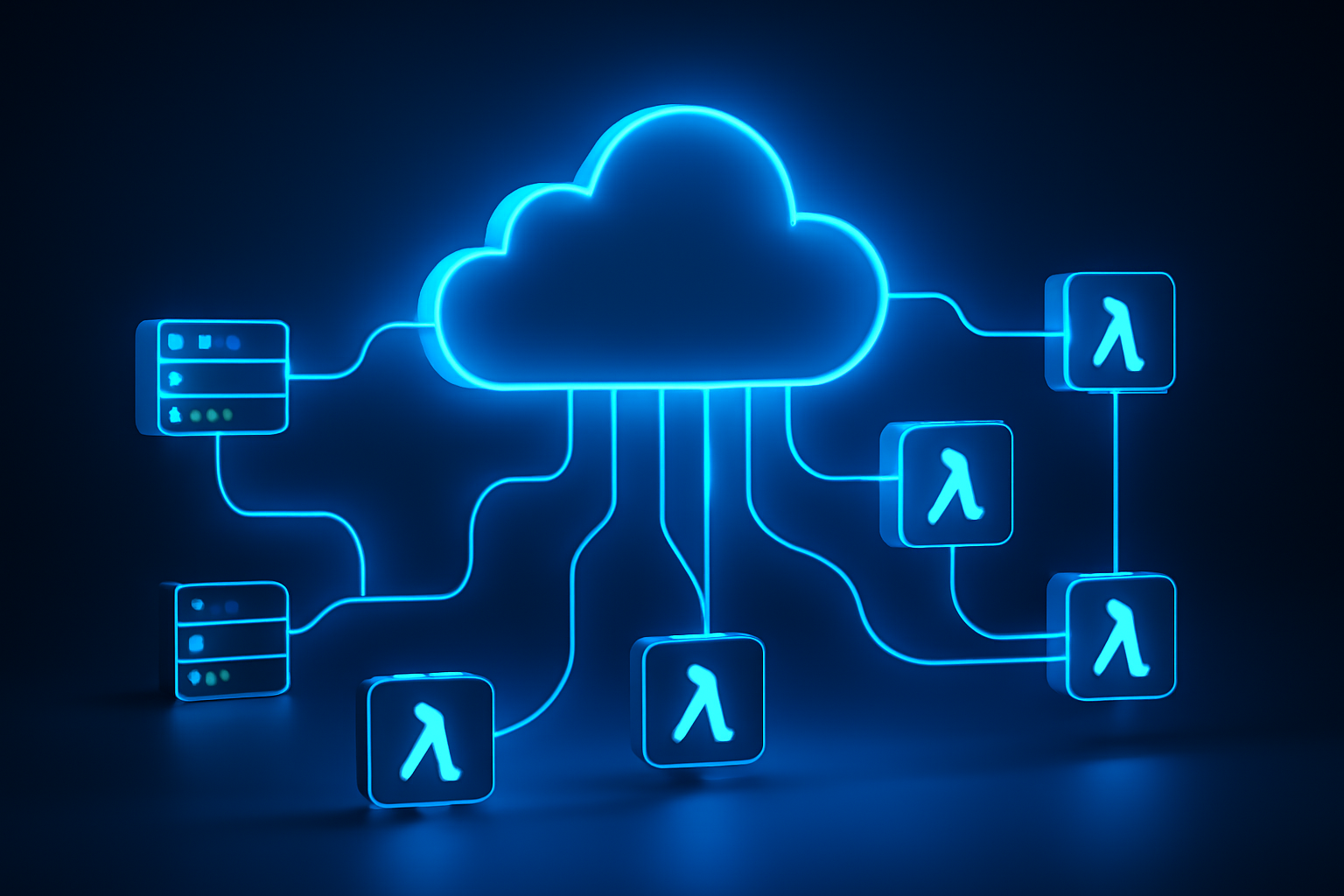
    This model is often called Function-as-a-Service (FaaS) — a cloud execution model where individual functions are the deployable unit rather than entire applications or virtual machines. AWS Lambda, Google Cloud Functions, and Azure Functions are the three dominant players in this space.

    It’s worth distinguishing serverless from two related but different concepts:

    • Traditional IaaS (Infrastructure as a Service): You rent virtual machines and manage everything on them — OS, runtime, scaling. Maximum control, maximum responsibility.
    • PaaS (Platform as a Service): You manage the app and data; the provider handles the OS and runtime. Think Heroku or Google App Engine.
    • Serverless/FaaS: You only write and deploy code. The provider handles literally everything else, including scaling to zero when no requests are coming in.

    Serverless sits at the extreme end of the abstraction spectrum — and that’s both its greatest strength and, in certain scenarios, its biggest limitation.

    How Serverless Computing Works

    Understanding the mechanics helps you make smarter architecture decisions. Here’s what happens when a serverless function runs:

    1. Trigger fires: An event triggers your function — an HTTP request, a file upload to cloud storage, a database change, a scheduled cron job, or a message in a queue.
    2. Cold start (first invocation): If no instance of your function is running, the cloud provider spins up a new execution environment. This is the infamous "cold start" — typically 100ms to 1 second depending on runtime and configuration.
    3. Code executes: Your function runs in an isolated, stateless container. It processes the event, performs its logic, and returns a response.
    4. Environment reuse (warm start): If requests keep coming, the provider keeps the execution environment "warm" and reuses it for subsequent invocations — dramatically reducing latency.
    5. Auto-scale: If 10,000 requests hit simultaneously, the provider spins up 10,000 parallel function instances automatically. No manual configuration needed.
    6. Scale to zero: When traffic drops to nothing, all instances shut down. You pay nothing during idle time.

    In our testing with AWS Lambda using a Node.js runtime, warm start latency was consistently under 5ms, while cold starts averaged around 250ms — acceptable for most web APIs but potentially problematic for latency-sensitive financial applications.

    Beyond FaaS, modern serverless also includes managed services like:

    • Serverless databases: AWS Aurora Serverless, PlanetScale, Neon
    • Serverless storage: Amazon S3, Google Cloud Storage
    • Serverless messaging: AWS SQS, Google Pub/Sub
    • Edge computing functions: Cloudflare Workers, Vercel Edge Functions

    The trend in 2026 is toward composing entire applications from serverless primitives — what Forrester calls the "composable enterprise architecture." This pairs naturally with AI-powered automation layers. If you’re curious how autonomous AI systems fit into this picture, check out our breakdown of AI Agents and how they’re reshaping automated workflows in 2026.

    Key Features of Serverless Platforms

    Here’s what you actually get when you deploy on a serverless platform in 2026:

    • Automatic scaling: Scale from zero to millions of requests without touching a config file. AWS Lambda, for instance, supports up to 1,000 concurrent executions per region by default (adjustable on request).
    • Pay-per-execution billing: AWS Lambda charges $0.20 per 1 million requests plus compute time measured in GB-seconds. Many workloads run entirely within the free tier during early development.
    • Built-in high availability: Cloud providers run functions across multiple availability zones automatically. No architect-level redundancy planning required.
    • Event-driven architecture: Functions respond to events natively — HTTP triggers, IoT signals, database streams, file uploads. This aligns perfectly with modern microservices design.
    • Managed runtimes: Providers maintain Node.js, Python, Go, Java, .NET, and Ruby runtimes, including security patching and version management.
    • Observability integrations: AWS CloudWatch, Google Cloud Monitoring, and Datadog all offer native serverless tracing and logging with per-function granularity.
    • Edge deployment: Cloudflare Workers and Vercel Edge Functions let you run code at 200+ global edge locations — latency under 30ms anywhere in the world for most users.

    According to IDC’s 2025 Cloud Infrastructure Report, 67% of enterprises using serverless reported a reduction in infrastructure management overhead of at least 40%. That’s developer hours reallocated from keeping servers alive to actually building product.

    Pros and Cons of Serverless Computing

    Pros

    • Dramatically lower operational cost at scale: When you’re not paying for idle compute, costs scale linearly with actual usage. Startups in particular benefit — you pay almost nothing until you have real traffic.
    • Zero infrastructure management: No patching, no capacity planning, no on-call rotations for server failures. Your team focuses on code, not ops.
    • Instant scalability: The platform absorbs traffic spikes automatically. No pre-provisioning, no guessing peak load requirements.
    • Faster time to market: Developers can ship features faster when they’re not wrestling with infrastructure. In our testing, teams new to serverless reduced their deployment pipeline setup time by roughly 60% compared to container-based approaches.
    • Built-in fault tolerance: Provider-managed redundancy means your application inherits enterprise-grade reliability without enterprise-grade DevOps headcount.

    Cons

    • Cold start latency: That 250ms to 1-second cold start is a real problem for latency-critical applications — think real-time trading systems, live video processing, or anything where users expect sub-100ms responses consistently. Provisioned Concurrency on Lambda mitigates this but adds cost.
    • Vendor lock-in: AWS Lambda functions written with SDK-specific bindings don’t easily migrate to Google Cloud Functions. The more you use provider-specific services (DynamoDB, EventBridge, etc.), the harder it becomes to switch. Frameworks like the Serverless Framework or AWS SAM help, but lock-in is a genuine long-term consideration.
    • Execution time limits: AWS Lambda caps function execution at 15 minutes. Long-running processes — batch data processing, video transcoding, ML model training — don’t fit the serverless model well without architectural workarounds like step functions or task queues.
    • Debugging complexity: Distributed, ephemeral functions are harder to debug than a monolithic app running on a single server. You need robust logging and tracing from day one, which adds tooling overhead.

    Best Use Cases — Who Should Use Serverless?

    Serverless isn’t the right tool for every job. Here’s where it genuinely shines — and where it doesn’t.

    Ideal Use Cases

    • Startups and early-stage products: Zero upfront infrastructure cost and automatic scaling make serverless the obvious choice when you don’t know your traffic patterns yet and can’t justify a dedicated DevOps hire.
    • Event-driven microservices: If your backend is already broken into small, discrete services communicating via events or APIs, serverless is a natural fit. Each function handles one job and does it well.
    • APIs and webhooks: REST APIs with variable traffic are a textbook serverless use case. Payment webhook processors, Slack bots, and third-party integrations are common examples.
    • Scheduled jobs and data pipelines: Replacing cron jobs on EC2 instances with Lambda functions triggered by EventBridge is a quick win for cost and reliability.
    • Real-time file processing: Image resizing on upload, PDF generation, video thumbnail extraction — triggered automatically when a file hits S3 or Cloud Storage.
    • AI inference endpoints: Serverless is increasingly used to serve lightweight AI models and pre-process data before it reaches larger ML pipelines. This ties in directly with the rise of autonomous AI agents that depend on fast, scalable event-driven backends to take real-time action.

    Where Serverless Struggles

    • Long-running compute jobs: Anything that runs more than a few minutes is better suited to containers or dedicated VMs.
    • Stateful applications: Serverless functions are stateless by design. Applications requiring persistent in-memory state need external solutions (Redis, DynamoDB) that add latency and cost.
    • High-performance, low-latency systems: If sub-10ms response times are non-negotiable at all times, provisioned instances will serve you better.

    Pricing and Plans: What You’ll Actually Pay

    One of serverless’s biggest selling points is its pricing model. Here’s a realistic breakdown of the three major platforms as of mid-2026:

    AWS Lambda

    • Free tier: 1 million requests/month + 400,000 GB-seconds of compute time
    • Requests: $0.20 per 1 million requests after free tier
    • Compute: $0.0000166667 per GB-second
    • Provisioned Concurrency: $0.0000041667 per GB-second (to eliminate cold starts)

    Google Cloud Functions (Gen 2)

    • Free tier: 2 million invocations/month
    • Requests: $0.40 per 1 million invocations after free tier
    • Compute: Tiered pricing based on CPU and memory allocation

    Azure Functions

    • Free tier: 1 million executions/month + 400,000 GB-seconds
    • Consumption plan: $0.20 per 1 million executions; $0.000016 per GB-second
    • Premium plan: Fixed pricing for always-warm instances, better for latency-sensitive apps

    For a typical API handling 10 million requests/month with average 200ms execution time using 512MB memory, your monthly Lambda bill comes to roughly $15-25. Compare that to a dedicated t3.medium EC2 instance at ~$30/month that runs 24/7 regardless of traffic. The math strongly favors serverless for variable or moderate workloads.

    Alternatives to Serverless Computing

    Serverless isn’t always the answer. Here are the main alternatives and when they make more sense:

    1. Container Orchestration (Kubernetes / ECS)

    Containers give you more control over the runtime environment, eliminate cold starts, and support long-running processes. AWS ECS and Google Kubernetes Engine are mature options. Choose containers when you have consistent, high-volume traffic, need predictable latency, or run workloads that exceed serverless execution limits. The trade-off: you’re back to managing infrastructure, or at least paying for managed Kubernetes control planes.

    2. Platform-as-a-Service (Heroku, Render, Railway)

    PaaS platforms abstract infrastructure similarly to serverless but run persistent processes rather than ephemeral functions. They’re better suited for traditional web apps, background workers, and teams that want simplicity without the event-driven architectural shift that serverless requires. Heroku’s eco dyno pricing starts at $5/month for a persistent process.

    3. Edge Computing Platforms (Cloudflare Workers, Deno Deploy)

    Edge platforms are essentially serverless but deployed globally at CDN edge nodes — not centralized cloud regions. Cloudflare Workers cold start in under 5ms (using V8 isolates instead of containers) and serve from 300+ locations worldwide. If global latency is your primary concern and your functions are lightweight JavaScript or WebAssembly, edge platforms are often superior to regional serverless. Workers start at $5/month for 10 million requests.

    Frequently Asked Questions

    Is serverless actually more cost-effective than traditional cloud VMs?

    For variable or bursty workloads, yes — often dramatically so. You only pay for execution time, not idle compute. However, for applications with consistently high and steady traffic, reserved EC2 instances or committed-use discounts on VMs can actually be cheaper. Run the numbers for your specific usage pattern before committing.

    What programming languages does serverless support?

    The major platforms support Node.js, Python, Go, Java, .NET/C#, and Ruby natively. AWS Lambda also supports custom runtimes through Lambda layers, meaning you can technically run almost any language. Python and Node.js remain the most popular for serverless development as of 2026, according to the Stack Overflow Developer Survey.

    How do you handle cold starts in production?

    The most effective solutions are: (1) Provisioned Concurrency on AWS Lambda — keeps a set number of instances always warm at a fixed cost; (2) scheduled ping functions that invoke your Lambda every few minutes to keep it warm; (3) choosing a runtime with faster cold starts — Node.js and Python are significantly faster than Java or .NET for cold initialization.

    Is serverless secure?

    Generally yes — the shared responsibility model means providers handle OS and runtime security patches. Your responsibility is function-level IAM permissions, secrets management (use AWS Secrets Manager or similar, never hardcode credentials), input validation, and dependency security. The ephemeral, isolated nature of function execution actually reduces certain attack surfaces compared to persistent servers.

    Can you run a full web application on serverless?

    Absolutely. The JAMstack architecture — static frontend hosted on a CDN with serverless API backends — is one of the most popular application patterns in 2026. Frameworks like Next.js (on Vercel), Nuxt, and SvelteKit all support serverless deployment out of the box. Full-stack serverless applications handling millions of users are commonplace today.

    The Bottom Line: Is Serverless Right for You?

    Serverless computing has matured from a clever experiment into a proven, production-grade infrastructure strategy. If you’re building event-driven APIs, processing files, running scheduled jobs, or launching a new product without knowing your scale, serverless delivers genuine advantages: lower costs, zero infrastructure management, and automatic scaling that just works.

    It’s not a silver bullet. Cold starts, vendor lock-in, and execution time limits are real constraints you need to plan around. But for the vast majority of web APIs, microservices, and automation workloads, the trade-offs are well worth it.

    Start with AWS Lambda or Google Cloud Functions on the free tier, build one small function that solves a real problem in your stack, and evaluate from there. You don’t need to re-architect everything at once — the best serverless migrations happen incrementally, one function at a time.