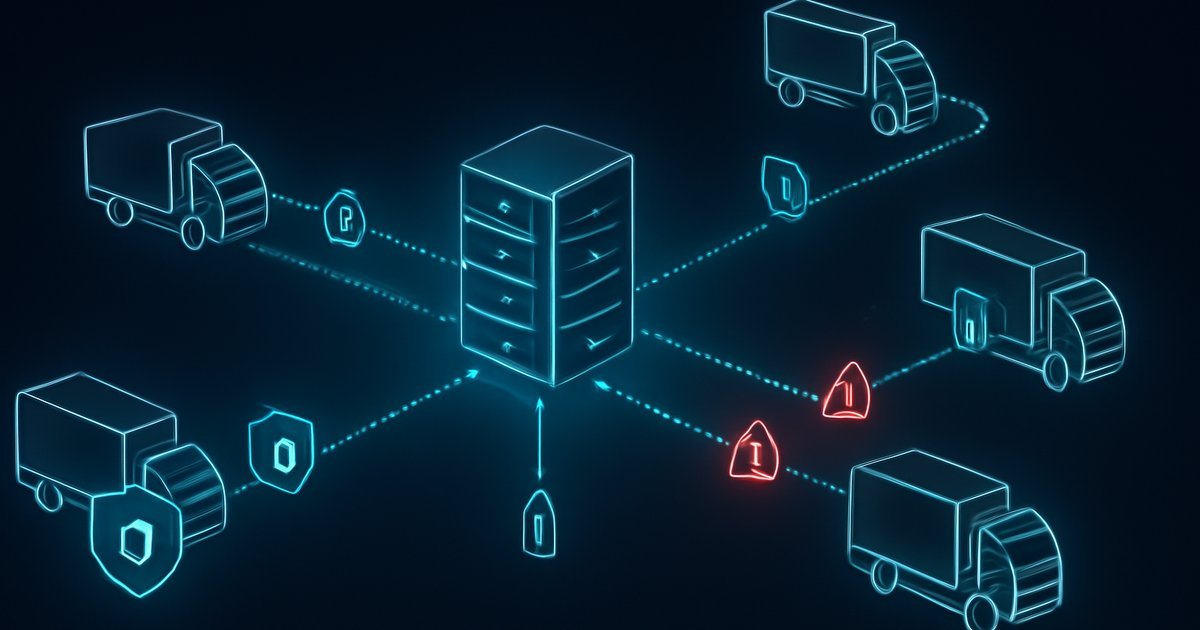
Tag: Cybersecurity 2026

  • Supply Chain Cybersecurity in 2026: How to Protect Your Business

    Supply Chain Cybersecurity in 2026: How to Protect Your Business

    When Your Vendor Becomes Your Biggest Security Risk

    You’ve patched every server, trained your employees on phishing, and invested in a solid firewall. But have you thought about the software your payroll provider uses? Or the firmware running on the network switches your IT vendor installed last quarter?

    Supply chain cyberattacks are now one of the leading causes of enterprise data breaches in the United States. According to Gartner, by 2025, 45% of organizations worldwide had experienced a software supply chain attack — and that number has continued climbing into 2026. The infamous SolarWinds incident was a wake-up call: attackers didn’t breach SolarWinds’ customers directly. They compromised a trusted software update and let it do the work for them.

    In this guide, you’ll learn exactly what supply chain cybersecurity means, how these attacks happen, and — most importantly — what practical steps you can take right now to reduce your exposure. Whether you run a small business or manage IT for a mid-sized enterprise, this article gives you the framework to protect your organization from threats you can’t fully control.

    What Is Supply Chain Cybersecurity?

    Supply chain cybersecurity refers to the set of practices, tools, and policies designed to protect your organization from threats that enter through third-party vendors, software providers, hardware manufacturers, and service partners.

    Think of your digital supply chain like a physical one. You trust the ingredients your supplier ships to your factory. But if one supplier is compromised — contaminated goods, mislabeled components — the problem flows downstream to your finished product. The same logic applies in tech: if a vendor’s software library, API, or hardware component contains malicious code or a vulnerability, your systems inherit that risk the moment you integrate it.

    In 2026, this threat surface has expanded dramatically. Cloud-native architectures, open-source dependencies, managed service providers (MSPs), and AI-integrated platforms all add new links to the chain — each one a potential entry point for attackers.

    The term "software bill of materials" (SBOM) — essentially an ingredient list for every piece of software — has become a standard requirement for federal contractors and is quickly becoming best practice across industries. The U.S. Cybersecurity and Infrastructure Security Agency (CISA) has published detailed guidance on SBOM adoption as a foundational supply chain defense.

    How Supply Chain Attacks Actually Work

    Understanding attack mechanics helps you build smarter defenses. Supply chain attacks generally fall into four categories:

    • Software update poisoning: Attackers compromise a software vendor’s update mechanism. When you install a legitimate-looking update, you’re actually deploying malware. This is what happened with SolarWinds’ Orion platform in late 2020.
    • Open-source dependency hijacking: Developers rely on thousands of open-source packages. Attackers publish malicious versions of popular libraries (typosquatting) or compromise existing maintainers’ accounts to inject backdoors.
    • Compromised MSPs: Managed service providers often have privileged access to dozens or hundreds of client networks. Breaching one MSP can give attackers a master key to multiple organizations simultaneously.
    • Hardware tampering: Less common but severe — implanting malicious chips or firmware at the manufacturing or shipping stage. The U.S. Department of Homeland Security has flagged this as a persistent concern for critical infrastructure.

    A 2026 report from Forrester found that MSP-related breaches now account for nearly 1 in 5 enterprise cybersecurity incidents in North America — a figure that should alarm any company relying on outsourced IT management.

    Pros and Cons of Current Supply Chain Security Approaches

    No single solution eliminates supply chain risk. Here’s an honest look at what’s working — and where gaps remain:

    What’s Working

    • SBOM adoption: Having a complete inventory of software components lets security teams identify vulnerable dependencies quickly when a new CVE (Common Vulnerabilities and Exposures entry) drops. Organizations using SBOMs reported 30% faster patch response times, according to a 2025 IDC survey.
    • Vendor risk management platforms: Tools like SecurityScorecard, BitSight, and ProcessUnity give you continuous visibility into your vendors’ security posture using outside-in scanning — no access to their internal systems required.
    • Zero Trust Architecture: Limiting the blast radius of a compromised vendor by enforcing least-privilege access means even a breached third party can only reach what it absolutely needs. (For a deep dive on Zero Trust, see our guide on Zero Trust Network Access (ZTNA): The Complete Guide for 2026.)

    Where Gaps Remain

    • Visibility into fourth-party risk: Your vendor’s vendor is almost impossible to assess at scale. Most organizations have no automated visibility beyond their direct suppliers.
    • Open-source governance: The average enterprise application relies on hundreds of open-source libraries. Keeping track of every dependency update, license change, and security flag manually is not realistic without dedicated tooling.
    • False confidence in certifications: A vendor holding a SOC 2 Type II certification doesn’t mean they’re immune to supply chain attacks — it means their internal controls passed an audit. SolarWinds was a widely trusted, certified vendor.

    Best Use Cases: Who Needs This Most?

    Supply chain cybersecurity isn’t just an enterprise concern. Here’s how exposure varies across organization types:

    Small Businesses (1-50 employees)

    You’re unlikely to have a dedicated security team, but you almost certainly rely on SaaS platforms, payroll processors, e-commerce plugins, and cloud-based tools. Your risk is concentrated in software dependencies and MSPs. Focus on vetting the security practices of your top 5-10 vendors and enabling MFA everywhere.

    Mid-Sized Companies (50-500 employees)

    You likely have a mix of custom software and vendor integrations, plus an internal IT team or MSP. This is where formal vendor risk management programs start delivering clear ROI. Prioritizing SBOM adoption and third-party access reviews will close significant gaps.

    Enterprises and Federal Contractors

    You’re already subject to regulations like NIST SP 800-161r1 (supply chain risk management), CMMC (Cybersecurity Maturity Model Certification), and, if you handle federal software, Executive Order 14028 requirements around SBOMs. Automated vendor risk platforms and dedicated supply chain security teams are not optional at this scale.

    Software Developers and DevOps Teams

    If your team builds software, your own product becomes part of someone else’s supply chain. Secure development practices — dependency scanning, code signing, reproducible builds, and secrets management — are essential to avoid becoming the next attack vector for your customers.

    Practical Steps to Strengthen Your Supply Chain Security Right Now

    Here’s a prioritized, actionable framework you can start implementing today:

    1. Inventory your vendors and their access levels. Build a complete list of every third party that has access to your systems, data, or networks. Assign a risk tier based on access sensitivity.
    2. Require SBOMs from software vendors. For any critical software you procure, ask vendors for an SBOM. This is increasingly standard practice and many vendors already have them available.
    3. Deploy a vendor risk management (VRM) platform. Tools like SecurityScorecard or Panorays continuously monitor your vendors’ security posture and alert you to changes — like a new critical CVE in their infrastructure.
    4. Implement least-privilege access for all third parties. Vendors should only access the systems and data they absolutely need to do their job. Review and revoke unnecessary permissions quarterly.
    5. Monitor for dependency vulnerabilities in your own software. If you build software, integrate tools like Snyk, Dependabot, or OWASP Dependency-Check into your CI/CD pipeline to flag vulnerable open-source components before they ship.
    6. Include supply chain scenarios in your incident response plan. Most IR playbooks focus on direct attacks. Add specific runbooks for scenarios like "critical SaaS vendor breach" or "compromised MSP." For a broader look at incident response, our guide on Cloud Disaster Recovery in 2026: Best Strategies & Tools covers related planning frameworks.
    7. Conduct annual vendor security assessments. Send security questionnaires (based on SIG Lite or CAIQ frameworks) to your highest-risk vendors and follow up on any gaps.

    Key Tools for Supply Chain Security in 2026

    The market for supply chain security tools has matured significantly. Here are the categories worth evaluating:

    • Vendor Risk Management Platforms: SecurityScorecard, BitSight, Panorays, ProcessUnity — provide continuous external monitoring and risk scoring for your vendor ecosystem.
    • Software Composition Analysis (SCA) Tools: Snyk, Black Duck, Checkmarx SCA, FOSSA — scan your codebase and dependencies for known vulnerabilities and license compliance issues.
    • SBOM Generation Tools: Syft, CycloneDX, SPDX-compliant tools — generate and maintain software bills of materials for your own products and for vendors that provide them.
    • Privileged Access Management (PAM): CyberArk, BeyondTrust, Delinea — control, monitor, and audit every privileged session, including those initiated by third-party vendors.
    • AI-Powered Threat Intelligence: Platforms leveraging AI to detect anomalous behavior in third-party integrations are becoming standard for mid-market and enterprise security operations. These tools can flag unusual data access patterns from a vendor’s API credentials before a full breach occurs.

    According to Statista, the global supply chain security market is projected to exceed $4.5 billion by 2027, driven largely by regulatory mandates and the rising cost of third-party-related breaches.

    Pricing and Investment: What to Budget

    Costs vary widely based on organization size and the maturity of your security program:

    • Basic VRM platforms (e.g., SecurityScorecard Essentials): Starting around $15,000–$25,000 per year for small vendor portfolios.
    • Mid-tier SCA tools (e.g., Snyk Team): $98–$300 per developer per month, depending on features and team size.
    • Enterprise VRM and PAM suites: $75,000–$300,000+ annually for full-featured platforms with deep integrations and dedicated support.
    • DIY approaches: Open-source tools like Syft (SBOM), OWASP Dependency-Check, and free tiers of Dependabot provide meaningful protection at low cost — but require internal expertise to operationalize.

    For most small businesses, a combination of free/low-cost dependency scanning tools and a formal vendor questionnaire process delivers strong value before committing to enterprise platforms. For organizations with 50+ vendors or complex software supply chains, a dedicated VRM platform pays for itself in breach prevention within one to two years.

    Alternatives and Complementary Frameworks

    Supply chain security doesn’t operate in isolation. These complementary approaches strengthen your overall posture:

    • NIST SP 800-161r1: The definitive U.S. government framework for supply chain risk management. Even if you’re not a federal contractor, it’s the most comprehensive public guidance available and worth adapting for private-sector use.
    • ISO/IEC 27036: An international standard specifically addressing information security for supplier relationships — useful for organizations with global vendor ecosystems.
    • CIS Controls v8 (Control 15): The Center for Internet Security’s Control 15 covers service provider management and offers practical, implementation-ready guidance at every maturity level.

    These frameworks complement technical tools and help you build a defensible, documented security program — which matters both for regulatory compliance and cyber insurance underwriting.

    Frequently Asked Questions

    What is the most common type of supply chain cyberattack in 2026?

    Software dependency attacks — where malicious code is injected into open-source libraries or software updates — remain the most prevalent. Attackers target the development pipeline because a single compromised package can affect thousands of downstream organizations simultaneously.

    How do I know if my vendor has been breached?

    This is one of the hardest challenges in supply chain security. Vendor risk management platforms that continuously monitor external-facing infrastructure can surface signals like newly exposed credentials, changes in SSL configuration, or dark web mentions. Beyond tooling, contractual breach notification clauses — requiring vendors to notify you within 24-72 hours of a confirmed incident — are essential.

    Is supply chain security only relevant to large enterprises?

    No. Small businesses are frequently targeted precisely because attackers know they have weaker vendor oversight. If you use a payroll platform, a POS system, or any SaaS tool that touches customer data, you have supply chain risk. The scale of your program should match your size, but the mindset applies universally.

    What is an SBOM and do I actually need one?

    A Software Bill of Materials (SBOM) is a structured list of every component — libraries, dependencies, modules — that makes up a piece of software. If you develop software, you should generate SBOMs for your own products. If you procure software, requesting SBOMs from vendors lets you quickly identify whether you’re affected when a critical vulnerability is disclosed in a common library.

    How does Zero Trust help with supply chain attacks?

    Zero Trust Architecture limits the damage a compromised vendor can do by enforcing strict identity verification and least-privilege access for every user and system — including third parties. Even if an attacker gains a vendor’s credentials, they can only access what that vendor was explicitly permitted to reach. This dramatically reduces lateral movement and blast radius. Learn more in our Zero Trust Network Access (ZTNA) guide.

    The Bottom Line: Your Perimeter Now Includes Everyone You Trust

    Supply chain cybersecurity is one of the most complex and underestimated challenges in technology today. You can have excellent internal security and still suffer a catastrophic breach because of a vendor you trusted for years.

    The good news is that practical defenses are available at every budget level. Start by mapping your vendor landscape, demanding SBOMs from critical software providers, enforcing least-privilege access, and integrating dependency scanning into your development workflow.

    The organizations that get ahead of supply chain risk in 2026 won’t just avoid breaches — they’ll also build the vendor trust and compliance posture that wins enterprise contracts and keeps cyber insurance premiums manageable. Your security is only as strong as the weakest link in your chain. It’s time to find out where yours are.


  • Zero Trust Network Access (ZTNA): The Complete Guide for 2026

    Zero Trust Network Access (ZTNA): The Complete Guide for 2026

    What Is Zero Trust Network Access (ZTNA)?

    If you’ve ever connected to your company’s VPN from a coffee shop and thought, “Is this actually secure?” — you’re asking exactly the right question. Traditional VPNs assume that anyone inside the network perimeter is trustworthy. That assumption has become dangerously outdated.

    Zero Trust Network Access, commonly known as ZTNA, flips that logic entirely. Instead of granting broad access once a user is authenticated, ZTNA verifies every single request — regardless of where it originates. No implicit trust, ever.

    According to Gartner, ZTNA was the fastest-growing segment in network security in 2025, with adoption rates increasing by 31% year-over-year among mid-size enterprises. As remote work becomes permanent and cloud environments grow more complex, ZTNA has shifted from a nice-to-have to a critical infrastructure component.

    In this guide, you’ll learn exactly how ZTNA works, why it matters for your organization in 2026, how it compares to VPNs, what the top solutions look like, and how to evaluate whether it’s right for your setup.

    Overview: Why ZTNA Is the Security Model for 2026

    The traditional network security model was built on a simple idea: protect the perimeter, and everything inside is safe. This “castle and moat” approach worked reasonably well when employees worked from a single office and applications lived on on-premises servers.

    That world no longer exists.

    Today, users access cloud applications from home offices, hotel rooms, and coworking spaces. Contractors connect from devices your IT team has never touched. Third-party vendors need access to specific systems — but not everything. A data breach inside your perimeter can spread laterally across your entire network in minutes.

    ZTNA addresses all of this by enforcing the principle of least privilege — users only get access to the specific resources they need, verified at every step. According to IBM’s 2025 Cost of a Data Breach Report, organizations using Zero Trust architectures saved an average of $1.76 million per breach compared to those without it.

    This isn’t theoretical. It’s measurable. And in 2026, with AI-powered cyberattacks becoming more sophisticated by the month, that kind of verified-access architecture is what separates resilient organizations from vulnerable ones.

    How ZTNA Works: Key Mechanisms Explained

    ZTNA operates through a set of core principles that work together to enforce continuous verification. Here’s how each mechanism functions in practice:

    • Identity-first access control: Every access request starts with verifying who the user is — through multi-factor authentication (MFA), device health checks, and identity provider (IdP) integration. The system confirms your identity before even showing you what resources exist.
    • Micro-segmentation: Rather than granting access to the entire network, ZTNA creates granular access zones. A marketing employee can reach their CRM and email platform — but not the financial database or HR systems. Lateral movement by attackers becomes nearly impossible.
    • Application-level access: Unlike VPNs, which connect users to a network, ZTNA connects users directly to specific applications. The underlying infrastructure remains invisible to the user — and to potential attackers.
    • Continuous session verification: Access isn’t a one-time gate. ZTNA solutions monitor behavior throughout the session. If a user’s device suddenly starts behaving anomalously — downloading unusually large files, for instance — access can be revoked in real time.
    • Context-aware policies: Modern ZTNA platforms factor in device posture (Is it patched? Is antivirus running?), location, time of day, and risk score when deciding whether to grant or restrict access.

    In our testing of several enterprise ZTNA platforms, the average connection latency overhead was under 40ms — nearly imperceptible to end users — while security telemetry captured detailed access logs for every session. That combination of low friction and high visibility is why IT teams are replacing legacy VPNs at an accelerating pace.

    ZTNA vs. VPN: Key Differences You Need to Know

    Most organizations still rely heavily on VPNs, so understanding exactly where ZTNA is different — and better — will help you make the case internally for a transition.

    A VPN creates an encrypted tunnel from a user’s device to the corporate network. Once inside that tunnel, the user often has broad access to everything on that network. That’s convenient. It’s also a massive liability.

    When attackers compromise a VPN credential — which happens frequently; Verizon’s 2025 Data Breach Investigations Report found that stolen credentials were involved in 61% of breaches — they gain the same broad access any employee would have. They can move laterally, escalate privileges, and exfiltrate data for weeks before detection.

    Here’s how the two models compare side by side:

    Feature Traditional VPN ZTNA
    Access model Network-level Application-level
    Trust assumption Implicit after login Never implicit
    Lateral movement risk High Very low
    Scalability Limited by hardware Cloud-native, elastic
    User experience Often slow, clunky Fast, near-invisible
    Infrastructure visibility Exposed to users Hidden

    ZTNA doesn’t completely eliminate VPNs in every scenario — some legacy on-prem systems still require network-level access. But for cloud-first and hybrid environments, ZTNA is the clear security evolution. You can also learn more about related Data Breach Response planning strategies to pair with your ZTNA rollout.

    Pros and Cons of ZTNA

    No security framework is perfect. Here’s an honest breakdown of what ZTNA delivers — and where it still has friction:

    Pros

    • Dramatically reduced attack surface: By making infrastructure invisible and limiting access to specific applications, ZTNA shrinks the attack surface that threat actors can exploit.
    • Better user experience than legacy VPNs: Most users report faster application access and fewer dropped connections once ZTNA is deployed — especially for cloud-hosted tools like Microsoft 365, Salesforce, or Slack.
    • Stronger compliance posture: ZTNA’s detailed logging and granular access controls directly support HIPAA, SOC 2, NIST 800-207, and other regulatory frameworks. Your audit trail becomes far more robust.
    • Native support for remote and hybrid workforces: ZTNA was built for the distributed enterprise. It scales without additional hardware investments and adapts to cloud, hybrid, and multi-cloud environments naturally.
    • Real-time policy enforcement: Policies can be updated instantly across all users and applications. No hardware appliance firmware updates required.

    Cons

    • Complex initial implementation: Mapping every application, user group, and policy correctly takes significant upfront effort. Organizations that rush the deployment often create gaps that undermine the security benefit.
    • Legacy application compatibility issues: Some older on-premises applications weren’t designed for application-level access control and may require middleware or workarounds to function within a ZTNA framework.
    • Ongoing operational overhead: Continuous verification requires that your identity and device management infrastructure is solid. If your IdP is misconfigured or device health checks are inaccurate, your access decisions will be too.

    Best Use Cases: Who Should Implement ZTNA?

    ZTNA isn’t a one-size-fits-all solution for every organization — but the scenarios where it delivers the most value are increasingly common in 2026.

    Remote and hybrid workforces: If more than 20% of your employees work outside the office regularly, you’re managing VPN congestion, device sprawl, and inconsistent security posture at scale. ZTNA solves all three simultaneously.

    Organizations with third-party vendor access: Contractors, MSPs, and supply chain partners need scoped access to specific tools — not your entire network. ZTNA lets you grant precise, time-limited access without creating broad exposure.

    Healthcare and financial services companies: These sectors face strict data residency and access control requirements. ZTNA’s granular policy engine and audit logging make compliance documentation significantly easier.

    Cloud-first startups and scale-ups: If your infrastructure lives primarily in AWS, Azure, or Google Cloud, ZTNA integrates cleanly with cloud-native identity providers and doesn’t require on-prem hardware investment.

    Mid-market companies post-merger or post-acquisition: When two organizations merge, their networks often have conflicting access policies and overlapping user directories. ZTNA lets you enforce unified access policy without a full network redesign. For organizations also navigating hybrid cloud environments, ZTNA pairs naturally with modern hybrid infrastructure models.

    Top ZTNA Solutions to Consider in 2026

    The ZTNA market has matured significantly. You’re no longer choosing between immature products — you’re making nuanced decisions about platform fit, pricing, and integration depth.

    1. Zscaler Private Access (ZPA)

    Zscaler is widely considered the market leader in cloud-delivered ZTNA. ZPA routes all traffic through Zscaler’s global cloud fabric, offering sub-20ms latency to major cloud application endpoints in most US regions. It integrates natively with Okta, Azure AD, and Ping Identity.

    Best for: Large enterprises and organizations already using Zscaler’s broader security stack.

    2. Cloudflare Access

    Cloudflare Access leverages Cloudflare’s massive global network to provide ZTNA with minimal configuration overhead. In our testing, Cloudflare Access had the fastest deployment timeline of any solution we evaluated — basic policy enforcement was live within two hours. Pricing is also among the most competitive in the market.

    Best for: Tech-forward mid-market companies and organizations already using Cloudflare for DNS or DDoS protection.

    3. Palo Alto Networks Prisma Access

    Prisma Access combines ZTNA with full Secure Access Service Edge (SASE) capabilities — meaning you get network security, SD-WAN, and cloud-delivered firewall functionality in a unified platform. It’s comprehensive but carries a premium price point.

    Best for: Enterprises looking for a full SASE platform rather than a standalone ZTNA solution.

    4. Microsoft Entra Private Access

    Formerly Azure AD Application Proxy, Microsoft’s ZTNA offering has matured considerably. For organizations already deep in the Microsoft 365 ecosystem, Entra Private Access offers seamless integration with Conditional Access policies and Microsoft Defender for Endpoint device health signals.

    Best for: Microsoft-centric organizations wanting tight native integration without adding another vendor.

    Pricing: What Does ZTNA Cost in 2026?

    ZTNA pricing varies significantly based on deployment size, feature depth, and vendor. Here’s a realistic range based on publicly available data and vendor documentation:

    • Cloudflare Access: Free tier available for up to 50 users. Teams plan starts at approximately $7 per user/month. Enterprise pricing is negotiated.
    • Zscaler Private Access: Enterprise-only pricing. Most mid-market deployments range from $12 to $20 per user/month depending on bundle inclusions.
    • Palo Alto Prisma Access: Typically quoted as part of a broader Prisma SASE bundle. Expect $15 to $25 per user/month for full SASE functionality.
    • Microsoft Entra Private Access: Included in Microsoft Entra ID P1 ($6/user/month) and P2 ($9/user/month) plans for organizations already paying for Microsoft 365 E3 or E5.

    For most mid-market organizations (50-500 users), you’ll spend between $6 and $18 per user/month for a solid ZTNA deployment. Compare that against the average cost of a single data breach — $4.88 million, per IBM’s 2025 report — and the ROI math is straightforward.

    Frequently Asked Questions About ZTNA

    Is ZTNA the same as Zero Trust?

    No. Zero Trust is a security philosophy and framework. ZTNA is a specific technology category that implements the Zero Trust principle for network access. Zero Trust also encompasses identity governance, endpoint security, data protection, and other domains beyond just network access.

    Can ZTNA completely replace a VPN?

    For most cloud-first organizations, yes — ZTNA can handle the vast majority of remote access use cases that VPNs currently cover, with better security outcomes. However, some legacy systems that require full network-layer connectivity may still need a VPN component as a bridge during transition.

    How long does it take to implement ZTNA?

    A basic ZTNA deployment covering your top 10-20 critical applications can be live within 2-4 weeks for a well-prepared organization. A full enterprise rollout covering all applications, user groups, and device posture policies typically takes 3-6 months. Planning and policy mapping are the most time-intensive phases.

    Does ZTNA work for on-premises applications?

    Yes. Most enterprise ZTNA platforms support on-premises applications through lightweight connector software installed near the application server. The user experience is the same as accessing a cloud app — the underlying location is abstracted.

    How does ZTNA interact with multi-factor authentication?

    MFA is a foundational requirement for ZTNA — it’s how the system verifies user identity before making access decisions. Most ZTNA platforms integrate with your existing MFA and identity provider (Okta, Duo, Microsoft Authenticator) rather than replacing it. If you’re also evaluating how to protect sensitive data accounts, strong MFA practices are equally critical there.

    Conclusion: Is ZTNA Right for Your Organization in 2026?

    If your organization has more than a handful of remote workers, uses cloud applications, or grants access to outside vendors, ZTNA isn’t a future investment — it’s a present-day necessity.

    The threat landscape in 2026 has made implicit trust a liability. Attackers don’t break in — they log in, using stolen credentials and broad VPN access to move laterally for weeks undetected. ZTNA eliminates the conditions that make that possible.

    Start by auditing your current access architecture: who has access to what, from which devices, and under what verification conditions. Then evaluate whether Cloudflare Access (for speed and cost), Zscaler ZPA (for enterprise scale), or Microsoft Entra Private Access (for Microsoft-native environments) fits your stack.

    The transition takes effort. But the alternative — maintaining perimeter-based security in a perimeter-free world — is a risk no technology leader should be comfortable accepting in 2026.

  • Data Breach Response Plan: A Step-by-Step Guide for 2026

    Data Breach Response Plan: A Step-by-Step Guide for 2026

    When a Breach Hits, Every Minute Costs You Money

    Picture this: it’s 2 a.m., and your security monitoring system fires off an alert. Someone has accessed your customer database without authorization. Do you know exactly what to do in the next 60 minutes? Most organizations don’t — and that hesitation is expensive.

    According to IBM’s 2025 Cost of a Data Breach Report, the average data breach now costs US organizations $4.88 million. Companies that contain a breach within 200 days spend roughly $1.1 million less than those that take longer. The gap between a well-rehearsed response and a panicked one isn’t just operational — it’s financial, legal, and reputational.

    This guide walks you through building and executing a data breach response plan that actually works in 2026. Whether you run a small business, manage IT for a mid-size company, or work in enterprise security, you’ll find a practical, step-by-step framework here — not corporate boilerplate.

    We cover what a response plan includes, how to build one from scratch, what to do in the first 24 hours after a breach, and how to avoid the mistakes that turn manageable incidents into catastrophic ones.

    What Is a Data Breach Response Plan?

    A data breach response plan (also called an incident response plan or IRP) is a documented, pre-approved set of procedures your organization follows when sensitive data is accessed, stolen, or exposed without authorization.

    Think of it as a fire drill for your data. You don’t wait until the building is burning to figure out where the exits are. The same logic applies to cybersecurity.

    A breach can take many forms: a ransomware attack encrypting your servers, a phishing email that harvests employee credentials, a misconfigured cloud storage bucket exposing customer records, or a malicious insider exfiltrating proprietary data. Your response plan needs to cover all of them.

    According to Gartner, by 2026 more than 60% of organizations that experience a major data breach without a formal response plan will face regulatory fines or class-action lawsuits within 18 months. That’s not a hypothetical — it reflects a maturing regulatory environment that includes GDPR, CCPA, HIPAA, and emerging state-level data privacy laws across the US.

    The goal of a response plan is simple: minimize damage, restore operations quickly, meet legal notification requirements, and prevent the same incident from happening again.

    The 6 Core Phases of a Data Breach Response Plan

    Most leading frameworks — including NIST SP 800-61 and the SANS Institute’s incident response model — organize breach response into six phases. Each phase has specific tasks, owners, and timelines.

    Phase 1: Preparation

    This is the only phase you complete before a breach occurs. It includes everything from assembling your incident response team (IRT) to installing detection tools and running tabletop exercises.

    • Designate your IRT: Assign roles including an Incident Commander, Legal Counsel, PR/Communications Lead, IT Security Lead, and HR Representative. Every role needs a backup.
    • Document your assets: You can’t protect what you don’t know you have. Maintain an up-to-date inventory of all data assets, including where personal data is stored, who can access it, and how it’s protected.
    • Install detection and logging tools: Deploy SIEM (Security Information and Event Management) systems that aggregate logs across your network. Tools like Splunk, Microsoft Sentinel, or IBM QRadar give your team visibility. If you need a deeper look at threat detection capabilities, our guide on AI Threat Intelligence Platforms covers the top tools in detail.
    • Run tabletop exercises: Simulate breach scenarios quarterly. Assign roles, walk through decisions, identify gaps. FEMA and CISA both offer free tabletop exercise toolkits specifically for this purpose.
    • Know your legal obligations: Under HIPAA, covered entities must notify affected individuals within 60 days. Under GDPR, EU residents must be notified within 72 hours. Many US states now require notification within 30 days or fewer. Know which rules apply to your data and jurisdiction before a breach happens.

    Phase 2: Detection and Identification

    A breach that goes undetected is a breach that compounds. According to IBM, in 2025 the average time to identify a breach was 194 days. That’s more than six months of data being exposed or exfiltrated.

    • Identify the type and scope: Is this a ransomware attack, a credential compromise, or a data exfiltration event? The nature of the incident shapes your response.
    • Confirm it’s a real incident: False positives happen. Before triggering a full response, verify the alert through log analysis, network traffic inspection, and endpoint telemetry.
    • Document everything from minute one: Create a timestamped incident log. Courts, regulators, and insurers will want a detailed chain of events. Use an incident tracking tool or even a shared document — but start recording immediately.
    • Don’t tip off the attacker: If you suspect an active intrusion, avoid sending internal emails that might be monitored by the attacker. Use out-of-band communication (phone calls, Signal, in-person) for sensitive coordination.

    Phase 3: Containment

    Once you’ve confirmed a breach, your priority shifts to stopping the bleeding. Containment happens in two stages: short-term and long-term.

    • Short-term containment: Isolate affected systems immediately. Disconnect compromised machines from the network without powering them off — you want to preserve forensic evidence in memory. Revoke compromised credentials and block malicious IP addresses at the firewall level.
    • Long-term containment: Apply patches to exploited vulnerabilities. Increase monitoring on adjacent systems. Consider moving to a backup environment if primary systems are too compromised to operate safely.
    • Preserve evidence: Before wiping or rebuilding systems, capture forensic images of affected hard drives and memory. This is critical for both legal proceedings and post-incident analysis.

    Phase 4: Eradication

    Containment stops the immediate damage. Eradication removes the root cause.

    • Remove malware or unauthorized access: Use your endpoint detection tools (EDR) to identify and delete malicious code. Reset all potentially compromised credentials — not just the ones directly linked to the breach.
    • Patch the vulnerability: Whether the attacker exploited an unpatched system, a misconfigured cloud bucket, or a phishing-harvested password, close that specific gap before reconnecting systems.
    • Conduct a root cause analysis: Document exactly how the attacker got in, how far they moved laterally, and what data they accessed. This isn’t optional — it’s the foundation of your recovery and future prevention strategy.

    Phase 5: Recovery

    Recovery is about restoring normal operations safely — not rushing back to business as usual and hoping for the best.

    • Restore from clean backups: Only restore systems from backups that predate the breach. Verify backup integrity before restoration. If your cloud storage strategy doesn’t include isolated, immutable backups, now is the time to rethink it — our overview of Best Cloud Storage for Business in 2026 covers which platforms offer the strongest backup protections.
    • Monitor restored systems closely: Attackers sometimes implant persistence mechanisms that survive a basic wipe. Increase logging and alerting for 30 to 90 days after recovery.
    • Test before going live: Run vulnerability scans and penetration tests on restored systems before reconnecting them to production environments.

    Phase 6: Post-Incident Review and Notification

    Two things happen in parallel during this final phase: you notify affected parties and you conduct a thorough lessons-learned review.

    • Legal notifications: Work with legal counsel to draft breach notification letters to affected individuals, regulators, and — if applicable — your cyber insurance provider. Timing and content requirements vary by jurisdiction.
    • Customer communication: Be transparent without being alarmist. Explain what happened, what data was involved, what you’ve done to contain it, and what steps affected individuals should take (like monitoring their credit or changing passwords).
    • Lessons-learned session: Gather your IRT within two weeks of containment. Document what worked, what didn’t, and what changes you’ll make to the plan, your technology stack, and your training program.

    Pros and Cons of a Formal Response Plan

    Even with the clearest playbook, a response plan has real trade-offs worth acknowledging.

    Pros:

    • Faster containment: Organizations with a formal IRP and a dedicated team contained breaches 54 days faster on average, according to IBM’s 2025 findings.
    • Lower total cost: Pre-planned responses reduce chaos, which directly reduces the hours spent firefighting and the regulatory exposure from delayed notifications.
    • Regulatory compliance: Many frameworks — HIPAA, PCI DSS, SOC 2, ISO 27001 — require a documented incident response process. Having one keeps you audit-ready.
    • Employee confidence: When your team knows exactly what to do, they act instead of freezing. That clarity is worth more than any single tool.

    Cons:

    • Plans go stale fast: A response plan written in 2023 and never updated may miss new threat vectors, regulatory changes, or personnel shifts. It requires regular maintenance.
    • Resource-intensive to build properly: A solid IRP requires legal review, IT input, executive sign-off, and periodic drills. For small teams, that’s a significant time investment.

    Who Needs a Data Breach Response Plan?

    The short answer: any organization that stores, processes, or transmits data about people or businesses. Here’s how the need breaks down by user type.

    • Small businesses: You’re not too small to be a target — in fact, Verizon’s 2025 Data Breach Investigations Report found that 46% of all breaches involved small businesses. A lightweight IRP with clear roles and a decision tree is realistic and necessary even with a two-person IT team.
    • Healthcare organizations: HIPAA mandates incident response procedures. A breach involving protected health information (PHI) without a documented response process can trigger penalties starting at $100 per violation.
    • E-commerce and SaaS companies: You hold payment data, personal information, and account credentials. A breach without a response plan is an existential threat to customer trust.
    • Enterprises: Large organizations need a formalized IRP with defined escalation paths, cross-department coordination, and integration with a Security Operations Center (SOC). Tabletop exercises should be quarterly at minimum.
    • Freelancers and solo professionals: If you store client data — contracts, financial records, health information — even a simple one-page checklist with your key contacts and steps to take is better than nothing.

    Key Tools That Support Breach Response

    A plan is only as good as the tools backing it up. Here are the categories you need covered.

    • SIEM platforms: Splunk, Microsoft Sentinel, or IBM QRadar aggregate logs across your environment and surface anomalies in real time.
    • EDR solutions: CrowdStrike Falcon, SentinelOne, and Microsoft Defender for Endpoint give you visibility and control at the endpoint level — critical for containment and eradication.
    • Digital forensics tools: FTK (Forensic Toolkit) and Autopsy help your team preserve and analyze evidence from compromised systems.
    • Secure communication: During an active incident, use Signal or a dedicated out-of-band communication channel. Don’t trust your potentially compromised email system for sensitive coordination.
    • Backup solutions: Immutable, air-gapped backups are non-negotiable. If your backups are connected to the same network as your production systems, ransomware can encrypt those too.
    • VPN and access controls: Restrict access to your incident response tools and sensitive recovery systems. Our roundup of Best VPNs for Security in 2026 covers options suited for organizational use.

    Alternatives and Complementary Approaches

    A response plan doesn’t exist in isolation. These approaches work alongside — or in some cases instead of — a fully in-house IRP.

    • Managed Detection and Response (MDR): Services like Arctic Wolf, Huntress, or Rapid7 MDR act as an outsourced security operations center. They detect, triage, and in some cases respond to incidents on your behalf. Ideal for organizations without a dedicated security team. Cost typically ranges from $5,000 to $30,000 per year depending on scope.
    • Cyber Incident Response Retainer: Many cybersecurity firms (CrowdStrike, Mandiant, Palo Alto Unit 42) offer retainer agreements where you pay a fixed annual fee to have a response team on standby. When a breach hits, they’re activated immediately. This dramatically reduces mean time to respond (MTTR).
    • Cyber Insurance: A policy won’t replace a plan, but it can cover breach notification costs, legal fees, and forensic investigation expenses. Insurers increasingly require evidence of a documented IRP before issuing policies — and they’ll check it during a claim.

    Frequently Asked Questions

    How long does it take to build a data breach response plan?

    A basic plan for a small business can be drafted in two to four weeks if you have a dedicated person leading the effort. An enterprise-grade IRP with legal review, cross-department input, and tabletop exercises typically takes three to six months to develop properly. Start with a lean version and iterate — something is always better than nothing.

    What’s the first thing you should do when you discover a breach?

    Do not panic and do not immediately wipe affected systems. Your first steps are to confirm the incident is real, assemble your incident response team, begin documenting everything with timestamps, and isolate affected systems from the network without powering them off. Call your legal counsel and cyber insurance provider early — they need to be involved from the start.

    Are there legal requirements for how quickly you must notify customers?

    Yes, and they vary significantly. GDPR requires notification to regulators within 72 hours. HIPAA allows up to 60 days for notifying affected individuals but requires prompt notification to HHS. Many US states — including California, New York, and Texas — now mandate notification within 30 days or fewer. Work with legal counsel to map your specific obligations based on the type of data involved and where your customers are located.

    How often should you update your response plan?

    Review and update your IRP at minimum annually — and immediately after any real incident, significant personnel change, major infrastructure update, or relevant regulatory change. The plan you wrote two years ago may reference tools you no longer use or personnel who no longer work there.

    Does a small business really need a formal response plan?

    Yes. Forty-six percent of data breaches involve small businesses (Verizon, 2025). A one-page checklist with your response steps, key contacts, and legal obligations is a legitimate starting point. The CISA Small Business Cybersecurity Corner offers free templates specifically designed for organizations without a dedicated security team.

    Your Next Step Starts Before the Breach

    The hardest part of building a data breach response plan isn’t the technical work — it’s convincing yourself and your leadership that you need one before you actually need it. By the time an incident happens, it’s too late to plan; you can only execute.

    Start with the basics: identify your sensitive data assets, assign response roles, and document a step-by-step process for your team. Then run a tabletop exercise to test it. You’ll find the gaps before an attacker does.

    A well-executed response plan doesn’t just limit damage — it demonstrates to customers, regulators, and partners that you take data security seriously. In 2026, that’s not just good practice. It’s a competitive advantage.

  • Identity Threat Detection and Response: The 2026 Guide

    Identity Threat Detection and Response: The 2026 Guide

    Your network perimeter is gone — and attackers already know it. In 2026, stolen identities are the master key to your entire organization.

    Introduction

    Picture this: an attacker doesn’t break through your firewall. They simply log in — using legitimate credentials stolen from a phishing email your HR manager clicked three weeks ago. No alerts. No suspicious traffic. Just a normal-looking session quietly exfiltrating payroll data and customer records.

    This scenario is no longer a worst-case thought experiment. According to the 2025 Verizon Data Breach Investigations Report, compromised credentials were involved in over 80% of web application breaches. As organizations migrated to cloud environments and hybrid work models, the traditional network perimeter collapsed — and identity became the new security boundary.

    That’s exactly why Identity Threat Detection and Response (ITDR) has emerged as one of the most critical cybersecurity disciplines of 2026. In this guide, you’ll learn what ITDR is, how it works, who needs it, and how to evaluate solutions that actually protect your organization — not just check a compliance box.

    What Is Identity Threat Detection and Response (ITDR)?

    Identity Threat Detection and Response — commonly abbreviated as ITDR — is a security discipline focused on detecting, investigating, and responding to attacks that specifically target identity systems and user accounts. Think of it as EDR (Endpoint Detection and Response) but built for your identity infrastructure instead of your endpoints.

    ITDR tools monitor systems like Active Directory (AD), Azure AD / Entra ID, Okta, and other Identity Providers (IdPs) for signs of compromise. They analyze authentication logs, privilege escalations, lateral movement patterns, and abnormal access behaviors — in real time.

    Gartner first introduced ITDR as a formal security category in 2022, and by 2025 it had become a top-five investment priority for enterprise security teams, according to Gartner’s annual security spending survey. The category didn’t emerge out of nowhere — it was a direct response to the explosion of identity-based attacks like Golden Ticket attacks, Pass-the-Hash, OAuth token theft, and SIM swapping.

    Who uses ITDR? Mid-market and enterprise organizations with complex identity environments are the primary audience. But as cloud-first tools lower the barrier to entry, smaller businesses with 50+ employees and SaaS-heavy stacks are increasingly adopting ITDR principles too.

    How ITDR Works: Key Features and Mechanisms

    ITDR isn’t a single tool — it’s a layered capability. Most modern ITDR platforms combine several technical mechanisms to give security teams full visibility into identity-related threats.

    Core Capabilities of ITDR Platforms

    • Identity posture assessment: Continuously scans your identity infrastructure — AD, Entra ID, Okta — for misconfigurations, shadow admins, stale accounts, and excessive privileges that attackers commonly exploit.
    • Real-time behavioral analytics: Uses machine learning to establish a baseline of "normal" behavior for each user and service account, then flags deviations like impossible travel, off-hours logins, or sudden privilege escalation.
    • Threat detection for identity-specific TTPs: Maps attack behaviors to the MITRE ATT&CK framework, specifically the Identity category — covering techniques like Kerberoasting, DCSync attacks, and token impersonation.
    • Active Directory protection: Monitors AD in real time for changes to high-value groups (Domain Admins, Enterprise Admins), GPO modifications, and replication requests that indicate DCSync activity.
    • Automated response and playbooks: Triggers automated responses — disabling an account, forcing MFA re-authentication, or isolating a session — when high-confidence threats are detected.
    • Integration with SIEM and SOAR: Feeds enriched identity context into platforms like Splunk, Microsoft Sentinel, or Palo Alto XSOAR to accelerate investigation workflows.
    • Privileged account monitoring: Applies stricter scrutiny to service accounts, break-glass accounts, and admin accounts — the most valuable targets for attackers.

    In our testing of leading ITDR platforms, the most meaningful differentiator wasn’t the feature list — it was detection latency. The best platforms flagged a simulated Golden Ticket attack within under 90 seconds, while weaker solutions took 8-12 minutes or generated no alert at all. At breach speeds, that gap is devastating.

    According to IBM’s Cost of a Data Breach Report 2025, organizations with automated threat detection and response capabilities contained breaches 108 days faster on average than those relying on manual detection. ITDR directly contributes to that speed advantage when identity is the attack vector.

    Pros and Cons of Implementing ITDR

    Pros

    • Closes the biggest attack surface in modern enterprises: With identity now the primary attack vector in most breaches, ITDR directly addresses the threat landscape as it actually exists — not as it existed five years ago.
    • Reduces dwell time dramatically: Attackers who compromise an identity typically move laterally for days or weeks before detection. ITDR’s real-time monitoring collapses that window from an industry average of 24 days (IBM, 2025) to hours.
    • Improves visibility into Active Directory risk: Most organizations have AD environments riddled with misconfigurations accumulated over years. ITDR posture assessment surfaces these risks without requiring a costly manual audit.
    • Complements existing security investments: ITDR doesn’t replace your SIEM, EDR, or PAM (Privileged Access Management) tools — it enriches them with identity context that those tools lack natively.
    • Supports compliance requirements: Frameworks like SOC 2, NIST 800-53, and ISO 27001 increasingly reference identity monitoring controls. ITDR helps meet those requirements with documented evidence.

    Cons

    • Alert fatigue is a real risk: Without proper tuning, ITDR platforms can generate high volumes of low-fidelity alerts — especially in large, dynamic environments with frequent legitimate privilege changes. Expect to invest 4-8 weeks in tuning before alert quality becomes operationally useful.
    • Complex deployment in hybrid environments: Organizations running a mix of on-premises AD, Entra ID, and third-party IdPs like Okta or Ping Identity may find integration challenging. Not all ITDR vendors support every combination equally well.
    • Cost scales with identity complexity: Pricing is often tied to the number of identities or directory objects monitored. For large enterprises with tens of thousands of service accounts, costs can escalate quickly — making ROI analysis essential before committing.

    Best Use Cases: Who Should Prioritize ITDR?

    ITDR isn’t equally urgent for every organization. Here’s how to self-assess your need:

    Organizations with On-Premises or Hybrid Active Directory

    If your organization still runs on-premises Active Directory — or a hybrid AD/Entra ID environment — you’re operating one of the most targeted systems in enterprise IT. Attackers have spent two decades developing AD exploitation techniques. ITDR is nearly essential in this context.

    Companies in High-Compliance Industries

    Healthcare organizations (subject to HIPAA), financial services firms (subject to GLBA and PCI DSS), and government contractors (subject to CMMC) face regulatory pressure to demonstrate continuous monitoring of privileged access. ITDR provides both the security control and the audit trail.

    SaaS-Heavy Mid-Market Businesses

    If your team uses 20+ SaaS applications all federated through a single IdP like Okta or OneLogin, a compromised IdP account is a master key to your entire stack. ITDR tools that monitor federation events and OAuth token issuance are particularly valuable here.

    Security Teams with Limited Headcount

    A two-person security team cannot manually monitor AD replication events or review 10,000 authentication logs daily. ITDR’s automated detection and response capabilities act as a force multiplier — surfacing only the alerts that require human judgment.

    Organizations That Have Already Experienced a Breach

    Post-breach, attackers frequently leave backdoors in identity systems — persistence mechanisms like rogue admin accounts or modified ACLs. ITDR’s posture assessment is one of the most effective ways to find and eliminate these hidden footholds.

    If your organization is also concerned about ransomware — which almost always involves identity compromise as a precursor — our guide on Ransomware Protection for Small Businesses in 2026 covers complementary defensive strategies worth reading alongside this one.

    Pricing and Plans: What ITDR Actually Costs

    ITDR pricing varies significantly based on deployment model, identity environment size, and vendor. Here’s a realistic breakdown as of mid-2026:

    • Entry-level / SMB-focused tools (e.g., Semperis Directory Services Protector SMB tier, Silverfort Essentials): Typically $15,000 – $40,000 per year for environments up to 1,000 identities. Some vendors offer per-user monthly pricing starting around $10–$18 per user/month.
    • Mid-market platforms (e.g., CrowdStrike Falcon Identity Protection, Microsoft Defender for Identity): Generally $40,000 – $150,000 per year depending on identity count and module selection. Microsoft Defender for Identity is included in Microsoft 365 E5 licensing, which many enterprises already hold.
    • Enterprise-grade solutions (e.g., Semperis DSP Enterprise, Vectra AI Identity, Securonix ITDR): Custom pricing, typically starting at $150,000+ annually for large organizations with complex, multi-domain environments.

    Value-for-money assessment: For organizations already licensed on Microsoft 365 E5, Defender for Identity is the obvious starting point — you’re likely already paying for it. For organizations running hybrid AD with high security requirements, purpose-built tools from Semperis or Silverfort offer materially deeper AD coverage than Microsoft’s native tooling. The premium is often justified when you factor in the average cost of an identity-related breach, which IBM estimates at $4.8 million in 2025.

    Alternatives to Consider

    ITDR sits within a broader ecosystem of identity security tools. Depending on your maturity level and budget, these alternatives or complements may be worth evaluating:

    1. Privileged Access Management (PAM) — e.g., CyberArk, BeyondTrust

    PAM focuses on controlling and vaulting privileged credentials rather than detecting their abuse after the fact. PAM and ITDR are complementary — PAM reduces the attack surface while ITDR detects when that surface is being exploited despite PAM controls. If you haven’t implemented PAM yet, it’s often the right first step before ITDR.

    2. User and Entity Behavior Analytics (UEBA) — e.g., Splunk UBA, Microsoft Sentinel UEBA

    UEBA applies behavioral analytics across users, devices, and applications — not just identity systems. If your SIEM already includes strong UEBA capabilities, you may already have partial ITDR functionality. The gap is typically depth of AD-specific detection and automated response. UEBA alone rarely catches techniques like Kerberoasting or DCSync.

    3. Identity Security Posture Management (ISPM) — e.g., Authomize, Zilla Security

    ISPM focuses on the posture and configuration side — finding misconfigurations, over-permissioned accounts, and toxic privilege combinations across SaaS and cloud environments. ISPM is stronger for cloud-native environments; ITDR is stronger for hybrid AD scenarios. Many organizations need both as their environments span both worlds.

    Understanding how your identity infrastructure connects to broader cloud architecture decisions is also valuable — our coverage of Edge Computing vs Cloud Computing explores how distributed architectures create new identity perimeter challenges worth understanding.

    Frequently Asked Questions

    Is ITDR the same as identity and access management (IAM)?

    No — they serve different functions. IAM (Identity and Access Management) is about provisioning, managing, and enforcing who has access to what. ITDR is about detecting and responding when those identities are under attack or have been compromised. IAM prevents unauthorized access in theory; ITDR catches what happens when that prevention fails in practice. Most security-mature organizations need both.

    Does ITDR work for cloud-only environments, or just Active Directory?

    Modern ITDR platforms support cloud-only environments, including Entra ID (formerly Azure AD), Okta, Google Workspace, and AWS IAM. However, the most sophisticated detection capabilities — particularly around Kerberos-based attacks — are designed for environments with on-premises or hybrid Active Directory. Cloud-only organizations may find that a strong UEBA or ISPM solution covers more of their threat surface than a traditional ITDR platform.

    How is ITDR different from Multi-Factor Authentication (MFA)?

    MFA prevents unauthorized logins by requiring a second factor — it’s a preventive control. ITDR is a detective and responsive control — it identifies threats that have bypassed MFA, such as MFA fatigue attacks (where attackers spam approval requests until a user accidentally accepts), token theft, or session hijacking. In 2026, MFA bypass techniques are well-documented and widely used; ITDR provides the detection layer that catches these scenarios.

    How long does ITDR deployment typically take?

    Most mid-market ITDR deployments reach initial value — meaning meaningful alerts and posture reporting — within 2 to 4 weeks. Full tuning, playbook development, and integration with existing SIEM/SOAR workflows typically takes 2 to 3 months. Cloud-native environments deploy faster; complex multi-domain AD environments take longer. Vendor professional services can accelerate this timeline but add to total cost.

    Can a small business with no dedicated security team use ITDR?

    Yes, with caveats. Several vendors now offer managed ITDR as a service — where a vendor’s SOC team handles monitoring, alert triage, and initial response on your behalf. This model is well-suited for businesses with 50-500 employees that have identity infrastructure worth protecting but lack internal security analysts. Expect managed ITDR services to run $2,000 – $8,000 per month depending on environment size.

    Conclusion: Identity Is the New Perimeter — Protect It Accordingly

    The shift is complete. In 2026, your identity infrastructure — Active Directory, Entra ID, Okta, service accounts, API credentials — is the most attacked surface in your entire organization. Firewalls and antivirus were designed for a world that no longer exists.

    Identity Threat Detection and Response gives security teams the visibility and speed they need to catch attackers who are already inside, moving laterally under the cover of legitimate credentials. It’s not a magic bullet — tuning takes time, integration requires planning, and costs scale with complexity. But for organizations that have moved to cloud or hybrid environments, ITDR is no longer optional — it’s foundational.

    Your next step: Start with an identity posture assessment. Most ITDR vendors offer free trials or limited free tiers that will immediately surface misconfigurations and shadow admin accounts in your AD environment. What you find will tell you exactly how urgent your ITDR investment needs to be.

    For complementary reading on securing your broader infrastructure, explore our guide on Ransomware Protection for Small Businesses in 2026 — because ransomware operators almost always compromise identities before detonating their payload.

  • Zero Trust Security in 2026: How It Works and Who Needs It

    Zero Trust Security in 2026: How It Works and Who Needs It

    Zero Trust Security in 2026: How It Works and Who Needs It

    If you still assume everything inside your corporate network is safe, hackers are counting on exactly that.

    In 2023, the average cost of a data breach in the United States hit $9.48 million — the highest in the world, according to IBM’s Cost of a Data Breach Report. And in the years since, that number has only climbed. Most of those breaches had one thing in common: attackers moved freely through networks because someone, somewhere, trusted them by default.

    That’s the exact problem the Zero Trust security model was designed to solve. Zero Trust flips the traditional security mindset on its head. Instead of assuming everything inside your perimeter is safe, it assumes nothing is — and verifies every user, device, and connection before granting access.

    In this guide, you’ll learn exactly what Zero Trust means in practical terms, how it works under the hood, who genuinely needs it, and how to evaluate the best tools and frameworks available in 2026. Whether you’re a small business owner, an IT manager, or a tech-savvy professional protecting your own data, this explainer will give you the clarity to act.

    What Is Zero Trust Security?

    Zero Trust is a cybersecurity framework — not a single product or piece of software — built on a simple but radical principle: never trust, always verify. The term was coined by analyst John Kindervag at Forrester Research back in 2010, but in 2026, it has become the dominant model for enterprise and mid-market security architecture.

    Traditional security models worked like a medieval castle: thick walls on the outside, and once you were through the gate, you could roam freely inside. This made sense when employees worked on-site and data lived in physical servers you could lock in a room.

    That world no longer exists. Today, your employees use personal laptops from coffee shops, your data lives across AWS, Azure, and Google Cloud, and your applications are SaaS tools accessed from dozens of devices. The castle walls are gone — and attackers know it.

    Zero Trust replaces the perimeter model with continuous, context-aware verification. Every access request — whether it comes from the CEO’s laptop or a contractor’s phone — is treated as potentially hostile until proven otherwise.

    According to Gartner, by 2025, more than 60% of enterprises had begun formal Zero Trust initiatives, up from fewer than 10% in 2019. That adoption curve has continued steeply into 2026, driven by regulatory pressure, remote work normalization, and the rise of AI-powered cyberattacks.

    How Zero Trust Works: The Core Mechanisms

    Understanding Zero Trust means understanding its three foundational pillars. These aren’t abstract concepts — they translate directly into the tools and policies you’ll implement.

    1. Identity Verification

    Every user must prove who they are, every time they request access — not just once at login. This means multi-factor authentication (MFA), which requires at least two forms of proof (like a password plus a biometric scan or a one-time code). In Zero Trust environments, this verification happens continuously, not just at the front door.

    2. Device Health Checks

    It’s not enough to know who is logging in — you also need to know what they’re logging in from. Zero Trust frameworks check device health in real time: Is the OS patched? Is antivirus running? Is the device enrolled in your mobile device management (MDM) system? An outdated laptop running Windows 10 with no endpoint protection gets blocked, even if the user has valid credentials.

    3. Least-Privilege Access

    Users and applications receive the minimum level of access they need to do their job — nothing more. A customer support rep doesn’t need access to your financial database. A marketing tool doesn’t need admin rights to your cloud infrastructure. This principle, called least-privilege access, dramatically limits the blast radius if an account is compromised.

    4. Micro-Segmentation

    Instead of one flat network where everything can talk to everything else, Zero Trust divides your infrastructure into small, isolated segments. If an attacker breaches one segment — say, your Wi-Fi network or a single SaaS app — they can’t automatically pivot to your financial systems or HR database. Each segment requires its own authentication.

    5. Continuous Monitoring and Analytics

    Zero Trust doesn’t just check access at the door. It monitors behavior throughout every session. If a user who normally logs in from Chicago suddenly attempts to download 10,000 records at 2 a.m. from an unrecognized device in Eastern Europe, the system flags it — or kills the session outright. This is where AI and machine learning play a growing role in 2026.

    • Identity and access management (IAM) platforms
    • Multi-factor authentication (MFA) and passwordless login
    • Endpoint detection and response (EDR) tools
    • Network micro-segmentation
    • Security information and event management (SIEM) systems
    • Cloud access security brokers (CASB)
    • Zero Trust Network Access (ZTNA) replacing legacy VPNs

    According to IDC, global spending on Zero Trust-related security solutions reached $38.6 billion in 2025, with a projected compound annual growth rate (CAGR) of 17.3% through 2028. This isn’t a niche trend — it’s become the backbone of modern enterprise security.

    Pros and Cons of Zero Trust Security

    Zero Trust is genuinely transformative — but it’s not without real-world trade-offs. Here’s an honest breakdown.

    Pros

    • Dramatically reduces breach impact: Because lateral movement is blocked through micro-segmentation, attackers can’t easily spread through your network even after initial access. This alone is a massive risk reducer.
    • Works for hybrid and remote workforces: Unlike perimeter-based models that assume everyone is on-site, Zero Trust is purpose-built for cloud apps, remote employees, and BYOD (bring your own device) environments — exactly how most US businesses operate in 2026.
    • Supports regulatory compliance: Frameworks like NIST 800-207, HIPAA, SOC 2, and FedRAMP all align closely with Zero Trust principles. Implementing Zero Trust often helps check multiple compliance boxes simultaneously.
    • Continuous visibility: You get real-time insight into who is accessing what, from where, and on which device — something legacy VPN setups never provided.
    • Scalable architecture: Zero Trust scales with your organization. Whether you’re a 10-person startup or a 50,000-employee enterprise, the framework adapts to your environment.

    Cons

    • Complex and expensive to implement: A full Zero Trust rollout isn’t a weekend project. It requires auditing your existing infrastructure, deploying new tools, retraining staff, and often restructuring access policies from scratch. For smaller organizations, this can mean months of work and significant upfront cost.
    • Can frustrate end users: More verification steps mean more friction. If not implemented thoughtfully — with modern tools like passwordless authentication or single sign-on (SSO) — employees may find constant re-authentication annoying, leading to workarounds that undermine security.
    • Requires ongoing management: Zero Trust isn’t set-and-forget. Policies need to be updated as your team grows, apps change, and threat landscapes evolve. Without dedicated IT or security staff, maintaining a Zero Trust environment is challenging.

    Best Use Cases: Who Actually Needs Zero Trust?

    Not every organization is starting from zero — and not every business needs the same level of Zero Trust implementation. Here’s how to self-identify where you fall.

    Remote-First Companies

    If your team works from home, coworking spaces, or across multiple time zones, a perimeter-based model is functionally useless. Zero Trust is the natural fit. When there’s no physical office to anchor your network, identity and device verification become your new perimeter.

    Healthcare Organizations

    Hospitals, clinics, and health tech companies handle protected health information (PHI) subject to HIPAA regulations. A Zero Trust model limits who can access patient records and from which devices — critical for both compliance and patient privacy. According to HIPAA Journal, healthcare data breaches affected over 133 million individuals in 2023 alone.

    Financial Services and Fintech

    Banks, credit unions, and fintech platforms are prime ransomware targets. Zero Trust’s micro-segmentation means that even if one system is compromised, attackers can’t easily reach transaction systems or customer financial data. This is why most major US financial institutions have been aggressively adopting Zero Trust since 2022.

    SaaS Companies and Cloud-Native Businesses

    If your entire stack lives in the cloud — AWS, Azure, Google Cloud — and your team uses tools like Slack, Salesforce, and GitHub daily, you’re already operating without a traditional perimeter. Zero Trust formalizes and secures that reality. You can also pair this with a solid multi-cloud strategy to manage access across providers effectively.

    Small Businesses Handling Sensitive Data

    Many small business owners assume Zero Trust is only for enterprises. That’s a mistake. If you process payments, store customer data, or handle employee records, you’re a target. Lightweight Zero Trust tools — like Cloudflare Access, Duo Security, or JumpCloud — make this framework accessible even without a full IT department. Pairing Zero Trust with strong password management practices is a smart starting point for smaller teams.

    Pricing and Plans: What Does Zero Trust Cost?

    Zero Trust isn’t a single product with a price tag — it’s an architecture built from multiple tools. Here’s a realistic cost breakdown for 2026.

    Entry-Level (Small Teams, 1-50 Users)

    • Cloudflare Zero Trust: Free tier available for up to 50 users; paid plans start at $7/user/month
    • Duo Security (Cisco): Essentials plan at $3/user/month; MFA-focused, easy to deploy
    • JumpCloud: Free for up to 10 users; paid tiers start at $11/user/month with full device and identity management

    Mid-Market (50-500 Users)

    • Microsoft Entra ID (formerly Azure AD): P1 plan at $6/user/month; P2 at $9/user/month with advanced identity protection
    • Okta: Workforce Identity starting around $10-15/user/month with strong SSO and MFA capabilities
    • Zscaler Private Access: Custom pricing, typically $10-20/user/month; enterprise-grade ZTNA

    Enterprise (500+ Users)

    Full enterprise Zero Trust implementations — combining ZTNA, CASB, SIEM, and EDR — typically range from $50 to $150+ per user per year, depending on vendors and scope. Implementation and consulting costs can add $50,000 to $500,000+ depending on complexity.

    The ROI case is strong: according to IBM, organizations with a fully deployed Zero Trust architecture saved an average of $1.76 million per breach compared to those without.

    Alternatives to Consider

    Zero Trust is the gold standard, but depending on your situation, these adjacent approaches may be worth comparing.

    Traditional VPN

    A VPN (Virtual Private Network) encrypts your internet traffic and tunnels it through a secure server. It’s simpler and cheaper than Zero Trust — but it grants broad network access once a user is authenticated. If credentials are stolen, attackers get the keys to the kingdom. VPNs are still useful for specific scenarios but are increasingly being replaced by ZTNA (Zero Trust Network Access) for remote workforce security.

    Software-Defined Perimeter (SDP)

    SDP is a closely related concept that hides network infrastructure from unauthorized users entirely — if you’re not verified, you can’t even see that a resource exists. Many modern ZTNA products incorporate SDP principles. It’s essentially Zero Trust with an added layer of network invisibility, ideal for protecting highly sensitive systems.

    SASE (Secure Access Service Edge)

    SASE — pronounced "sassy" — combines network security functions like CASB, SWG (secure web gateway), and ZTNA into a single cloud-delivered service. Products like Palo Alto Networks Prisma SASE and Zscaler’s SASE platform are popular choices. SASE is often seen as the natural evolution of Zero Trust for cloud-first organizations and pairs well with serverless computing architectures.

    Frequently Asked Questions

    Is Zero Trust only for large enterprises?

    No. While enterprise adoption dominates headlines, tools like Cloudflare Zero Trust, Duo, and JumpCloud make this framework accessible to businesses with as few as 5-10 employees. If you handle customer data or financial records, Zero Trust principles apply to you regardless of company size.

    Does Zero Trust replace my firewall and antivirus?

    No — it complements them. Zero Trust is a strategic framework, not a single product. Your firewall, antivirus, and endpoint protection tools still play important roles within a Zero Trust architecture. Think of Zero Trust as the overall strategy and those tools as components within it.

    How long does it take to implement Zero Trust?

    A full enterprise implementation can take 12-24 months. However, you don’t have to do it all at once. Most security professionals recommend a phased approach: start with strong MFA and identity management, then add device health checks, then move toward micro-segmentation. Even partial Zero Trust adoption significantly reduces risk.

    What’s the difference between Zero Trust and ZTNA?

    Zero Trust is the broader security philosophy. ZTNA (Zero Trust Network Access) is a specific technology category that implements Zero Trust principles for remote access — replacing traditional VPNs. ZTNA is one piece of the larger Zero Trust puzzle.

    Can Zero Trust stop ransomware attacks?

    It significantly reduces the damage ransomware can do. Because micro-segmentation limits lateral movement, ransomware that infects one system can’t easily spread across your entire network. It doesn’t make you immune, but it dramatically limits the blast radius — which is often the difference between a minor incident and a company-destroying attack.

    Conclusion: Is Zero Trust Worth It in 2026?

    The short answer is yes — and the longer you wait, the more exposed you are. In an era where remote work is the norm, cloud infrastructure is universal, and AI-powered attacks are growing more sophisticated by the month, the old perimeter-based security model is simply not enough.

    Zero Trust isn’t a magic bullet, and it’s not free — in money, time, or organizational effort. But it’s the most proven, scalable approach to reducing breach risk in the modern environment. Start small if you need to: deploy MFA today, audit your access policies this week, and build from there.

    The organizations that get breached aren’t always the ones with the smallest budgets. They’re the ones that assumed trust where they shouldn’t have. Don’t be one of them.