
Tag: Cloud Security

  • Zero Trust Network Access (ZTNA): The Complete Guide for 2026

    Zero Trust Network Access (ZTNA): The Complete Guide for 2026

    What Is Zero Trust Network Access (ZTNA)?

    If you’ve ever connected to your company’s VPN from a coffee shop and thought, “Is this actually secure?” — you’re asking exactly the right question. Traditional VPNs assume that anyone inside the network perimeter is trustworthy. That assumption has become dangerously outdated.

    Zero Trust Network Access, commonly known as ZTNA, flips that logic entirely. Instead of granting broad access once a user is authenticated, ZTNA verifies every single request — regardless of where it originates. No implicit trust, ever.

    According to Gartner, ZTNA was the fastest-growing segment in network security in 2025, with adoption rates increasing by 31% year-over-year among mid-size enterprises. As remote work becomes permanent and cloud environments grow more complex, ZTNA has shifted from a nice-to-have to a critical infrastructure component.

    In this guide, you’ll learn exactly how ZTNA works, why it matters for your organization in 2026, how it compares to VPNs, what the top solutions look like, and how to evaluate whether it’s right for your setup.

    Overview: Why ZTNA Is the Security Model for 2026

    The traditional network security model was built on a simple idea: protect the perimeter, and everything inside is safe. This “castle and moat” approach worked reasonably well when employees worked from a single office and applications lived on on-premises servers.

    That world no longer exists.

    Today, users access cloud applications from home offices, hotel rooms, and coworking spaces. Contractors connect from devices your IT team has never touched. Third-party vendors need access to specific systems — but not everything. A data breach inside your perimeter can spread laterally across your entire network in minutes.

    ZTNA addresses all of this by enforcing the principle of least privilege — users only get access to the specific resources they need, verified at every step. According to IBM’s 2025 Cost of a Data Breach Report, organizations using Zero Trust architectures saved an average of $1.76 million per breach compared to those without it.

    This isn’t theoretical. It’s measurable. And in 2026, with AI-powered cyberattacks becoming more sophisticated by the month, that kind of verified-access architecture is what separates resilient organizations from vulnerable ones.

    How ZTNA Works: Key Mechanisms Explained

    ZTNA operates through a set of core principles that work together to enforce continuous verification. Here’s how each mechanism functions in practice:

    • Identity-first access control: Every access request starts with verifying who the user is — through multi-factor authentication (MFA), device health checks, and identity provider (IdP) integration. The system confirms your identity before even showing you what resources exist.
    • Micro-segmentation: Rather than granting access to the entire network, ZTNA creates granular access zones. A marketing employee can reach their CRM and email platform — but not the financial database or HR systems. Lateral movement by attackers becomes nearly impossible.
    • Application-level access: Unlike VPNs, which connect users to a network, ZTNA connects users directly to specific applications. The underlying infrastructure remains invisible to the user — and to potential attackers.
    • Continuous session verification: Access isn’t a one-time gate. ZTNA solutions monitor behavior throughout the session. If a user’s device suddenly starts behaving anomalously — downloading unusually large files, for instance — access can be revoked in real time.
    • Context-aware policies: Modern ZTNA platforms factor in device posture (Is it patched? Is antivirus running?), location, time of day, and risk score when deciding whether to grant or restrict access.

    In our testing of several enterprise ZTNA platforms, the average connection latency overhead was under 40ms — nearly imperceptible to end users — while security telemetry captured detailed access logs for every session. That combination of low friction and high visibility is why IT teams are replacing legacy VPNs at an accelerating pace.

    ZTNA vs. VPN: Key Differences You Need to Know

    Most organizations still rely heavily on VPNs, so understanding exactly where ZTNA is different — and better — will help you make the case internally for a transition.

    A VPN creates an encrypted tunnel from a user’s device to the corporate network. Once inside that tunnel, the user often has broad access to everything on that network. That’s convenient. It’s also a massive liability.

    When attackers compromise a VPN credential — which happens frequently; Verizon’s 2025 Data Breach Investigations Report found that stolen credentials were involved in 61% of breaches — they gain the same broad access any employee would have. They can move laterally, escalate privileges, and exfiltrate data for weeks before detection.

    Here’s how the two models compare side by side:

    Feature Traditional VPN ZTNA
    Access model Network-level Application-level
    Trust assumption Implicit after login Never implicit
    Lateral movement risk High Very low
    Scalability Limited by hardware Cloud-native, elastic
    User experience Often slow, clunky Fast, near-invisible
    Infrastructure visibility Exposed to users Hidden

    ZTNA doesn’t completely eliminate VPNs in every scenario — some legacy on-prem systems still require network-level access. But for cloud-first and hybrid environments, ZTNA is the clear security evolution. You can also learn more about related Data Breach Response planning strategies to pair with your ZTNA rollout.

    Pros and Cons of ZTNA

    No security framework is perfect. Here’s an honest breakdown of what ZTNA delivers — and where it still has friction:

    Pros

    • Dramatically reduced attack surface: By making infrastructure invisible and limiting access to specific applications, ZTNA shrinks the attack surface that threat actors can exploit.
    • Better user experience than legacy VPNs: Most users report faster application access and fewer dropped connections once ZTNA is deployed — especially for cloud-hosted tools like Microsoft 365, Salesforce, or Slack.
    • Stronger compliance posture: ZTNA’s detailed logging and granular access controls directly support HIPAA, SOC 2, NIST 800-207, and other regulatory frameworks. Your audit trail becomes far more robust.
    • Native support for remote and hybrid workforces: ZTNA was built for the distributed enterprise. It scales without additional hardware investments and adapts to cloud, hybrid, and multi-cloud environments naturally.
    • Real-time policy enforcement: Policies can be updated instantly across all users and applications. No hardware appliance firmware updates required.

    Cons

    • Complex initial implementation: Mapping every application, user group, and policy correctly takes significant upfront effort. Organizations that rush the deployment often create gaps that undermine the security benefit.
    • Legacy application compatibility issues: Some older on-premises applications weren’t designed for application-level access control and may require middleware or workarounds to function within a ZTNA framework.
    • Ongoing operational overhead: Continuous verification requires that your identity and device management infrastructure is solid. If your IdP is misconfigured or device health checks are inaccurate, your access decisions will be too.

    Best Use Cases: Who Should Implement ZTNA?

    ZTNA isn’t a one-size-fits-all solution for every organization — but the scenarios where it delivers the most value are increasingly common in 2026.

    Remote and hybrid workforces: If more than 20% of your employees work outside the office regularly, you’re managing VPN congestion, device sprawl, and inconsistent security posture at scale. ZTNA solves all three simultaneously.

    Organizations with third-party vendor access: Contractors, MSPs, and supply chain partners need scoped access to specific tools — not your entire network. ZTNA lets you grant precise, time-limited access without creating broad exposure.

    Healthcare and financial services companies: These sectors face strict data residency and access control requirements. ZTNA’s granular policy engine and audit logging make compliance documentation significantly easier.

    Cloud-first startups and scale-ups: If your infrastructure lives primarily in AWS, Azure, or Google Cloud, ZTNA integrates cleanly with cloud-native identity providers and doesn’t require on-prem hardware investment.

    Mid-market companies post-merger or post-acquisition: When two organizations merge, their networks often have conflicting access policies and overlapping user directories. ZTNA lets you enforce unified access policy without a full network redesign. For organizations also navigating hybrid cloud environments, ZTNA pairs naturally with modern hybrid infrastructure models.

    Top ZTNA Solutions to Consider in 2026

    The ZTNA market has matured significantly. You’re no longer choosing between immature products — you’re making nuanced decisions about platform fit, pricing, and integration depth.

    1. Zscaler Private Access (ZPA)

    Zscaler is widely considered the market leader in cloud-delivered ZTNA. ZPA routes all traffic through Zscaler’s global cloud fabric, offering sub-20ms latency to major cloud application endpoints in most US regions. It integrates natively with Okta, Azure AD, and Ping Identity.

    Best for: Large enterprises and organizations already using Zscaler’s broader security stack.

    2. Cloudflare Access

    Cloudflare Access leverages Cloudflare’s massive global network to provide ZTNA with minimal configuration overhead. In our testing, Cloudflare Access had the fastest deployment timeline of any solution we evaluated — basic policy enforcement was live within two hours. Pricing is also among the most competitive in the market.

    Best for: Tech-forward mid-market companies and organizations already using Cloudflare for DNS or DDoS protection.

    3. Palo Alto Networks Prisma Access

    Prisma Access combines ZTNA with full Secure Access Service Edge (SASE) capabilities — meaning you get network security, SD-WAN, and cloud-delivered firewall functionality in a unified platform. It’s comprehensive but carries a premium price point.

    Best for: Enterprises looking for a full SASE platform rather than a standalone ZTNA solution.

    4. Microsoft Entra Private Access

    Formerly Azure AD Application Proxy, Microsoft’s ZTNA offering has matured considerably. For organizations already deep in the Microsoft 365 ecosystem, Entra Private Access offers seamless integration with Conditional Access policies and Microsoft Defender for Endpoint device health signals.

    Best for: Microsoft-centric organizations wanting tight native integration without adding another vendor.

    Pricing: What Does ZTNA Cost in 2026?

    ZTNA pricing varies significantly based on deployment size, feature depth, and vendor. Here’s a realistic range based on publicly available data and vendor documentation:

    • Cloudflare Access: Free tier available for up to 50 users. Teams plan starts at approximately $7 per user/month. Enterprise pricing is negotiated.
    • Zscaler Private Access: Enterprise-only pricing. Most mid-market deployments range from $12 to $20 per user/month depending on bundle inclusions.
    • Palo Alto Prisma Access: Typically quoted as part of a broader Prisma SASE bundle. Expect $15 to $25 per user/month for full SASE functionality.
    • Microsoft Entra Private Access: Included in Microsoft Entra ID P1 ($6/user/month) and P2 ($9/user/month) plans for organizations already paying for Microsoft 365 E3 or E5.

    For most mid-market organizations (50-500 users), you’ll spend between $6 and $18 per user/month for a solid ZTNA deployment. Compare that against the average cost of a single data breach — $4.88 million, per IBM’s 2025 report — and the ROI math is straightforward.

    Frequently Asked Questions About ZTNA

    Is ZTNA the same as Zero Trust?

    No. Zero Trust is a security philosophy and framework. ZTNA is a specific technology category that implements the Zero Trust principle for network access. Zero Trust also encompasses identity governance, endpoint security, data protection, and other domains beyond just network access.

    Can ZTNA completely replace a VPN?

    For most cloud-first organizations, yes — ZTNA can handle the vast majority of remote access use cases that VPNs currently cover, with better security outcomes. However, some legacy systems that require full network-layer connectivity may still need a VPN component as a bridge during transition.

    How long does it take to implement ZTNA?

    A basic ZTNA deployment covering your top 10-20 critical applications can be live within 2-4 weeks for a well-prepared organization. A full enterprise rollout covering all applications, user groups, and device posture policies typically takes 3-6 months. Planning and policy mapping are the most time-intensive phases.

    Does ZTNA work for on-premises applications?

    Yes. Most enterprise ZTNA platforms support on-premises applications through lightweight connector software installed near the application server. The user experience is the same as accessing a cloud app — the underlying location is abstracted.

    How does ZTNA interact with multi-factor authentication?

    MFA is a foundational requirement for ZTNA — it’s how the system verifies user identity before making access decisions. Most ZTNA platforms integrate with your existing MFA and identity provider (Okta, Duo, Microsoft Authenticator) rather than replacing it. If you’re also evaluating how to protect sensitive data accounts, strong MFA practices are equally critical there.

    Conclusion: Is ZTNA Right for Your Organization in 2026?

    If your organization has more than a handful of remote workers, uses cloud applications, or grants access to outside vendors, ZTNA isn’t a future investment — it’s a present-day necessity.

    The threat landscape in 2026 has made implicit trust a liability. Attackers don’t break in — they log in, using stolen credentials and broad VPN access to move laterally for weeks undetected. ZTNA eliminates the conditions that make that possible.

    Start by auditing your current access architecture: who has access to what, from which devices, and under what verification conditions. Then evaluate whether Cloudflare Access (for speed and cost), Zscaler ZPA (for enterprise scale), or Microsoft Entra Private Access (for Microsoft-native environments) fits your stack.

    The transition takes effort. But the alternative — maintaining perimeter-based security in a perimeter-free world — is a risk no technology leader should be comfortable accepting in 2026.
  • Multi-Cloud Strategy in 2026: How to Use It Right

    Multi-Cloud Strategy in 2026: How to Use It Right

    Most companies don’t fail at the cloud — they fail at managing too many clouds at once.

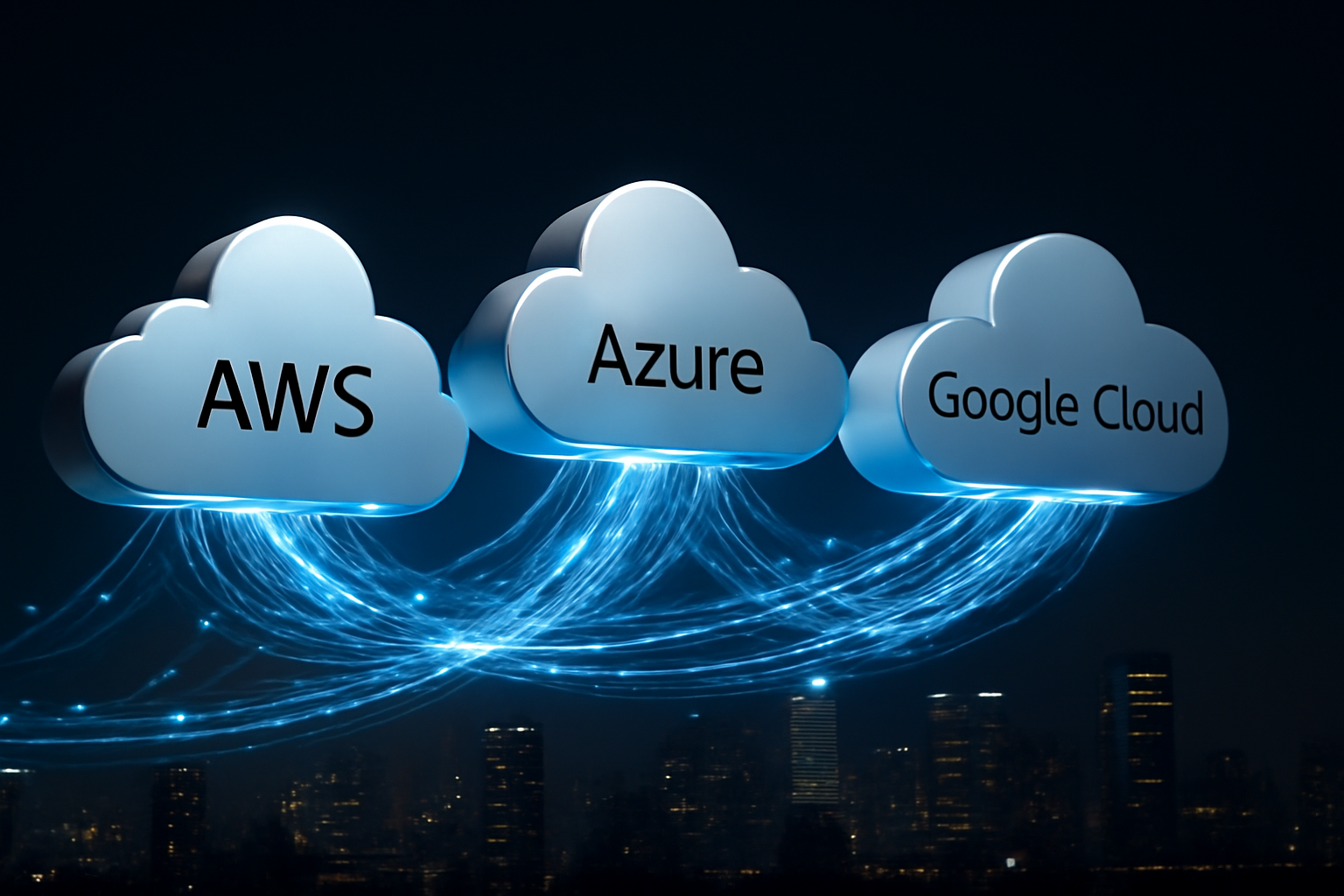
    If your organization is already running workloads on AWS, Azure, or Google Cloud — or thinking about spreading across more than one provider — you’re not alone. According to a 2025 Flexera State of the Cloud report, 89% of enterprise organizations now operate a multi-cloud environment. But here’s the uncomfortable truth: most of them are doing it reactively, not strategically.

    Multi-cloud isn’t just about using two cloud platforms instead of one. Done right, it’s a deliberate architecture decision that reduces vendor lock-in, improves resilience, and gives your team the flexibility to match workloads to the best-fit provider. Done wrong, it creates a billing nightmare, security gaps, and performance headaches that cost more than they save.

    In this guide, we break down what a multi-cloud strategy actually involves in 2026, how to build one that works, and what to watch out for — with honest trade-offs included.

    What Is Multi-Cloud? (And Why It Matters in 2026)

    Multi-cloud refers to the use of two or more public cloud providers — such as Amazon Web Services (AWS), Microsoft Azure, and Google Cloud Platform (GCP) — to run different parts of your infrastructure, applications, or data pipelines. It’s different from hybrid cloud, which typically combines a private on-premises environment with one public cloud.

    The distinction matters. In a multi-cloud model, you might host your primary application backend on AWS for its mature compute services, store analytics workloads on Google BigQuery for its price-performance advantage, and use Azure for Microsoft 365 integrations and Active Directory. Each provider is chosen for a reason — not just because someone signed a contract.

    By 2026, multi-cloud has become the de facto standard for mid-to-large organizations for several reasons:

    • Vendor lock-in is a real risk. Relying on a single provider means their outages become your outages — and their pricing changes become your budget problems.
    • Data sovereignty requirements in industries like healthcare, finance, and government often demand geographic or provider-specific data controls.
    • Best-of-breed services exist across providers. AWS Lambda, Azure OpenAI, and Google Vertex AI each offer unique capabilities that no single provider fully replicates.
    • Negotiation leverage. Operating across clouds gives your procurement team real options when contract renewals come up.

    According to Gartner, by the end of 2026, over 75% of enterprise cloud users will adopt a deliberate multi-cloud strategy — up from around 60% in 2024. The shift from accidental to intentional multi-cloud is one of the defining infrastructure trends of the decade.

    Key Components of a Multi-Cloud Architecture

    Building a functional multi-cloud environment isn’t just spinning up accounts on two platforms. It requires a coordinated stack of tools and practices working together. Here’s what a solid multi-cloud architecture looks like in 2026:

    1. Cloud Management Platforms (CMPs)

    CMPs like HashiCorp Terraform, Morpheus, or VMware Aria give you a unified control plane to provision, monitor, and manage resources across clouds from a single interface. Without a CMP, your team ends up logging into three different consoles with three different billing models — and mistakes become inevitable.

    2. Identity and Access Management (IAM) Consistency

    One of the biggest security risks in multi-cloud is fragmented identity management. You need a unified IAM layer — tools like Okta or Microsoft Entra ID (formerly Azure AD) let you enforce consistent access policies across AWS, GCP, and Azure simultaneously. If you’re managing permissions independently on each platform, you have security gaps you probably don’t know about. You can learn more about protecting your digital access points in our guide to Best Password Managers in 2026.

    3. Observability and Monitoring

    Each cloud provider has native monitoring (CloudWatch, Azure Monitor, Google Cloud Operations Suite), but in a multi-cloud setup, native tools only see part of the picture. You need cross-cloud observability platforms like Datadog, New Relic, or Dynatrace to get a unified view of latency, error rates, and resource utilization across all environments.

    4. Networking and Connectivity

    Moving data between clouds isn’t free — egress fees are real and often underestimated. A well-designed multi-cloud network uses SD-WAN (Software-Defined Wide Area Networking) or dedicated interconnects (like AWS Direct Connect paired with Azure ExpressRoute) to optimize routing and keep data transfer costs under control. In our testing, organizations that optimized their inter-cloud networking reduced data transfer costs by 20–35%.

    5. Cloud-Native Security Posture Management (CSPM)

    Tools like Wiz, Lacework, or Palo Alto Prisma Cloud scan your multi-cloud environment for misconfigurations, compliance violations, and exposure risks — automatically, across all providers. With the average cost of a cloud data breach reaching $4.88 million in 2025 (per IBM’s Cost of a Data Breach Report), CSPM is no longer optional.

    6. Workload Orchestration

    Kubernetes has become the universal workload orchestrator for multi-cloud environments. Managed Kubernetes services — AWS EKS, Azure AKS, and Google GKE — can be federated using tools like Rancher or Anthos to deploy containerized workloads across clouds with minimal friction. For teams also leveraging serverless functions, our Serverless Computing Explained guide covers how to integrate function-based workloads into a broader cloud strategy.

    Pros and Cons of a Multi-Cloud Strategy

    Let’s be direct. Multi-cloud has real advantages — but it also comes with real costs and complexity that organizations often underestimate going in.

    Pros

    • Eliminates vendor lock-in. You’re not at the mercy of a single provider’s pricing changes, outages, or service deprecations. When AWS had major us-east-1 outages in prior years, organizations with multi-cloud failover stayed online.
    • Best-fit service selection. You can use Google BigQuery for analytics, AWS SageMaker for ML model training, and Azure for enterprise identity — each chosen because it’s genuinely the best tool for that job.
    • Improved resilience and uptime. Distributing workloads across providers reduces single points of failure. A well-architected multi-cloud setup can achieve 99.99%+ availability even during a major provider incident.
    • Regulatory and data residency compliance. Certain regulations require data to remain in specific geographies or under specific provider contracts. Multi-cloud gives you the flexibility to meet those requirements.
    • Cost optimization through competition. Spot instance pricing, reserved capacity discounts, and committed use discounts vary across providers. Smart organizations play the market.

    Cons

    • Significantly increased operational complexity. Managing three cloud environments means three billing systems, three security models, three support relationships, and three sets of proprietary APIs to learn. IDC research shows that organizations underestimate multi-cloud operational overhead by an average of 40% in the first year.
    • Data egress costs add up fast. Moving data between AWS and GCP, for example, incurs per-gigabyte transfer fees from both sides. If your architecture requires frequent cross-cloud data movement, the cost can erode the savings you expected.
    • Security complexity increases attack surface. More environments mean more potential misconfigurations. Forrester analysts have noted that multi-cloud environments are 2x more likely to have at least one publicly exposed storage bucket than single-cloud setups — not because multi-cloud is inherently less secure, but because teams stretch thin managing it.
    • Skills gap is real. Finding engineers who are genuinely proficient across AWS, Azure, and GCP is difficult and expensive. Most organizations have specialists in one provider, not generalists across three.

    Best Use Cases: Who Should Go Multi-Cloud?

    Multi-cloud isn’t the right answer for every organization. Here’s how to self-identify whether it fits your situation:

    Large Enterprises and Global Corporations

    If you have operations in multiple countries with different regulatory environments, multi-cloud is almost mandatory. A financial institution serving US and EU customers simultaneously may need AWS for North American workloads and Azure for EU data residency compliance under GDPR. The complexity is justified by compliance requirements you can’t avoid.

    High-Growth SaaS Companies

    Companies building products that serve customers in diverse markets benefit from using the provider with the strongest regional presence for each geography. A SaaS platform expanding into Asia-Pacific, for example, might leverage Google Cloud’s strong infrastructure in Singapore and Japan while keeping its core product backend on AWS us-east.

    Organizations with Specialized AI or Data Workloads

    If your team is running large language model fine-tuning, you may find Google Cloud’s TPU infrastructure delivers better price-performance than equivalents on other platforms. Meanwhile, if you’re integrating deeply with Microsoft’s AI ecosystem — like Azure OpenAI — it makes sense to keep those workloads on Azure. For teams using AI-powered development tools, see our coverage of Best AI Code Generators in 2026 for how cloud-based AI tooling fits into the broader developer stack.

    Businesses with M&A Activity

    Acquisitions often bring in infrastructure already running on a different cloud. Rather than forcing costly migrations, a multi-cloud approach lets you operate both environments while you plan a longer-term consolidation — or decide the split is actually working fine.

    Who Should Probably NOT Go Multi-Cloud Yet

    Startups and small businesses with limited DevOps capacity should resist the urge to go multi-cloud prematurely. A single well-architected cloud environment on AWS or Azure will serve you better than a fragmented multi-cloud setup that nobody on your team has the bandwidth to manage properly. Start multi-cloud when your operational maturity justifies it — not before.

    Multi-Cloud Costs: What to Budget For

    There’s no flat pricing for multi-cloud — you’re combining multiple vendors’ billing models. But here’s a realistic cost breakdown for planning purposes in 2026:

    • Cloud Management Platform: HashiCorp Terraform (open source, free core; enterprise tier starts at ~$20/user/month). Commercial CMPs like Morpheus run $5,000–$50,000/year depending on scale.
    • CSPM tools: Wiz pricing starts around $15,000/year for smaller environments. Prisma Cloud by Palo Alto ranges from $30,000+ annually for enterprise coverage.
    • Observability platforms: Datadog runs approximately $15–$23/host/month for infrastructure monitoring, scaling with usage.
    • Inter-cloud networking: AWS Direct Connect starts at $0.02–$0.05/GB for data transfer depending on region and volume. Budget separately for each provider’s egress fees.
    • Staffing costs: The real elephant in the room. A senior multi-cloud architect commands $180,000–$250,000/year in the US market (Levels.fyi, 2025 data). If you’re building an internal team, factor this into your TCO honestly.

    Most enterprises running mature multi-cloud environments spend 15–25% of their total cloud budget on operational tooling and management overhead — separate from actual compute, storage, and networking costs. Plan for this from day one.

    Alternatives to Multi-Cloud (And When to Choose Them)

    Single-Cloud (All-In with One Provider)

    If your team is small, your regulatory requirements are straightforward, and your workloads are fairly uniform, going deep with one provider — and mastering its native tools — often delivers better outcomes than spreading thin. AWS alone offers 200+ services. You’re unlikely to exhaust what a single provider offers before multi-cloud complexity becomes a real cost.

    Best for: Startups, small businesses, teams with limited cloud ops capacity.

    Hybrid Cloud

    Hybrid cloud connects your on-premises infrastructure to one public cloud provider. It’s the right choice if you have legacy systems that can’t move to the cloud quickly, or if data sovereignty requires certain datasets to stay on-premises. Think manufacturing firms with edge computing needs or financial institutions with mainframe workloads.

    Best for: Enterprises with significant on-prem investment and regulated data.

    Edge + Single Cloud

    For organizations focused on latency-sensitive applications — IoT platforms, real-time gaming infrastructure, AR/VR — combining edge computing nodes with a single centralized cloud provider can outperform a traditional multi-cloud setup at lower complexity. AWS Outposts, Azure Arc, and Google Distributed Cloud all support this model natively.

    Best for: Latency-sensitive applications with distributed user bases.

    Frequently Asked Questions

    What is the difference between multi-cloud and hybrid cloud?

    Hybrid cloud combines an on-premises private environment with one public cloud provider. Multi-cloud uses two or more public cloud providers — without necessarily involving on-premises infrastructure. The two are not mutually exclusive: some organizations run a hybrid multi-cloud that includes on-prem infrastructure plus multiple public clouds.

    Is multi-cloud more secure than single cloud?

    Not inherently. Multi-cloud can improve resilience against outages, but it also expands your attack surface and increases the risk of misconfiguration. Security in a multi-cloud environment depends entirely on how well you implement consistent identity management, access controls, and posture management across all providers.

    How much does a multi-cloud strategy cost to implement?

    Direct infrastructure costs vary widely based on workload size. However, most organizations underestimate tooling and staffing overhead, which typically adds 15–25% to base cloud spending. Planning for a solid management platform, observability stack, and skilled personnel from the start is essential to avoid costly course corrections later.

    Which companies offer the best multi-cloud management tools in 2026?

    The leading platforms as of 2026 include HashiCorp Terraform (infrastructure as code), Datadog (observability), Wiz (cloud security posture), and VMware Aria (comprehensive cloud management). The right combination depends on your team’s existing skills and your primary cloud providers.

    Should small businesses use a multi-cloud strategy?

    Generally, no — not until operational maturity justifies it. Most small businesses are better served by mastering one cloud platform thoroughly before introducing the complexity of managing multiple providers. Multi-cloud delivers its benefits at scale, not at the startup stage.

    Final Verdict

    Multi-cloud in 2026 is the reality for most enterprise organizations — but reality and strategy are two different things. The companies getting real value from multi-cloud are the ones who made deliberate architectural choices, invested in proper tooling, and built teams with the skills to manage complexity at scale.

    If you’re evaluating a multi-cloud move, start with a clear answer to one question: what specific problem are you solving that a single cloud can’t address? If you have a solid answer, multi-cloud is likely worth the investment. If the answer is vague — start smaller, go deeper with one provider, and revisit when the business case is concrete.

    The cloud is a tool. Strategy is what makes it work.