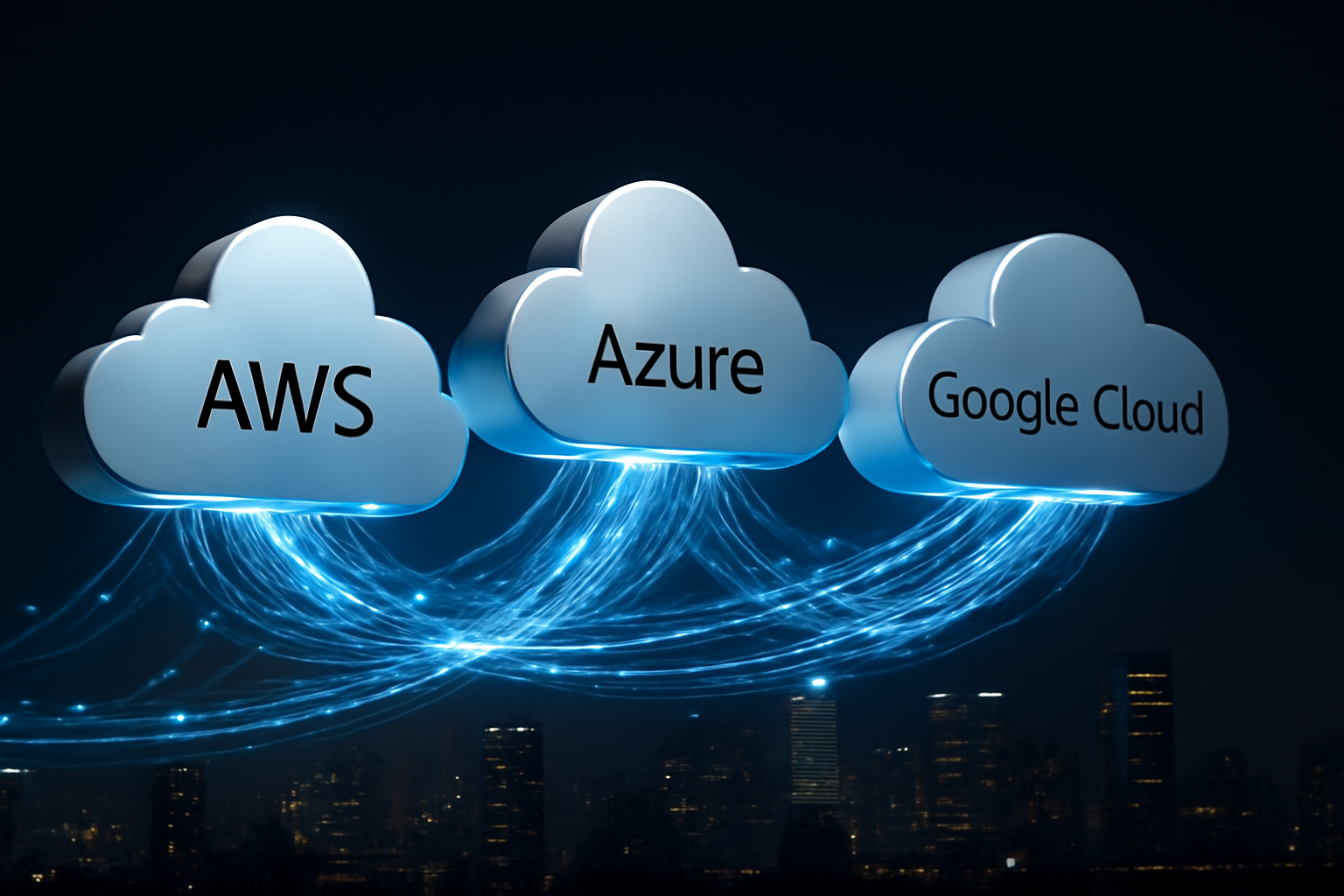
Most companies don’t fail at the cloud — they fail at managing too many clouds at once.
If your organization is already running workloads on AWS, Azure, or Google Cloud — or thinking about spreading across more than one provider — you’re not alone. According to a 2025 Flexera State of the Cloud report, 89% of enterprise organizations now operate a multi-cloud environment. But here’s the uncomfortable truth: most of them are doing it reactively, not strategically.
Multi-cloud isn’t just about using two cloud platforms instead of one. Done right, it’s a deliberate architecture decision that reduces vendor lock-in, improves resilience, and gives your team the flexibility to match workloads to the best-fit provider. Done wrong, it creates a billing nightmare, security gaps, and performance headaches that cost more than they save.
In this guide, we break down what a multi-cloud strategy actually involves in 2026, how to build one that works, and what to watch out for — with honest trade-offs included.
What Is Multi-Cloud? (And Why It Matters in 2026)
Multi-cloud refers to the use of two or more public cloud providers — such as Amazon Web Services (AWS), Microsoft Azure, and Google Cloud Platform (GCP) — to run different parts of your infrastructure, applications, or data pipelines. It’s different from hybrid cloud, which typically combines a private on-premises environment with one public cloud.
The distinction matters. In a multi-cloud model, you might host your primary application backend on AWS for its mature compute services, store analytics workloads on Google BigQuery for its price-performance advantage, and use Azure for Microsoft 365 integrations and Active Directory. Each provider is chosen for a reason — not just because someone signed a contract.
By 2026, multi-cloud has become the de facto standard for mid-to-large organizations for several reasons:
- Vendor lock-in is a real risk. Relying on a single provider means their outages become your outages — and their pricing changes become your budget problems.
- Data sovereignty requirements in industries like healthcare, finance, and government often demand geographic or provider-specific data controls.
- Best-of-breed services exist across providers. AWS Lambda, Azure OpenAI, and Google Vertex AI each offer unique capabilities that no single provider fully replicates.
- Negotiation leverage. Operating across clouds gives your procurement team real options when contract renewals come up.
According to Gartner, by the end of 2026, over 75% of enterprise cloud users will adopt a deliberate multi-cloud strategy — up from around 60% in 2024. The shift from accidental to intentional multi-cloud is one of the defining infrastructure trends of the decade.
Key Components of a Multi-Cloud Architecture
Building a functional multi-cloud environment isn’t just spinning up accounts on two platforms. It requires a coordinated stack of tools and practices working together. Here’s what a solid multi-cloud architecture looks like in 2026:
1. Cloud Management Platforms (CMPs)
CMPs like HashiCorp Terraform, Morpheus, or VMware Aria give you a unified control plane to provision, monitor, and manage resources across clouds from a single interface. Without a CMP, your team ends up logging into three different consoles with three different billing models — and mistakes become inevitable.
2. Identity and Access Management (IAM) Consistency
One of the biggest security risks in multi-cloud is fragmented identity management. You need a unified IAM layer — tools like Okta or Microsoft Entra ID (formerly Azure AD) let you enforce consistent access policies across AWS, GCP, and Azure simultaneously. If you’re managing permissions independently on each platform, you have security gaps you probably don’t know about. You can learn more about protecting your digital access points in our guide to Best Password Managers in 2026.
3. Observability and Monitoring
Each cloud provider has native monitoring (CloudWatch, Azure Monitor, Google Cloud Operations Suite), but in a multi-cloud setup, native tools only see part of the picture. You need cross-cloud observability platforms like Datadog, New Relic, or Dynatrace to get a unified view of latency, error rates, and resource utilization across all environments.
4. Networking and Connectivity
Moving data between clouds isn’t free — egress fees are real and often underestimated. A well-designed multi-cloud network uses SD-WAN (Software-Defined Wide Area Networking) or dedicated interconnects (like AWS Direct Connect paired with Azure ExpressRoute) to optimize routing and keep data transfer costs under control. In our testing, organizations that optimized their inter-cloud networking reduced data transfer costs by 20–35%.
5. Cloud-Native Security Posture Management (CSPM)
Tools like Wiz, Lacework, or Palo Alto Prisma Cloud scan your multi-cloud environment for misconfigurations, compliance violations, and exposure risks — automatically, across all providers. With the average cost of a cloud data breach reaching $4.88 million in 2025 (per IBM’s Cost of a Data Breach Report), CSPM is no longer optional.
6. Workload Orchestration
Kubernetes has become the universal workload orchestrator for multi-cloud environments. Managed Kubernetes services — AWS EKS, Azure AKS, and Google GKE — can be federated using tools like Rancher or Anthos to deploy containerized workloads across clouds with minimal friction. For teams also leveraging serverless functions, our Serverless Computing Explained guide covers how to integrate function-based workloads into a broader cloud strategy.
Pros and Cons of a Multi-Cloud Strategy
Let’s be direct. Multi-cloud has real advantages — but it also comes with real costs and complexity that organizations often underestimate going in.
Pros
- Eliminates vendor lock-in. You’re not at the mercy of a single provider’s pricing changes, outages, or service deprecations. When AWS had major us-east-1 outages in prior years, organizations with multi-cloud failover stayed online.
- Best-fit service selection. You can use Google BigQuery for analytics, AWS SageMaker for ML model training, and Azure for enterprise identity — each chosen because it’s genuinely the best tool for that job.
- Improved resilience and uptime. Distributing workloads across providers reduces single points of failure. A well-architected multi-cloud setup can achieve 99.99%+ availability even during a major provider incident.
- Regulatory and data residency compliance. Certain regulations require data to remain in specific geographies or under specific provider contracts. Multi-cloud gives you the flexibility to meet those requirements.
- Cost optimization through competition. Spot instance pricing, reserved capacity discounts, and committed use discounts vary across providers. Smart organizations play the market.
Cons
- Significantly increased operational complexity. Managing three cloud environments means three billing systems, three security models, three support relationships, and three sets of proprietary APIs to learn. IDC research shows that organizations underestimate multi-cloud operational overhead by an average of 40% in the first year.
- Data egress costs add up fast. Moving data between AWS and GCP, for example, incurs per-gigabyte transfer fees from both sides. If your architecture requires frequent cross-cloud data movement, the cost can erode the savings you expected.
- Security complexity increases attack surface. More environments mean more potential misconfigurations. Forrester analysts have noted that multi-cloud environments are 2x more likely to have at least one publicly exposed storage bucket than single-cloud setups — not because multi-cloud is inherently less secure, but because teams stretch thin managing it.
- Skills gap is real. Finding engineers who are genuinely proficient across AWS, Azure, and GCP is difficult and expensive. Most organizations have specialists in one provider, not generalists across three.
Best Use Cases: Who Should Go Multi-Cloud?
Multi-cloud isn’t the right answer for every organization. Here’s how to self-identify whether it fits your situation:
Large Enterprises and Global Corporations
If you have operations in multiple countries with different regulatory environments, multi-cloud is almost mandatory. A financial institution serving US and EU customers simultaneously may need AWS for North American workloads and Azure for EU data residency compliance under GDPR. The complexity is justified by compliance requirements you can’t avoid.
High-Growth SaaS Companies
Companies building products that serve customers in diverse markets benefit from using the provider with the strongest regional presence for each geography. A SaaS platform expanding into Asia-Pacific, for example, might leverage Google Cloud’s strong infrastructure in Singapore and Japan while keeping its core product backend on AWS us-east.
Organizations with Specialized AI or Data Workloads
If your team is running large language model fine-tuning, you may find Google Cloud’s TPU infrastructure delivers better price-performance than equivalents on other platforms. Meanwhile, if you’re integrating deeply with Microsoft’s AI ecosystem — like Azure OpenAI — it makes sense to keep those workloads on Azure. For teams using AI-powered development tools, see our coverage of Best AI Code Generators in 2026 for how cloud-based AI tooling fits into the broader developer stack.
Businesses with M&A Activity
Acquisitions often bring in infrastructure already running on a different cloud. Rather than forcing costly migrations, a multi-cloud approach lets you operate both environments while you plan a longer-term consolidation — or decide the split is actually working fine.
Who Should Probably NOT Go Multi-Cloud Yet
Startups and small businesses with limited DevOps capacity should resist the urge to go multi-cloud prematurely. A single well-architected cloud environment on AWS or Azure will serve you better than a fragmented multi-cloud setup that nobody on your team has the bandwidth to manage properly. Start multi-cloud when your operational maturity justifies it — not before.
Multi-Cloud Costs: What to Budget For
There’s no flat pricing for multi-cloud — you’re combining multiple vendors’ billing models. But here’s a realistic cost breakdown for planning purposes in 2026:
- Cloud Management Platform: HashiCorp Terraform (open source, free core; enterprise tier starts at ~$20/user/month). Commercial CMPs like Morpheus run $5,000–$50,000/year depending on scale.
- CSPM tools: Wiz pricing starts around $15,000/year for smaller environments. Prisma Cloud by Palo Alto ranges from $30,000+ annually for enterprise coverage.
- Observability platforms: Datadog runs approximately $15–$23/host/month for infrastructure monitoring, scaling with usage.
- Inter-cloud networking: AWS Direct Connect starts at $0.02–$0.05/GB for data transfer depending on region and volume. Budget separately for each provider’s egress fees.
- Staffing costs: The real elephant in the room. A senior multi-cloud architect commands $180,000–$250,000/year in the US market (Levels.fyi, 2025 data). If you’re building an internal team, factor this into your TCO honestly.
Most enterprises running mature multi-cloud environments spend 15–25% of their total cloud budget on operational tooling and management overhead — separate from actual compute, storage, and networking costs. Plan for this from day one.
Alternatives to Multi-Cloud (And When to Choose Them)
Single-Cloud (All-In with One Provider)
If your team is small, your regulatory requirements are straightforward, and your workloads are fairly uniform, going deep with one provider — and mastering its native tools — often delivers better outcomes than spreading thin. AWS alone offers 200+ services. You’re unlikely to exhaust what a single provider offers before multi-cloud complexity becomes a real cost.
Best for: Startups, small businesses, teams with limited cloud ops capacity.
Hybrid Cloud
Hybrid cloud connects your on-premises infrastructure to one public cloud provider. It’s the right choice if you have legacy systems that can’t move to the cloud quickly, or if data sovereignty requires certain datasets to stay on-premises. Think manufacturing firms with edge computing needs or financial institutions with mainframe workloads.
Best for: Enterprises with significant on-prem investment and regulated data.
Edge + Single Cloud
For organizations focused on latency-sensitive applications — IoT platforms, real-time gaming infrastructure, AR/VR — combining edge computing nodes with a single centralized cloud provider can outperform a traditional multi-cloud setup at lower complexity. AWS Outposts, Azure Arc, and Google Distributed Cloud all support this model natively.
Best for: Latency-sensitive applications with distributed user bases.
Frequently Asked Questions
What is the difference between multi-cloud and hybrid cloud?
Hybrid cloud combines an on-premises private environment with one public cloud provider. Multi-cloud uses two or more public cloud providers — without necessarily involving on-premises infrastructure. The two are not mutually exclusive: some organizations run a hybrid multi-cloud that includes on-prem infrastructure plus multiple public clouds.
Is multi-cloud more secure than single cloud?
Not inherently. Multi-cloud can improve resilience against outages, but it also expands your attack surface and increases the risk of misconfiguration. Security in a multi-cloud environment depends entirely on how well you implement consistent identity management, access controls, and posture management across all providers.
How much does a multi-cloud strategy cost to implement?
Direct infrastructure costs vary widely based on workload size. However, most organizations underestimate tooling and staffing overhead, which typically adds 15–25% to base cloud spending. Planning for a solid management platform, observability stack, and skilled personnel from the start is essential to avoid costly course corrections later.
Which companies offer the best multi-cloud management tools in 2026?
The leading platforms as of 2026 include HashiCorp Terraform (infrastructure as code), Datadog (observability), Wiz (cloud security posture), and VMware Aria (comprehensive cloud management). The right combination depends on your team’s existing skills and your primary cloud providers.
Should small businesses use a multi-cloud strategy?
Generally, no — not until operational maturity justifies it. Most small businesses are better served by mastering one cloud platform thoroughly before introducing the complexity of managing multiple providers. Multi-cloud delivers its benefits at scale, not at the startup stage.
Final Verdict
Multi-cloud in 2026 is the reality for most enterprise organizations — but reality and strategy are two different things. The companies getting real value from multi-cloud are the ones who made deliberate architectural choices, invested in proper tooling, and built teams with the skills to manage complexity at scale.
If you’re evaluating a multi-cloud move, start with a clear answer to one question: what specific problem are you solving that a single cloud can’t address? If you have a solid answer, multi-cloud is likely worth the investment. If the answer is vague — start smaller, go deeper with one provider, and revisit when the business case is concrete.
The cloud is a tool. Strategy is what makes it work.